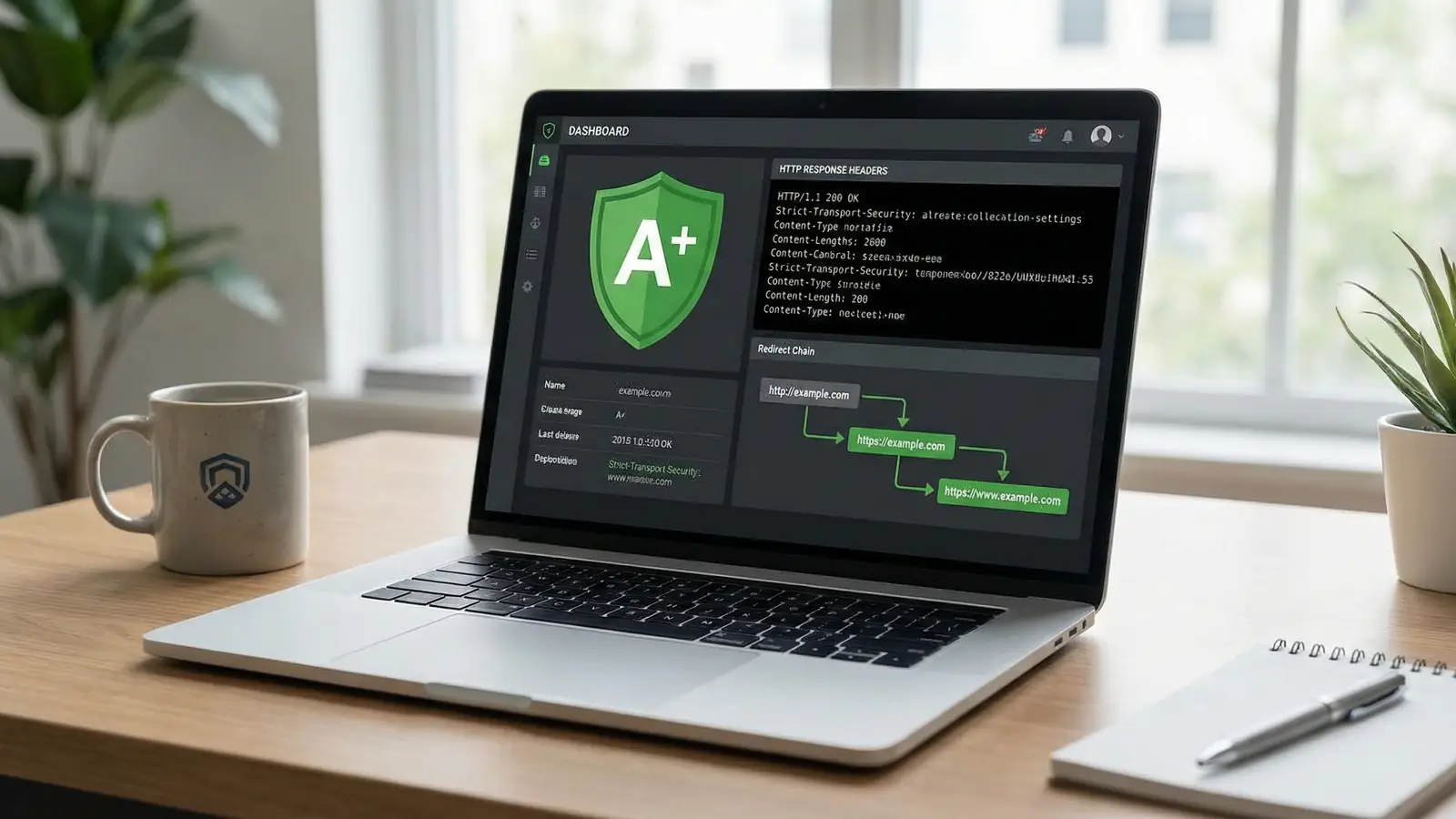
Your website has an SSL certificate. The padlock is green. Job done, right?
Not quite. That padlock means data travelling between your visitor's browser and your server is encrypted. It says nothing about whether the browser has been told how to behave once it gets there. That's what HTTP security headers do, and most sites don't have them configured at all.
We built the HTTP Header Inspector so you can check yours in about ten seconds. Enter a URL, hit the button, and you'll get an A-to-F security grade, a full list of response headers, redirect chain tracing, and warnings about server information leaks. No sign-up, no limits, works on any URL.
This is part of our suite of eight free SEO and webmaster tools we built for web professionals and business owners.
What Are HTTP Security Headers?
Every time someone visits your website, the server sends back two things: the page content and a set of HTTP headers. Headers are invisible instructions that tell the browser what to do (and what not to do).
Some headers handle caching and compression. Others handle security. A security header might tell the browser "don't let anyone embed this page in a frame" or "only load scripts from these specific domains" or "always use HTTPS, even if someone types http://".
Without these instructions, the browser makes its own decisions. And browsers, by default, are permissive. They'll load scripts from anywhere, allow framing, and happily follow HTTP links even when HTTPS is available. That's where attackers find their openings.
Why This Matters More Than You Think
The UK Cyber Security Breaches Survey 2025 found that 43% of UK businesses reported a cyber breach or attack in the previous twelve months. And that's just the ones that noticed.
The mistake most small business owners make is assuming size provides protection. It doesn't. Automated scanning tools don't care if you're a multinational or a sole trader in Kettering. They scan every IP address, test every header, and catalogue every vulnerability. If your server announces it's running Apache 2.4.52 on Ubuntu (and plenty do), that's an invitation to try the known exploits for that exact version.
Google has treated HTTPS as a ranking signal since 2014. But HTTPS alone isn't enough. Without HSTS (HTTP Strict Transport Security), a visitor who types your URL without "https://" can be intercepted before the redirect happens. That's called a downgrade attack, and it's been a known risk for over a decade.
"Security is all about defense in depth: applying layer upon layer of security controls such that any one single failure does not lead to a compromise of the application. One of those layers is the browser itself, which is becoming increasingly intelligent when it comes to implementing defenses."
That principle of layered defence has guided how I think about hosting security since the early days of 365i. SSL is one layer. Hosting-level firewalls and DDoS protection are another. Security headers are the layer that sits right inside the browser, and they cost nothing to implement. Domain registration security (registry locks, transfer protections) is yet another. We give you the tools and guidance to configure headers yourself, and our Header Inspector makes it easy to check they're working.
What the HTTP Header Inspector Actually Checks
When you run a scan, the tool does four things.
1. Security Header Audit
It checks whether your server sends the headers that matter most for browser-side protection:
- Strict-Transport-Security (HSTS) forces HTTPS connections. Without it, your SSL certificate can be bypassed.
- Content-Security-Policy (CSP) controls which scripts, styles, and resources the browser is allowed to load. It's the single most effective defence against cross-site scripting (XSS).
- X-Frame-Options prevents your site from being embedded in a frame on another domain. This stops clickjacking attacks where someone overlays invisible buttons on your page.
- X-Content-Type-Options stops browsers from guessing file types. Set to "nosniff", it prevents drive-by download attacks.
- Referrer-Policy controls what URL information is shared when visitors click links to other sites.
- Permissions-Policy restricts access to browser features like camera, microphone, and geolocation.
Each header gets a pass or fail. You can see exactly which ones your site is missing and what each one does.
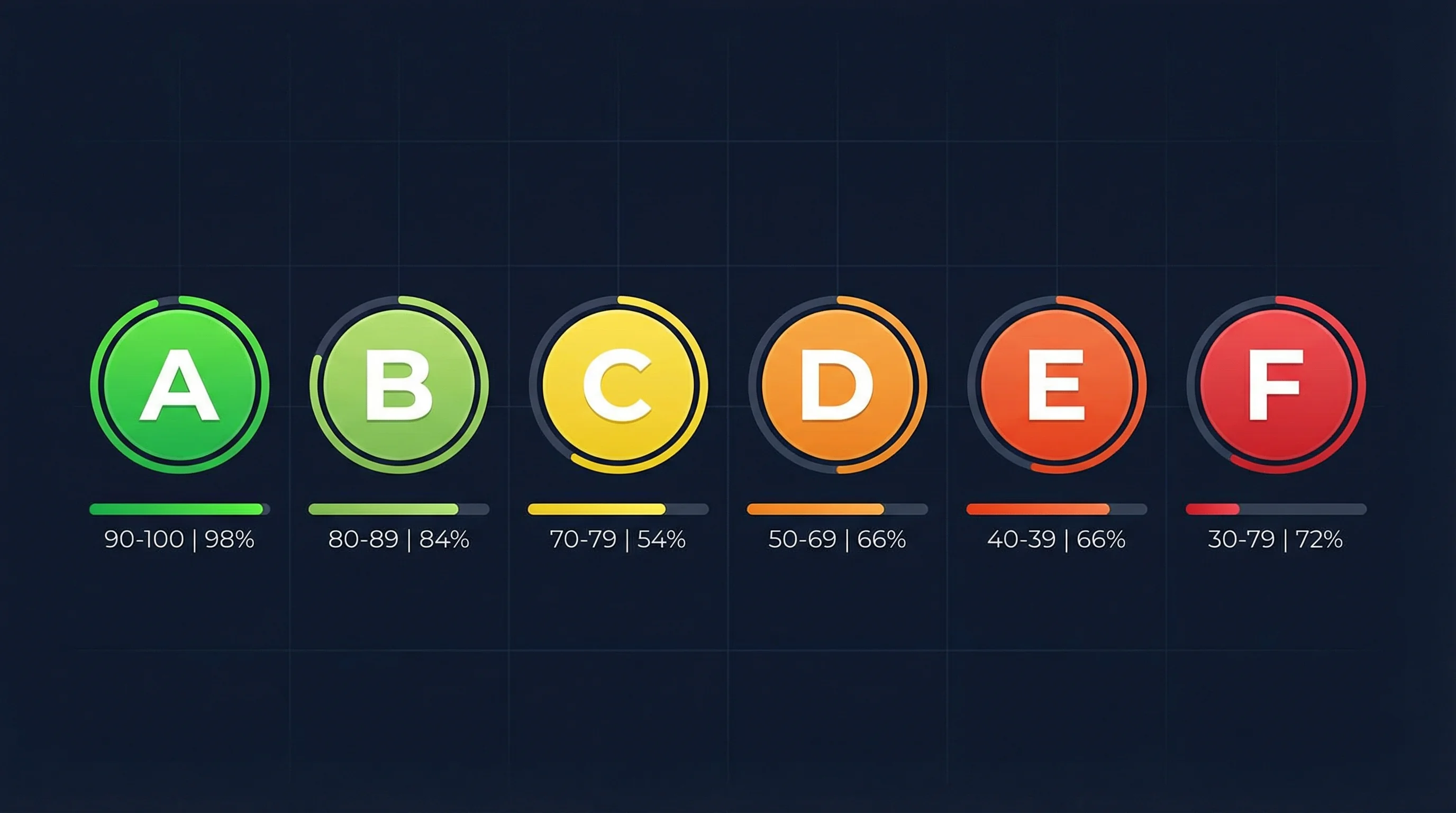
2. Security Grade (A to F)
The tool calculates a score based on which headers are present and how they're configured, then assigns a letter grade:
- A means your security headers are well configured
- B means you're off to a good start but a few headers are missing
- C means some headers are in place, but adding more would help
- D means security headers are recommended
- F means no security headers were detected at all
Most sites we test score a C or D. Getting to an A is easier than you might expect.
3. Redirect Chain Tracing
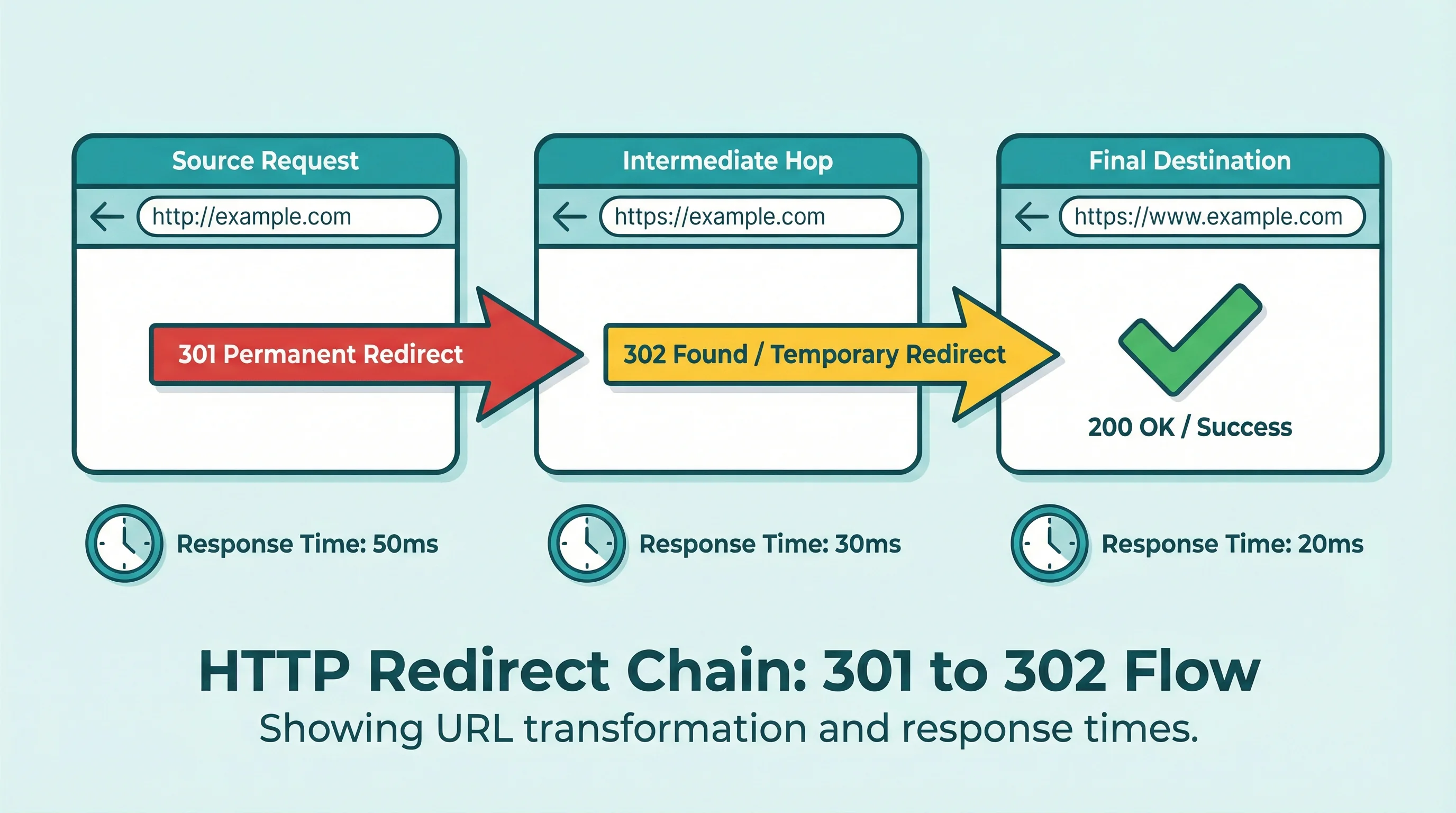
Type in any URL and the tool follows every redirect from start to finish. You'll see each hop, the HTTP status code (301, 302, 307), and how long each step takes.
This matters for two reasons. First, long redirect chains slow your site down. Every 301 adds latency. Second, mixed redirects (some HTTP, some HTTPS) can expose data during the unencrypted steps. If you've moved from http://example.com to https://www.example.com, there might be three or four hops in between, and not all of them are necessarily secure.
For SEO, redirect chains also dilute link equity. Google follows them, but fewer hops is always better. If your meta tags and canonical URLs point to one version but your redirects bounce through another, search engines have to work harder to figure out which page is the real one. Run a meta tag check alongside your header inspection to catch mismatches between canonical tags and redirect targets.
4. Server Information Leak Detection
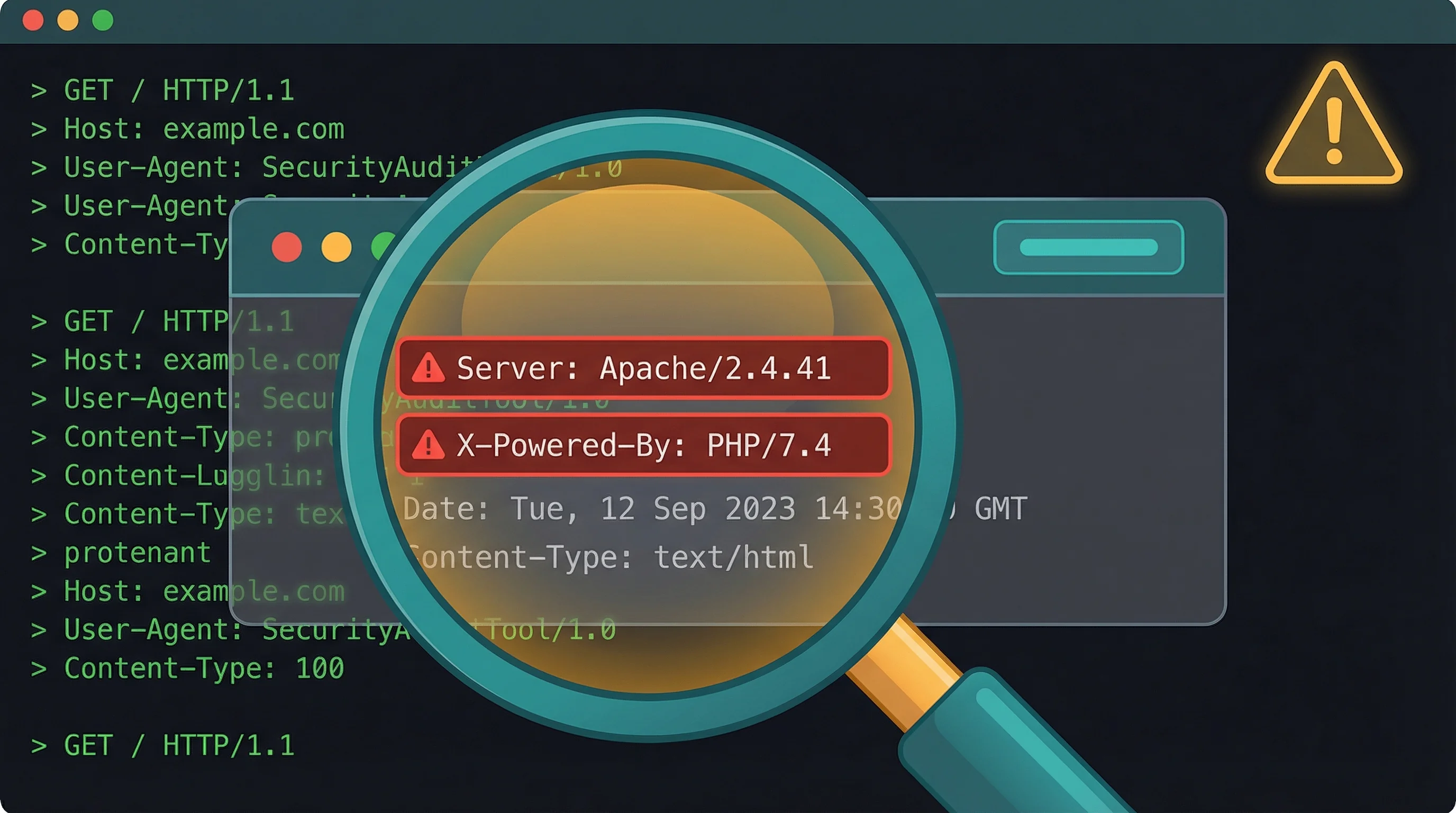
This is the feature that surprises most people. The tool reads the Server and X-Powered-By headers and flags when your server is revealing its exact software version.
A header like Server: Apache/2.4.52 (Ubuntu) or X-Powered-By: PHP/8.1.2 tells an attacker exactly what you're running. They can look up known vulnerabilities for those specific versions and try them. It's the digital equivalent of leaving a note on your front door listing which locks you use.
Suppressing these headers takes one line in your server configuration. Most hosting control panels have a toggle for it. If you're on 365i hosting, you can configure this through your .htaccess or ask our support team for help.
How to Fix Your Security Headers
Run the check first: 365i HTTP Header Inspector. Once you know what's missing, here's how to add them.
Apache (.htaccess)
Add these lines to your .htaccess file:
Header always set X-Frame-Options "SAMEORIGIN"
Header always set X-Content-Type-Options "nosniff"
Header always set Referrer-Policy "strict-origin-when-cross-origin"
Header always set Strict-Transport-Security "max-age=31536000; includeSubDomains"
Header always set Permissions-Policy "camera=(), microphone=(), geolocation=()"
CSP is more complex because it depends on what third-party resources your site loads (analytics, fonts, payment widgets). Start with a report-only policy to see what would break before enforcing it.
Nginx
Add to your server block:
add_header X-Frame-Options "SAMEORIGIN" always;
add_header X-Content-Type-Options "nosniff" always;
add_header Referrer-Policy "strict-origin-when-cross-origin" always;
add_header Strict-Transport-Security "max-age=31536000; includeSubDomains" always;
add_header Permissions-Policy "camera=(), microphone=(), geolocation=()" always;
WordPress Plugins
If you don't have access to server configuration, plugins like "HTTP Headers" or "Headers Security Advanced & HSTS WP" can set them from the WordPress dashboard. It's not as clean as server-level config, but it works.
After adding headers, run the HTTP Header Inspector again to confirm they're in place. Changes should show up immediately.
Three Mistakes That Tank Your Security Grade
Mistake 1: Setting HSTS with a short max-age. A max-age of 300 (five minutes) barely does anything. Browsers only remember the HSTS directive for that long. Set it to at least 31536000 (one year). Google's HSTS preload list requires a minimum of one year.
Mistake 2: Adding X-Frame-Options but not CSP's frame-ancestors. Older browsers read X-Frame-Options. Modern browsers prefer the frame-ancestors directive in CSP. For full coverage, set both.
Mistake 3: Forgetting to suppress server version headers. You can score well on security headers and still leak your entire technology stack through the Server and X-Powered-By headers. The tool flags this separately because it's a different kind of risk: not a missing defence, but active information disclosure.
"[Security headers are] great starting blocks. And if you're running a web app, you know, for the basic levels of protection that you can get for some really simple things, I don't think you can beat that anywhere else."
Scott's right. The code snippets earlier in this article show exactly how simple it is. A few lines in .htaccess or your Nginx config, and you go from D or F to A. Most sites we see scoring badly just haven't added them yet. Our Header Inspector shows you what's missing, and adding the headers yourself takes five minutes.
Beyond Headers: Your Full Security Picture
Security headers are one piece of the puzzle. They protect the browser, but your server needs protecting too. If you're running WordPress, plugin vulnerabilities are a constant threat: in December 2025 alone, we tracked 170 WordPress vulnerabilities in a single week.
Security headers handle the browser side, but your server needs protection too. All 365i hosting plans include web application firewalls, malware scanning, DDoS mitigation, and automatic backups at the server level. Headers are the part you configure yourself, and our free tools make it easy to check you've got them right.
For a broader check, try our HTTPS Inspector to scan for mixed content that breaks your HTTPS padlock, and the DNS Lookup tool to verify your SPF, DMARC, and MX records are protecting your email too.
Web designers working on client sites should also look at how 661 WordPress vulnerabilities in a single week affect their maintenance responsibilities. Security headers are one of the few things you can set once and forget (mostly).
Frequently Asked Questions
What does the HTTP Header Inspector check?
It checks your HTTP response headers for security configuration, grades them A to F, traces any redirect chains between the original URL and the final destination, lists all response headers, and warns you if your server is leaking its software version.
Is the HTTP Header Inspector free to use?
Yes. No sign-up, no account, no usage limits. Enter any URL and get results in seconds. We built it as a free tool for webmasters, web designers, and business owners.
Is SSL enough to secure my website?
No. SSL encrypts data in transit, but it doesn't tell the browser how to handle scripts, framing, or content types. Security headers like HSTS, CSP, and X-Frame-Options add browser-side protections that SSL alone can't provide.
What security header grade should I aim for?
Aim for A. Most sites start at C or D, but adding five or six headers in your server config can get you there. The tool shows exactly which headers are missing so you know what to add.
Do security headers slow down my website?
No. Security headers add a few bytes to each response. They're plain text instructions, not executable code. If anything, headers like CSP can speed up your site by preventing the browser from loading unauthorised third-party resources.
Can adding security headers break my website?
Most headers are safe to add without risk. The exception is Content-Security-Policy, which restricts what resources the browser can load. If your site uses third-party scripts (analytics, payment widgets, chat tools), a strict CSP might block them. Start with CSP in report-only mode to test before enforcing.
Why does it matter if my server reveals its software version?
Exposing your exact Apache, Nginx, or PHP version lets attackers look up known exploits for that specific version. Suppressing this information takes one line of server config and removes an easy reconnaissance target.
How often should I check my security headers?
Check after any server migration, hosting change, or major site update. Plugin updates and server config changes can sometimes reset or override header settings. A quick scan after changes catches problems before they become vulnerabilities.
Check your security headers for free
Our HTTP Header Inspector grades your security headers from A to F, traces redirect chains, and flags server information leaks. Takes 10 seconds. No sign-up needed.
Check Your HeadersSources
Published: · Last reviewed: · Written by: Mark McNeece, Founder & Managing Director, 365i
Editorially reviewed by: Mark McNeece on · Our editorial standards