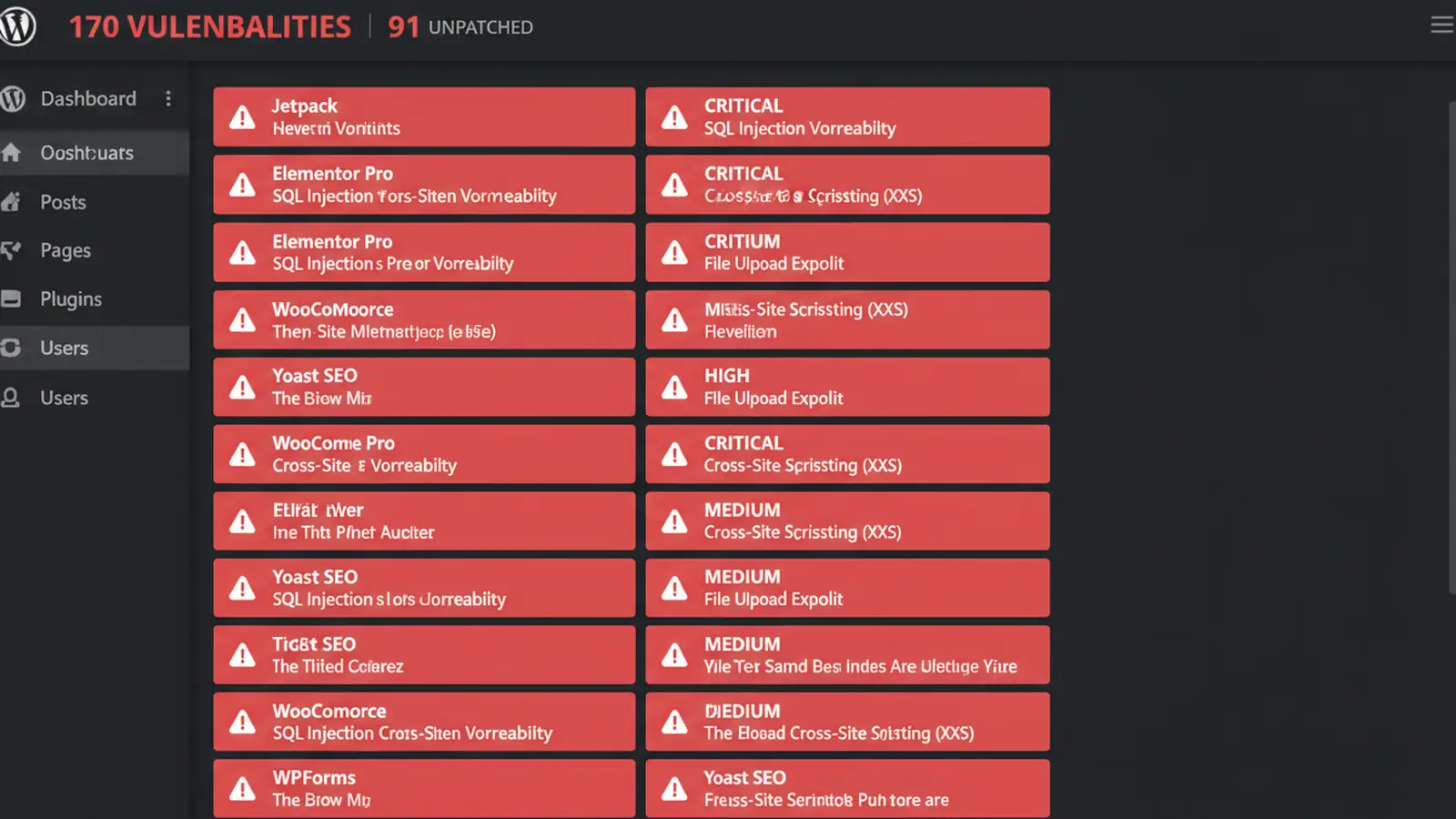
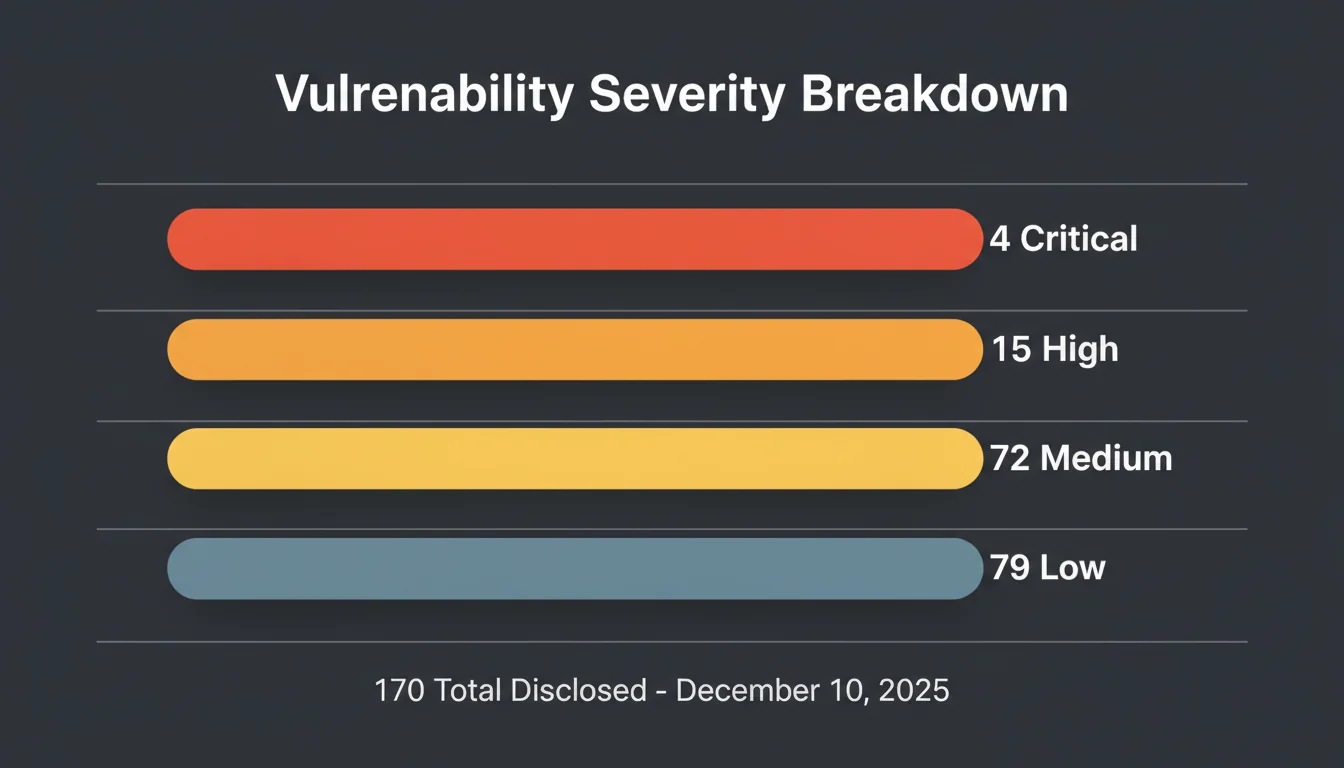
SolidWP's weekly vulnerability report for 10 December 2025 listed 170 WordPress flaws in a single disclosure. Three were critical remote code execution and file upload vulnerabilities. Ninety-one had no patch available at the time of reporting. The affected plugins run on over 2.3 million sites collectively.
That's not a typo. 170 in one week. And more than half of them couldn't be fixed because the developers hadn't released updates yet.
Here's what was found, which plugins you need to check, and what to do about the ones that can't be patched.
The Four Critical Flaws
Four vulnerabilities scored 9.0+ on the CVSS scale, meaning they could be exploited remotely with no authentication required. If you run any of these plugins, stop reading and update them first.
| Plugin | CVE | Active Sites | Issue | Fixed In |
|---|---|---|---|---|
| Starter Templates | CVE-2025-13065 | 2,000,000+ | Arbitrary file upload | 4.4.42 |
| ACF Extended | CVE-2025-13486 | 100,000+ | Remote code execution | 0.9.2 |
| SureMail SMTP | CVE-2025-13516 | 200,000+ | File upload via email handler | 1.9.1 |
| 10Web Booster | CVE-2025-13377 | 90,000+ | Critical file deletion | 2.32.11 |
The Starter Templates vulnerability is the most concerning. Two million sites use this plugin, and the flaw allows anyone to upload PHP files directly to the server. That's full site takeover with a single HTTP request. The December 2025 security roundup we published the previous week covered four other critical vulnerabilities under active exploitation, making this a particularly rough month for WordPress security.
Fifteen High-Severity Vulnerabilities
Below the critical tier, fifteen plugins had high-severity issues (CVSS 7.0-8.9). These typically need some form of authentication to exploit, but in WordPress that often just means having a subscriber-level account, which is trivial to create on most sites.
The affected plugins include some of the most popular in the ecosystem:
- Custom Post Type UI (1,000,000+ sites): broken access control allowing unauthorised settings changes
- Autoptimize (900,000+ sites): broken access control in cache management
- Fluent Forms (600,000+ sites): subscriber-level data access via broken access control
- Beaver Builder (500,000+ sites): two access control flaws, patched in 2.9.4.1
- Elementor (released security fixes in 3.33.4)
- Kadence WooCommerce Email Designer (XSS patched in 1.5.18)
Broken access control accounted for 40% of high-severity issues this week. That's a pattern we see repeatedly in WordPress plugins: developers build the feature first and add permission checks later, or not at all.
The 91 Unpatched Vulnerabilities
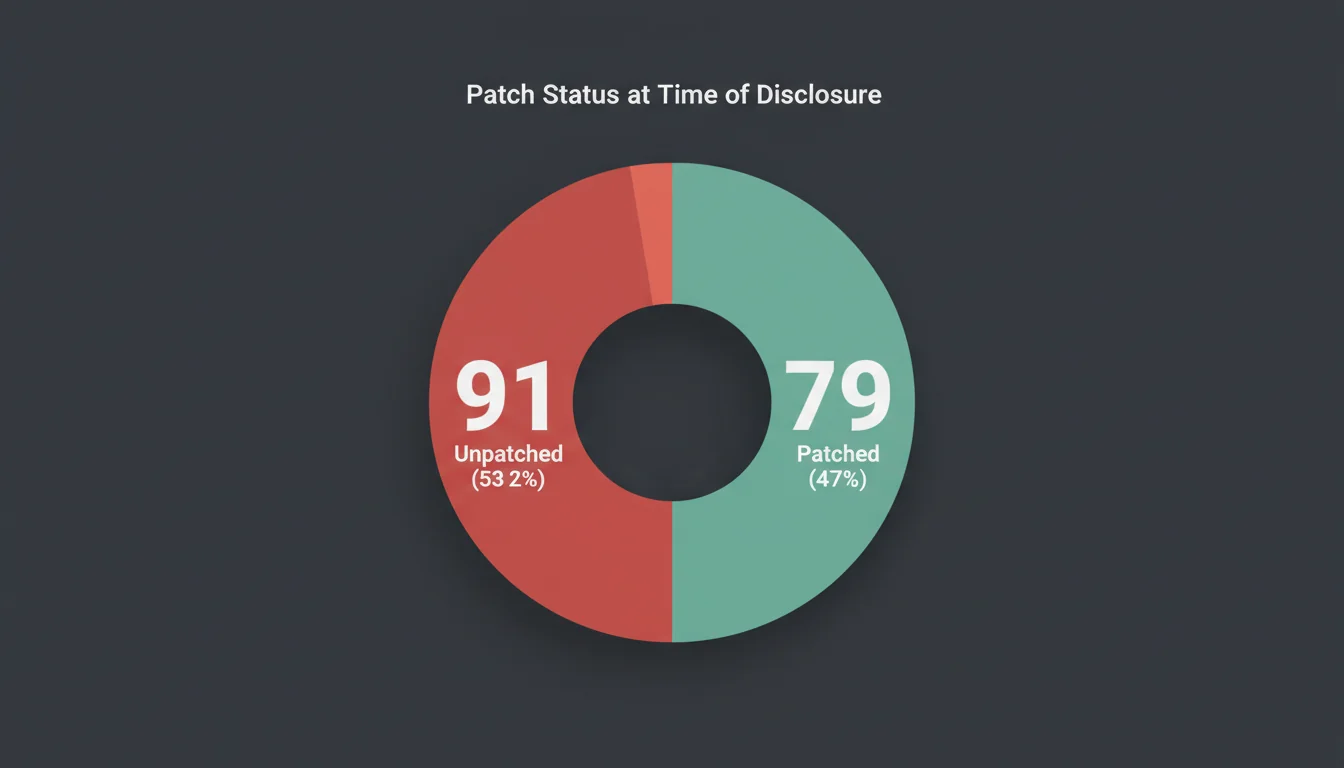
Here's the part that should concern every WordPress site owner: 91 of these 170 vulnerabilities had no available patch at the time SolidWP published the report.
That's 53% with no fix. The highest-profile unpatched issue affected Happy Addons for Elementor, which runs on over 400,000 sites. A broken access control vulnerability lets lower-privileged users perform actions they shouldn't be able to.
"The number of reported plugin vulnerabilities has increased over 150% since 2022. The WordPress ecosystem's security problem isn't getting worse because attackers are getting smarter. It's getting worse because the plugin ecosystem grows faster than security review can keep up."
Chloe Chamberland, 2023 Annual Security Report, Wordfence Threat Intelligence Lead
That observation landed differently when I was looking at 91 unpatched vulnerabilities in a single weekly report. Running a managed WordPress hosting platform means we see this from both sides: the volume of patches that need applying and the sites that fall behind. It's a race that site owners are losing, and the finish line keeps moving further away.
What to Do Right Now
If you manage WordPress sites, here's a priority checklist. Do the critical updates first, then work down the list.
Priority 1: Critical updates (do these today)
- Update Starter Templates to version 4.4.42 or later
- Update ACF Extended to version 0.9.2 or later
- Update SureMail SMTP to version 1.9.1 or later
- Update 10Web Booster to version 2.32.11 or later
Priority 2: High-severity patches
- Update Beaver Builder to 2.9.4.1
- Update Elementor to 3.33.4
- Update Kadence WooCommerce Email Designer to 1.5.18
- Check Custom Post Type UI, Autoptimize, and Fluent Forms for updates
Priority 3: Unpatched plugin assessment
- Check if Happy Addons for Elementor has released a fix (it was unpatched at disclosure)
- For any unpatched plugin with fewer than 10,000 active installs, consider deactivating it until a patch ships
- For widely-used unpatched plugins, monitor the developer's GitHub or support forum for update announcements
Priority 4: General hardening
- Audit your server access logs for suspicious POST requests to plugin directories
- Verify your hosting security includes a web application firewall (WAF)
- Test site functionality after applying updates, ideally on a staging environment first
- Run your site through an HTTP header security check to confirm headers like HSTS and CSP are in place
Running a Plugin Security Audit
A weekly vulnerability count this high is a good prompt to audit your entire plugin list. Most WordPress sites accumulate plugins over time, and many stay installed long after they're needed.
"Every plugin is an entry point. The most secure WordPress site is one that uses the fewest plugins necessary to achieve its goals."
Sucuri, 2024 Hacked Website Report
I've seen this in practice with client sites over and over. The sites that get compromised almost always have 30+ plugins installed, half of which the site owner forgot were even there. A lean plugin stack isn't just about performance (though WordPress 6.9's speed improvements make that matter more than ever). It's about reducing the number of doors an attacker can try.
Why 170 Vulnerabilities in One Week?
WordPress powers 43% of the web. There are over 60,000 plugins in the official directory. The sheer volume of code means that vulnerability disclosures at this scale aren't an anomaly anymore. They're becoming normal.
Several factors drive the trend:
- More researchers, better tools. Automated scanning tools like PHPStan, Semgrep, and commercial SAST solutions find vulnerabilities that manual code review would miss.
- Coordinated disclosure programmes. Platforms like Wordfence and SolidWP aggregate findings from dozens of researchers, which is why you see large batch disclosures rather than individual reports.
- Plugin abandonment. Roughly 40% of WordPress plugins haven't been updated in over two years. They still work, but nobody's fixing the security holes researchers find in them.
- Low barrier to publishing. Anyone can submit a plugin to the WordPress directory. Quality and security reviews happen, but they can't catch everything in 60,000+ plugins.
This isn't a WordPress-specific problem. Any ecosystem with thousands of third-party extensions (browser add-ons, npm packages, mobile app stores) faces similar challenges. But WordPress's market share means the consequences affect more sites than anywhere else.
Building Long-Term Resilience
Patching is reactive. You're always responding to something that's already been found (and possibly exploited). Building resilience means setting up layers of protection so that a single unpatched vulnerability doesn't result in a compromised site. Permission scoping matters just as much as patching: Amazon's Kiro AI tool deleted a live server because it had broader access than the task required.
Here's what that looks like in practice:
| Layer | What It Does | How to Implement |
|---|---|---|
| Web Application Firewall | Blocks known attack patterns before they reach WordPress | Cloudflare, Sucuri, or host-level WAF |
| File integrity monitoring | Detects unauthorised file changes in real time | Wordfence, Sucuri, or server-level monitoring |
| Automatic daily backups | Enables rapid recovery if a site is compromised | Host-level backups (our hosting plans include this) |
| Staging environment | Test updates safely before applying to production | Host-provided staging or local dev environment |
| Minimal plugin stack | Fewer plugins means fewer potential entry points | Quarterly plugin audit, remove unused plugins |
| PHP version management | Current PHP versions receive security patches | Upgrade from PHP 8.1 before 31 Dec 2025 |
Running hosting infrastructure that handles the WAF, backups, and PHP management for you removes three items from that list without any extra work on your part. The plugin audit and staging testing still need human attention, but that's a much smaller task when the infrastructure layer is handled.
We also covered this topic from a different angle on the 365iwebdesign.co.uk blog, where the weekly vulnerability count hit 661 in February 2026, making this December disclosure look modest by comparison.
Frequently Asked Questions
Is 170 WordPress vulnerabilities in one week normal?
Weekly WordPress vulnerability counts have been rising steadily since 2022. Counts of 100-200 per week are becoming common due to more researchers, better scanning tools, and the sheer size of the plugin ecosystem (60,000+ plugins).
What should I do about unpatched vulnerabilities?
For plugins with fewer than 10,000 installs, deactivate them until a patch ships. For widely-used plugins, monitor the developer's update channels and ensure your WAF is active. If a critical vulnerability is unpatched for more than 30 days, find an alternative plugin.
How do I check if my plugins are vulnerable?
Install Wordfence or use the Patchstack vulnerability database to cross-reference your installed plugins. Both services alert you to known vulnerabilities in your specific plugin versions. Also check the SolidWP weekly vulnerability report.
Can I safely update all plugins at once?
For security patches, update critical and high-severity plugins immediately. Test on a staging environment if possible. For non-critical updates, batch them weekly and test afterwards. Always keep a recent backup before bulk-updating.
Does managed hosting protect against plugin vulnerabilities?
Managed hosting adds defence-in-depth layers (WAF, file monitoring, automated backups, PHP updates) that reduce the impact of plugin vulnerabilities. It doesn't prevent vulnerabilities from existing, but it limits the damage and speeds recovery.
How many plugins should a WordPress site have?
There's no magic number, but most well-built sites run 10-15 plugins. Audit quarterly: remove unused plugins, replace multiple single-purpose plugins with one multi-feature alternative, and question whether custom code could replace a plugin entirely.
Will a WAF block exploits for unpatched vulnerabilities?
A WAF blocks known attack patterns and common exploit techniques, which catches many attacks against unpatched vulnerabilities. It's not a guarantee (novel exploits may bypass rules), but it buys you time until a patch ships.
Hosting That Handles Security for You
Daily backups, WAF protection, staging environments, and managed PHP updates. Your site's security shouldn't depend on you remembering to check for patches every week.
Explore Secure HostingSources
Published: · Last reviewed: · Written by: Mark McNeece, Founder & Managing Director, 365i
Editorially reviewed by: Mark McNeece on · Our editorial standards