Your domain name is probably the single most important digital asset your business owns. It's the address customers type, the brand they remember, and the foundation every page of your website sits on. But when did you last actually check who controls it?
Over 150,000 domains expire every day worldwide. Some of those are abandoned junk. But plenty are businesses that forgot to renew, didn't update their contact details, or had no idea their domain was about to lapse. A WHOIS lookup takes 10 seconds and can prevent months of recovery headaches.
We built a free WHOIS Lookup tool that queries modern RDAP servers to pull registration data across the 1,200-odd extensions in the global RDAP directory, and falls back to the older protocol for a handful of registries that directory cannot see. Expiry dates, nameservers, registrar info, domain status codes, DNSSEC. Everything you need to check your own domains or investigate someone else's.
What is WHOIS (and why does RDAP matter now)?
WHOIS has existed since the early 1980s. It was the standard way to look up who registered a domain, when it expires, and which registrar manages it. For decades, it worked fine. But WHOIS had problems: no encryption, no standardised data format, no access controls. When GDPR arrived in 2018, the whole system needed rethinking.
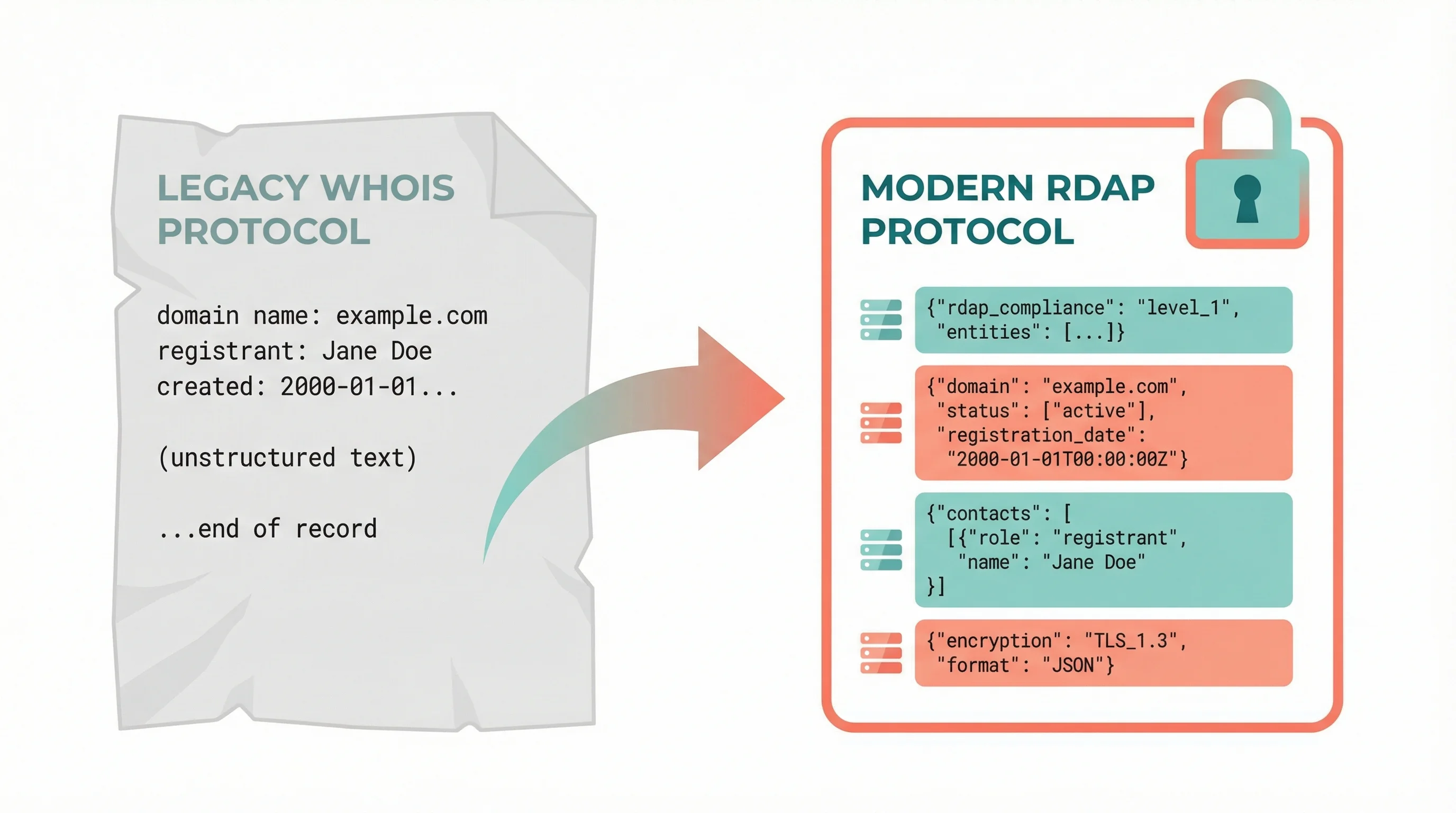
RDAP (Registration Data Access Protocol) is the replacement. As of January 2025, ICANN officially sunset the WHOIS requirement for generic top-level domains. The numbers tell the story: WHOIS queries dropped 60% between January and August 2025, while RDAP queries jumped from 7 billion to 65 billion monthly. RDAP overtook WHOIS entirely by June 2025.
Our WHOIS Lookup tool uses RDAP under the hood, which means you get structured, reliable data rather than the inconsistent text dumps the old protocol produced. It keeps the old protocol in reserve for a small set of registries RDAP can't reach, which is a story in itself and one we come back to below.
"In January 2025, the gTLDs were reporting around seven billion RDAP queries per month, rising in August 2025 to 65 billion, with RDAP queries surpassing WHOIS queries in June 2025."
Andy Newton, Principal Engineer at ICANN and IETF Applications Area Director, APNIC Blog
Newton helped write the RDAP specification, so he knows these numbers inside out. What struck me about this quote was the speed of the shift. In seven months, the entire domain industry flipped from one protocol to another. For anyone running WHOIS queries through old tools that still hit the legacy protocol, you're increasingly getting incomplete or empty responses.
I'd have finished that thought with "so RDAP is the only reliable option now", and for most of a year that's exactly what this article said. Then a customer's domain proved it wrong. RDAP won on volume, but it inherited a blind spot the old protocol never had, and the fix turned out to be the very thing everyone is switching away from. That story is further down this page.
What our WHOIS Lookup shows you
Enter a domain name and you'll see four sections of data:
Registration details. When the domain was first registered, when it was last updated, and critically, when it expires. This is the section you'll check most often. If your domain expires in two weeks and you haven't set up auto-renewal, you need to know about it now, not after your site goes dark.
Nameservers. Which DNS servers are authoritative for the domain. If you're migrating hosting providers or troubleshooting why your site isn't resolving, nameserver data tells you where the domain is actually pointing. Pair this with our DNS Lookup tool to see the full picture of what those nameservers resolve.
Domain status codes. These EPP (Extensible Provisioning Protocol) codes are the security controls on your domain. clientTransferProhibited means nobody can move your domain without your registrar's cooperation. serverDeleteProhibited means the registry itself has locked the domain against deletion. If you see redemptionPeriod or pendingDelete, that's an emergency: the domain has already expired and is heading for the open market.
Registrar information. Which company manages the domain registration. This tells you who to contact about renewal issues, DNS changes, or transfer requests. It also reveals whether a domain uses a consumer registrar or an enterprise-grade provider with better security controls. For .uk domains the WHOIS labels two parties, the consumer brand and the IPS-tag holder; we walk through this in how 365i actually registers your domain.

Five reasons to run a WHOIS lookup today
1. Check your own expiry dates. This one sounds obvious, but it catches people out constantly. Auto-renewal fails because a card expired. The admin email on file belongs to someone who left the company two years ago. The domain lapses, the website vanishes, and recovering an expired domain can cost hundreds, or be impossible if someone else snaps it up. A 10-second lookup confirms everything is current.
2. Verify domain ownership before buying a business. If you're acquiring a company or buying a domain on the aftermarket, WHOIS data tells you who actually controls it. Cross-reference the registrant against the seller. Check the registration date (a domain registered last month isn't the established brand they're claiming). Look at the status codes to confirm it can actually be transferred. If you're planning to transfer a domain to a new registrar, checking these details first saves you from surprises mid-process.
3. Investigate phishing or brand impersonation. Got an email from a domain that looks like yours but isn't? WHOIS reveals when it was registered and by which registrar. Fresh registration dates on domains mimicking your brand are a red flag. CSC's 2024 Domain Security Report found that 80% of registered domains resembling Global 2000 brands are owned by third parties.
4. Check nameservers during a migration. Moved to new hosting? Changed DNS providers? A WHOIS lookup confirms the nameservers have been updated at the registry level, not just in your control panel. If the nameservers still point to your old host 48 hours after the change, something went wrong at the registrar end. Our HTTP Header Inspector and DNS Lookup can help diagnose the rest of the chain.
5. Monitor competitor or partner domains. Checking a supplier's domain before adding them to your website as a link? Looking at a competitor's hosting setup? WHOIS tells you their registrar, nameserver provider, and how long they've held the domain. It's public data, freely available, and sometimes very revealing.
Domain security: what the numbers say

Domain security doesn't get the attention it deserves. Most businesses focus on website security (firewalls, SSL, patching) while ignoring the domain layer underneath. But if someone hijacks your domain or it expires, none of those protections matter. Your entire online presence disappears.
"Many wide-scale cyber attacks like ransomware, phishing, and data breaches can originate at the domain level through fraudulently registered or exploited legitimate domains."
Jim Stoltzfus, President of CSC Digital Brand Services, CSC 2024 Domain Security Report
That quote landed differently for me after we helped a client recover from a domain lapse a few years back. Their registrar admin contact was a generic email address that nobody monitored. Renewal reminders went into the void, the card on file had expired, and the domain dropped. It took three weeks and a redemption fee of over £200 to get it back. Three weeks of a dead website, broken email, and lost sales. All preventable with a WHOIS lookup and five minutes of updating contact details.
CSC's research backs this up at scale. Only 24% of the world's largest companies use registry lock, the single most effective protection against domain hijacking. And 57% still use consumer-grade registrars with limited security controls. For small and medium businesses with even fewer resources, the risk is higher.
A WHOIS lookup won't fix all of this, but it's the starting point. It tells you what status codes are protecting your domain, who your registrar is, and when your registration expires. From there, you can take action: enable registry lock, switch to a more secure hosting provider, or simply update your payment details before renewal fails.
Why uk.com and eu.com show as "not registered"
In August 2026 a customer told us their .uk.com domain came back as unregistered in our own tool. It plainly was registered: they'd transferred it to us three weeks earlier and renewed it days before. The domain was fine. The lookup was wrong, and so was every other lookup tool we tried it in.
Here's the cause. uk.com isn't a top-level domain. It's a single, ordinary .com registration owned by a private registry, CentralNic, who resell names underneath it as though it were a TLD. So yourbusiness.uk.com is a third-level label sitting in CentralNic's database, not a record in the .com registry.
Now follow what a correct, standards-compliant lookup does with that. It consults IANA's RDAP directory, which lists 1,200 extensions and has no entry for uk.com. So it falls back to plain .com and asks Verisign, who run the .com registry and have never heard of the name, because the name isn't theirs. Back comes a 404. The tool then tells you the domain is available.
You can reproduce it in one line against rdap.org, the reference implementation of that directory: ask it for any .uk.com name and it redirects you to Verisign, who return nothing.
This is not an obscure failure affecting nobody. On 6 August 2026 we checked the same registered domain across the major services. GoDaddy is the one worth dwelling on. On a single page, its WHOIS panel said "Domain not found", a banner at the top of that same page said the domain "is taken", and the sidebar offered to sell us a different uk.com domain for £29.84 a year. GoDaddy sells these names, knows this one is registered, and its own WHOIS cannot see it. Who.is returned "No WHOIS data was found".
The fix is almost funny. Classic WHOIS, the decades-old plain-text protocol on port 43 that the industry has spent two years migrating away from, answers the question immediately, because CentralNic run a WHOIS server that knows about every name they hold. Our tool now falls back to it whenever the RDAP directory draws a blank, which is why a .uk.com lookup works here and fails almost everywhere else.
We verified each of the 18 private-registry endings we cover against a real registered domain rather than assuming. Two more exist, com.de and com.se, and we deliberately don't list them: that registry publishes no registration data for them whatsoever, so no tool anywhere can show you their details.
The honest lesson is that "the old protocol is dead" was too tidy. RDAP has clearly won on volume, and for almost every domain you'll ever look up it's the better answer. But a directory can only route you to registries it knows about, and a private registry sitting inside somebody else's TLD isn't in it.
Why .io and .de WHOIS lookups come back empty
The uk.com problem had a sibling, and we only found it because we went looking. With the private-registry fallback working, we ran every extension we sell against IANA's RDAP directory to see what else it couldn't route. The answer was 59 of the 459.
Not obscure ones either. .io, .de, .co, .eu, .it, .se, .us, .me, .at, .be, .dk, .ie. The directory holds 1,200 entries and joining it is voluntary, so a national registry that never got round to it simply isn't in there. An RDAP-only tool has nowhere to send the query. Ours used to reply "no RDAP server found for this TLD", which is accurate and no use whatsoever to someone who just wants to know when their .io expires.
The fix reuses the plumbing the uk.com work had already built, plus one trick. IANA's own WHOIS server answers a bare TLD query with that registry's record, and the record carries a whois: line naming the port-43 server. So rather than hardcoding a list of hostnames that would quietly rot, the tool asks IANA which server to use and caches the answer for a day.
Reading the replies is the awkward part. RDAP is structured JSON. Classic WHOIS is whatever text a registry felt like printing. DENIC label the domain Domain: and the last change Changed:, where an ICANN-style registry uses Domain Name: and Updated Date:. EURid and DNS Belgium print a bare Nameservers heading with an indented list under it and no keys at all. nic.at writes its dates as 20241113 14:23:45, which no date parser will touch, and our first pass duly rendered that string on the page as though it were a date.
One quirk is a trap rather than a nuisance, and it's worth knowing about if you ever build one of these. Ask DENIC about a .de name nobody owns and it replies Domain: yourname.de, then Status: free. A parser that confirms the domain matched and stops there will report an available domain as registered. We check the status first for exactly that reason, and there's a test pinned to it.
Thirty-five of the 59 now return real registration data, each one verified from the edge against a live domain, and the tool page lists every one. The rest are dead ends rather than a backlog. .ch and .li hand back a page of terms and no record, .es doesn't answer at all, and .gr, .ph and .za publish no port-43 server for anyone to ask. Where that happens the tool offers a live availability check on the name you typed instead, which at least answers the question you were really asking.
How our tool compares to other WHOIS services
There's no shortage of WHOIS lookup tools online. Most are wrapped in ads, upsell you domain services, or run on the legacy WHOIS protocol that's now returning patchy results.
Our tool is different in a few ways. It queries RDAP servers directly, so you get structured, current data rather than outdated text, and it falls back to classic WHOIS wherever the directory can't route the query, which is the difference between a real answer and "not registered" on a .uk.com, .io or .de name. It's completely free with no account needed. It shows EPP status codes with explanations so you don't have to Google what serverTransferProhibited means. And it's part of a wider set of free webmaster tools we've built, including meta tag checking, mixed content scanning, robots.txt checking, and sitemap export.
It still has limits, and they're registry-side rather than ours. .ch, .li, .es, .gr, .ph, .za, .jp, .gg and .je publish nothing we can read on either protocol, so a lookup on those comes back empty. We'd rather name them than let you find out mid-check.
We built these tools because we run a WordPress hosting company. We deal with domain issues, DNS propagation, and security configurations every day. These are the checks we do ourselves, packaged up so anyone can use them.
Quick checklist: keeping your domains healthy
- Run a WHOIS lookup on every domain you own at least once a quarter. Check expiry dates, nameservers, and status codes.
- Enable auto-renewal and make sure the payment method on file is current. Then set a calendar reminder to double-check anyway.
- Update your registrant contact details so renewal notices reach someone who acts on them. Don't use a personal email that might change.
- Ask your registrar about registry lock. It prevents unauthorised transfers and is the single best protection against domain hijacking.
- Enable DNSSEC if your registrar and hosting provider support it. DNSSEC adds cryptographic signatures to DNS responses, protecting against cache poisoning.
- Register your domain for multiple years. A one-year registration that lapses is far more common than a five-year registration with plenty of renewal notices ahead.
All of these checks start with knowing what the current registration data says. That's what a WHOIS lookup gives you. Try it on your own domain, then check the rest of your portfolio. If you're still deciding between .uk and .co.uk for your business, we've broken down the differences. And if you're looking for domain registration with free DNS management and straightforward pricing, take a look at what we offer.
Frequently Asked Questions
What is a WHOIS lookup?
A WHOIS lookup queries a public database to retrieve registration information about a domain name. It shows who registered the domain, when it expires, which registrar manages it, and what nameservers it uses. Modern WHOIS lookups use the RDAP protocol, which replaced the original WHOIS system in January 2025.
Is WHOIS data still public after GDPR?
Some of it. Since GDPR, personal contact details (name, email, phone, address) are hidden for individual registrants in most cases. But the domain's creation date, expiry date, nameservers, registrar name, and status codes remain publicly available. Organisational registrants may still show more detail depending on the registrar.
Has RDAP fully replaced WHOIS?
For generic top-level domains (.com, .net, .org, etc.), yes. ICANN sunset the WHOIS requirement on 28 January 2025, and by September 2025, 374 gTLDs had shut down their WHOIS services entirely. About 60% of country-code TLDs (.co.uk, .de, etc.) have also deployed RDAP. Not entirely, though. Private registries such as uk.com and eu.com sit outside the RDAP directory altogether, and joining it is voluntary for country-code registries, so .io, .de, .co, .eu, .it, .se and .us have no RDAP server listed at all. We checked every extension we sell and 59 of the 459 were in that position. Our tool uses RDAP first and falls back to classic WHOIS on port 43 wherever the directory cannot route the query, which is why a .uk.com, .io or .de lookup returns a real record here.
Why does my uk.com domain show as not registered?
Because uk.com isn't a top-level domain. It's a single ordinary registration owned by a private registry, CentralNic, who resell names underneath it. Your domain sits in their database rather than the .com registry, so a standard lookup consults the public RDAP directory, finds no entry for uk.com, falls back to plain .com and asks Verisign, who have never heard of your name. Back comes "not found" even though your domain is registered and working normally. Nothing is wrong with your domain. Our tool queries the registry that actually holds the record, across 18 of these endings including uk.com, uk.net, gb.net, eu.com and us.com.
How do I check when my domain expires?
Enter your domain name into our free WHOIS Lookup tool. The Registration Details section shows the exact expiry date. If it's within 30 days, contact your registrar immediately to confirm auto-renewal is active and your payment method is current.
What do EPP status codes mean on a domain?
EPP status codes are security controls set by your registrar or registry. Common ones include clientTransferProhibited (prevents unauthorised transfers), serverDeleteProhibited (the registry has locked deletion), and ok (no restrictions active). If you see redemptionPeriod, the domain has expired and you have limited time to recover it.
How do I prevent domain hijacking?
Enable registry lock through your registrar (only 24% of large companies do this). Use two-factor authentication on your registrar account. Keep your contact details current so you receive transfer notifications. Run regular WHOIS lookups to verify your domain's status codes include transfer and delete prohibitions.
Do I need WHOIS privacy protection?
For individuals, GDPR already hides personal contact details from most WHOIS results. WHOIS privacy (also called ID protection) adds an extra layer by replacing your details with your registrar's proxy information. For businesses, it's less critical since company details are typically public anyway. UK domains registered through 365i, including .co.uk and .uk extensions, can enable WHOIS privacy for free.
Check any domain in seconds
Our free WHOIS Lookup tool queries RDAP servers for registration data, expiry dates, nameservers, and status codes. No sign-up, no limits.
Try WHOIS LookupSources
Published: · Last reviewed: · Written by: Mark McNeece, Founder & Managing Director, 365i
Editorially reviewed by: Mark McNeece on · Our editorial standards