Every website has a sitemap. Most website owners have never looked at theirs. That's a problem, because your XML sitemap is the single best inventory of what Google knows about your site, and if it's wrong, your search visibility suffers.
We built a free Post Sitemap to CSV tool that discovers all the XML sitemaps on any website, fetches the page title for every URL, and lets you download the whole lot as a CSV. No sign-up, no limits on pages. Enter a domain, click a button, and you've got a spreadsheet of every indexed page on the site.
It's part of our collection of eight free SEO tools built for webmasters and web designers who want quick answers without paying for a subscription.
Why would you export your sitemap to a spreadsheet?
The answer is simpler than you'd think: because you can't manage what you can't see. Here are the situations where a sitemap CSV saves hours of manual work.
Content audits. After Google's December core update reshuffled rankings for thousands of sites, the first thing affected publishers needed was a complete list of their pages. Without one, you're guessing which pages lost traffic and which ones didn't.
Site migrations. Moving from one CMS to another? You need a URL-by-URL inventory of the old site so you can map redirects. Miss a page and that's a broken link, a lost backlink, and a frustrated visitor. Our tool gives you that list in about 30 seconds.
Competitor research. Type in a competitor's domain and you'll see every page they've published, grouped by sitemap. You can spot content gaps, see their publishing frequency, and find pages ranking for terms you haven't targeted yet.
Client reporting. Agencies and freelance web designers can export a client's sitemap, run the titles through our Meta Tag Checker to audit their SERP appearance, then deliver a polished content inventory without paying for Screaming Frog or Ahrefs.
How the tool works (step by step)
The process has two stages: discover and extract.
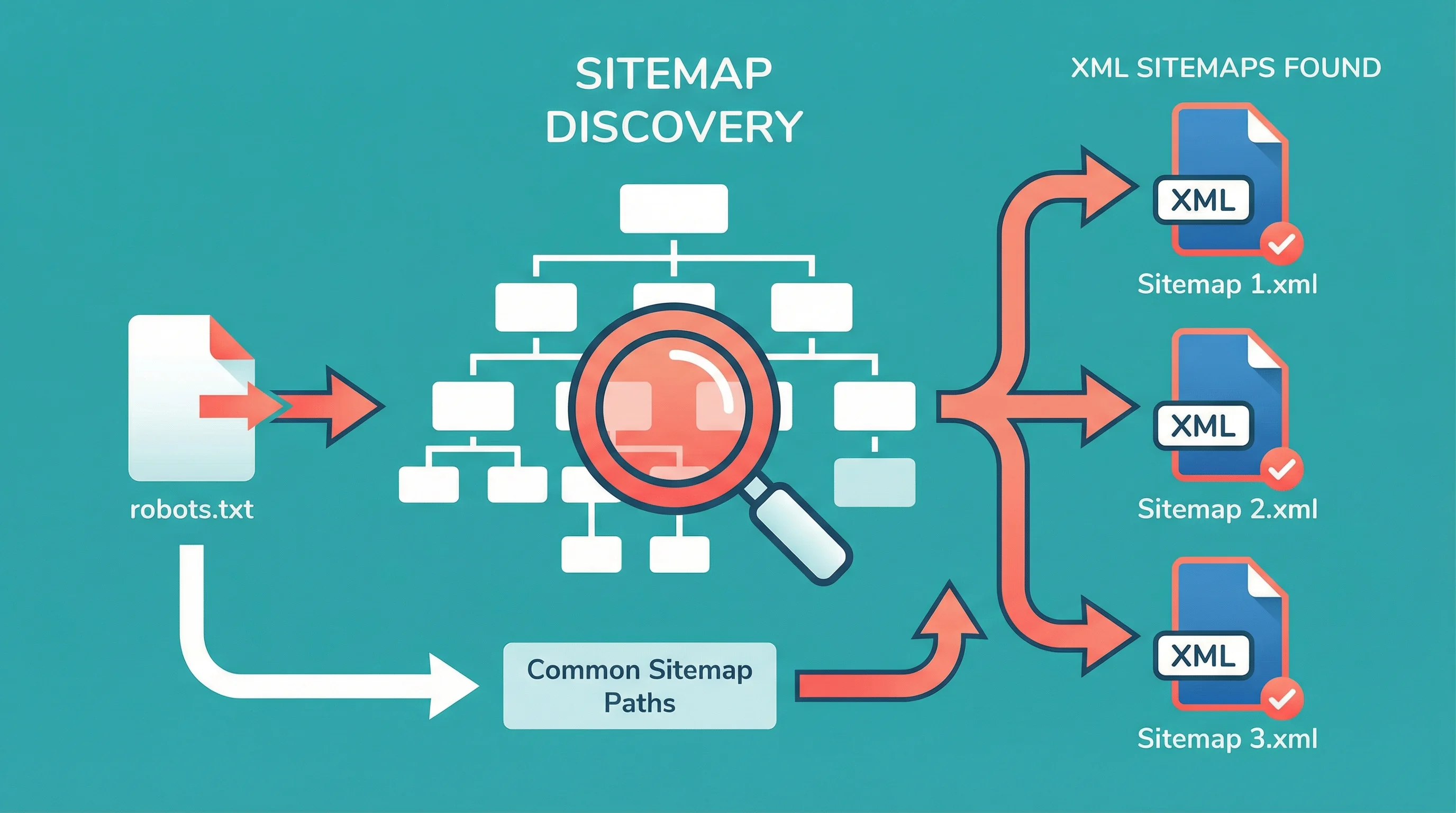
Stage 1: Sitemap discovery. You type a domain name. The tool checks the site's robots.txt for declared sitemaps, then probes common sitemap paths (/sitemap.xml, /sitemap_index.xml, /wp-sitemap.xml for WordPress sites). It lists every sitemap it finds, whether that's one file or twenty.
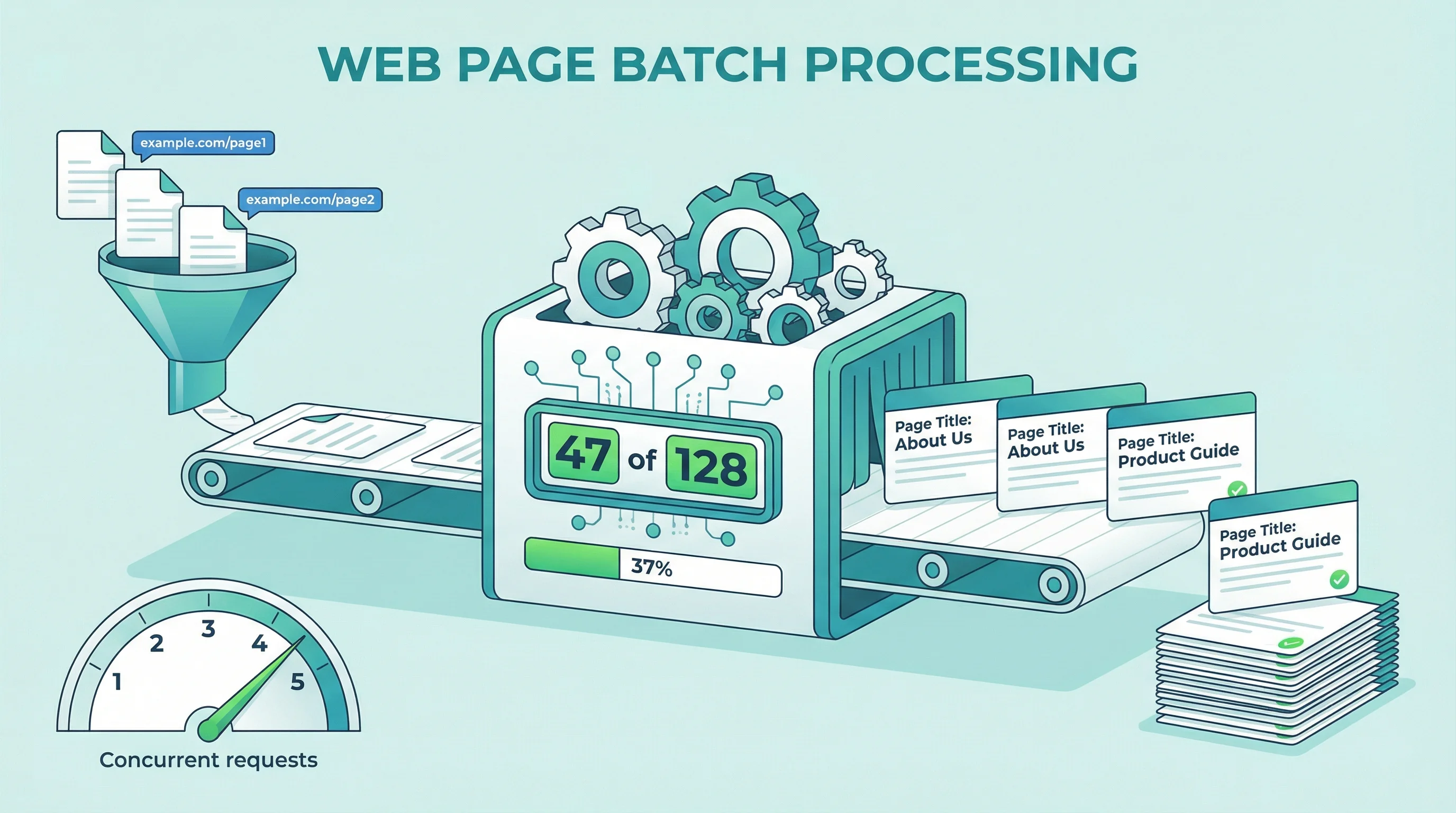
Stage 2: URL extraction and title fetching. Pick a sitemap from the list (or paste one directly). The tool parses every URL from the XML, then fetches the actual page title for each one. It starts cautiously with one request at a time, then ramps up to five concurrent requests once it confirms the server can handle the load. You'll see a progress bar ticking through each page in real time.
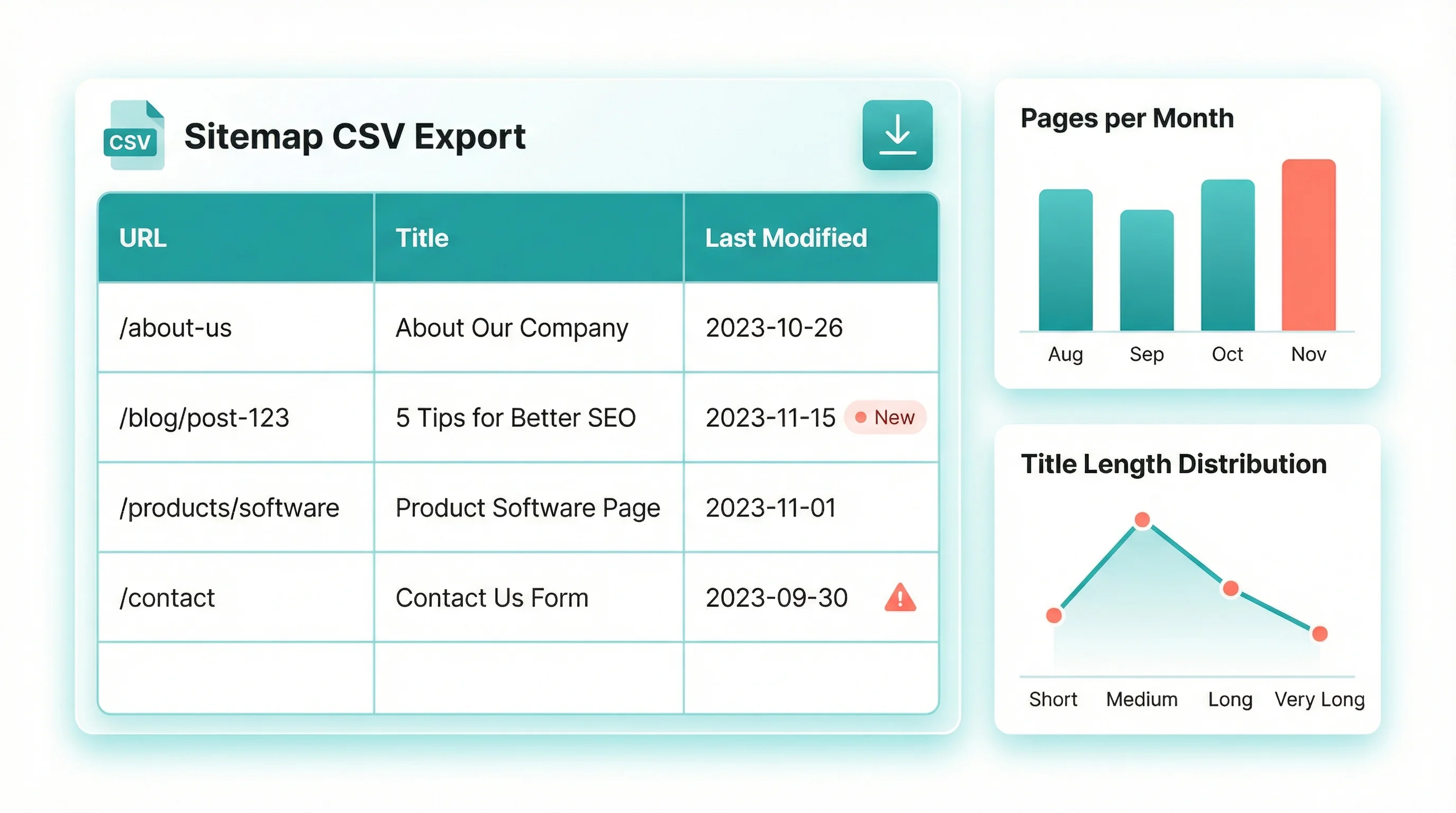
When it finishes, hit Download CSV. You get a clean spreadsheet with every URL and its page title, ready for Excel, Google Sheets, or whatever you use.
What happens when a CDN blocks the scan?
This is a problem we solved that most similar tools ignore. Large sites often run behind CDNs like Akamai or Cloudflare with aggressive bot detection. When the tool detects a CDN blocking its requests, it doesn't just fail with a cryptic error. It tells you exactly what happened and offers a fallback: open the sitemap URL in your own browser, copy the page source (Ctrl+U), and paste the raw XML into a text area. The tool parses it locally and carries on.
If you're running your own site behind a CDN, this is worth knowing. CDN bot management protects you from scraping, but it also blocks legitimate SEO tools, uptime monitors, and accessibility checkers. The trick is configuring rules that stop malicious scrapers while letting the useful bots through. It's a balance that takes some thought, and most site owners never check whether their CDN is blocking tools they actually want to use.
"We've seen a 51% year-over-year increase in bot traffic across our network. It's critical for site operators to understand what's accessing their content and have the tools to differentiate between helpful and harmful bots."
I think about that stat every time a client asks why their monitoring tool stopped working after switching CDN providers. The internet is getting noisier, and the tools that help you manage your site get caught in the crossfire. Building the paste-XML fallback into our sitemap tool was a direct response to this: if a CDN blocks the proxy, you still get your data.
Five things to do with your sitemap CSV
A CSV file is only useful if you do something with it. Here are the workflows that make this tool worth bookmarking.
1. Find orphaned pages. Compare your sitemap CSV against your site's navigation. Any page that's in the sitemap but can't be reached through internal links is orphaned. Google can find it, but visitors can't. That's wasted crawl budget and a missed opportunity for traffic.
2. Spot duplicate titles. Sort your CSV by the title column. Duplicate page titles confuse search engines and split your ranking potential. Two pages titled "Our Services" will compete against each other instead of ranking individually.
3. Check for thin content. Pages with generic titles ("Page 1", "Untitled", or just your brand name repeated) are usually thin content that Google will deprioritise. The CSV makes these obvious at a glance.
4. Build a redirect map. Exporting both the old site and new site sitemaps gives you two CSVs. Line them up and you've got the foundation of a redirect map. This alone can save days during a migration, and missing redirects are the number one cause of traffic drops after a site move.
5. Track publishing velocity. If the sitemap includes lastmod dates, you can sort by date to see how frequently a site publishes new content. Useful for competitor analysis and for spotting content decay on your own site.
Hand the CSV to an AI
This might be the most valuable use case on the list, and it's the one nobody's writing about yet.
AI tools work better when they have structured data. A sitemap CSV gives them exactly that: every page on a site, with the title telling the AI what each page covers. That's enough context for the AI to do work that would take you hours with a spreadsheet and a lot of caffeine.

Find internal linking opportunities. Paste your CSV into ChatGPT, Claude, or Gemini and ask it to identify pages that should link to each other based on their titles. If you've got a page called "WordPress Security Best Practices" and another called "Why SSL Certificates Matter", those pages should probably reference each other. An AI spots connections like that across hundreds of pages in seconds. You'd burn a full afternoon doing it manually.
Add forward links to new content. Just published a new blog post? Feed the AI your sitemap CSV and ask which existing pages should link to it. The titles give the AI enough about each page's topic to make sensible suggestions. This works for pages too, not just posts. A new service page about CDN hosting should get mentioned on your performance, security, and WordPress hosting pages. And if you've been publishing for years, there are almost certainly old posts that should reference newer ones but never got updated.
Research link building targets. Export a competitor's sitemap, then ask the AI to find pages that overlap with your content. If they've written about topics you also cover, those are natural candidates for outreach and guest posting. The AI can cross-reference two CSVs and flag overlapping topics faster than you can open both spreadsheets.
Spot content gaps. Give an AI your full sitemap CSV and ask what's missing. It reads through every page title, picks up the patterns, and tells you what topics you haven't covered. For a hosting company, it might notice you've written plenty about WordPress but nothing about email hosting or DNS management. For an ecommerce site, it might flag that you've got product pages but no buying guides.
Cluster your content by theme. AI can group pages by topic and show you which clusters are deep and which are thin. If you've got 15 pages about WordPress but only 2 about security, that's a signal. Search engines reward topical depth, and the CSV gives AI the map it needs to audit yours.
The key insight here: AI tools are only as good as the data you give them. A raw URL is meaningless. A URL paired with its page title gives the AI enough context to understand what the page is about. That's what the CSV provides, and it's why exporting your sitemap is the first step in any AI-assisted SEO workflow.
Why sitemaps matter more than you think
Google's own documentation states that sitemaps are "especially helpful" for sites with more than 500 pages, sites with large archives of content pages that aren't well linked, and new sites with few external links. That describes most business websites.
"A sitemap is a file where you provide information about the pages, videos, and other files on your site, and the relationships between them. Search engines like Google read this file to crawl your site more efficiently."
That's from the official documentation, not a blog post. And the key word is "efficiently." A search engine will eventually find most of your pages through links, but a sitemap tells it about pages it might miss and helps it prioritise which ones to crawl first. For sites that publish regularly, that efficiency gap can be the difference between a new page appearing in search results within hours or taking weeks.
Running a hosting company since 2002, I've watched the relationship between sitemaps and search visibility change. Ten years ago, most sites didn't need one. Today, with AI crawlers hitting sites thousands of times daily alongside Google's own bots, your sitemap is both an invitation and a boundary. It tells search engines what's important, and by extension, what isn't.
If you're on WordPress hosting, your CMS generates sitemaps automatically (WordPress core has included native sitemaps since version 5.5). But automatic doesn't mean correct. Plugins, drafts, and test pages can sneak into your sitemap without you noticing. Exporting it to a CSV and actually reading it is the only way to know for sure.
How this compares to paid tools
Screaming Frog costs £199/year. Ahrefs starts at $99/month. Both are excellent tools with far more features than a simple sitemap exporter. But if all you need is a list of pages and their titles, you don't need either of them. Our tool does that specific job in under a minute, from any browser, with zero setup.
For web designers running SEO audits, it pairs well with the rest of our toolkit. Export the sitemap, run URLs through the Robots.txt Checker to confirm nothing's being blocked by accident, check DNS health, and verify security headers. That's a solid technical audit using nothing but free tools.
Frequently Asked Questions
What is an XML sitemap?
An XML sitemap is a structured file that lists every URL on your website you want search engines to know about. It includes optional metadata like last modification date and change frequency. Search engines use it to discover and crawl your pages more efficiently.
How do I find my website's sitemap?
Try adding /sitemap.xml to your domain (e.g., yoursite.com/sitemap.xml). WordPress sites use /wp-sitemap.xml by default. You can also check your robots.txt file, which usually declares sitemap locations. Our tool automates all of this: just enter your domain and it checks every common path.
Does WordPress generate sitemaps automatically?
Yes. WordPress has included native XML sitemaps since version 5.5, released in August 2020. They're generated at /wp-sitemap.xml. SEO plugins like Yoast and Rank Math create their own sitemaps with more options, which usually override the native ones.
Why would I export my sitemap to CSV?
A CSV lets you sort, filter, and analyse your page inventory in a spreadsheet. Common uses include content audits (finding thin or duplicate pages), building redirect maps for site migrations, competitor research (seeing all pages a rival has published), and tracking publishing frequency over time.
Why does the tool say my sitemap is blocked by a CDN?
Some CDN providers (Akamai, Cloudflare with aggressive bot management) block automated requests to XML files. The tool detects this and offers a paste-XML fallback: open the sitemap URL in your browser, view page source, copy the XML, and paste it into the tool. It parses it locally.
Is there a limit on how many URLs it can process?
There's no hard limit on the tool's side. It processes URLs in batches, ramping from one to five concurrent requests to avoid overloading the target server. Sites with thousands of pages will take longer, but the progress bar shows you exactly where it's at.
What if pages are missing from my sitemap?
Missing pages won't appear in the CSV because they're not in the sitemap XML. If you suspect pages are missing, compare the CSV against your CMS page list or site navigation. Pages excluded from your sitemap can still be found by search engines through links, but they'll be discovered more slowly.
Can I use the CSV with AI tools like ChatGPT or Claude?
Yes, and it's one of the best uses for the export. AI tools can process the full list of URLs and titles to find internal linking opportunities, suggest which existing pages should link to new content, identify content gaps, cluster pages by topic, and cross-reference your sitemap against a competitor's. The page titles give the AI enough context to understand what each page covers without visiting every URL.
Try our free SEO tools
The Sitemap to CSV exporter is one of eight free tools we built for webmasters and web designers. No sign-up, no limits, no catch.
Export Your SitemapSources
Published: · Last reviewed: · Written by: Mark McNeece, Founder & Managing Director, 365i
Editorially reviewed by: Mark McNeece on · Our editorial standards