Update (23 April 2026): The WordPress release squad confirmed the revised schedule on 22 April. WordPress 7.0 now ships on 20 May 2026. The RC 3 build on 8 May is treated like a new beta, RC 4 on 14 May is the effective RC 1, with code freeze 19 May and GA 20 May. The cycle was extended to rework the real-time collaboration database. This article was also updated with the MySQL 8.0 / MariaDB 10.6 recommendation (initially described in the body as a hard minimum, which was wrong; see the 16 May editorial correction in the database section below).
WordPress 7.0 ships on 20 May 2026. It's the biggest release since 5.0 introduced the block editor back in 2018.
You've probably already seen the coverage. Real-time collaboration, AI connectors baked into core, a redesigned admin built on DataViews. Every WordPress blog and YouTube channel has covered the feature list by now. We've written about it ourselves: the full features guide, the Beta 1 announcement, and a hands-on walkthrough of the AI Connectors on Beta 2.
But here's the question nobody seems to be asking: is your hosting actually ready for this?
I've been hosting WordPress sites since 2002. Every major release changes what the hosting layer needs to handle. And every time, the budget hosts stay quiet until something breaks. So let me walk you through what's actually changing under the bonnet, and what you should be asking your hosting provider right now.
What's Coming in 7.0 (The Short Version)
If you haven't been following the betas, here's a quick rundown of the headline features:
- Block-level Notes let editors leave threaded, single-user comments on specific blocks and text fragments, with @mention notifications. (Real-time multi-user editing was pulled from 7.0 on 8 May and is being held back for 7.1 review.)
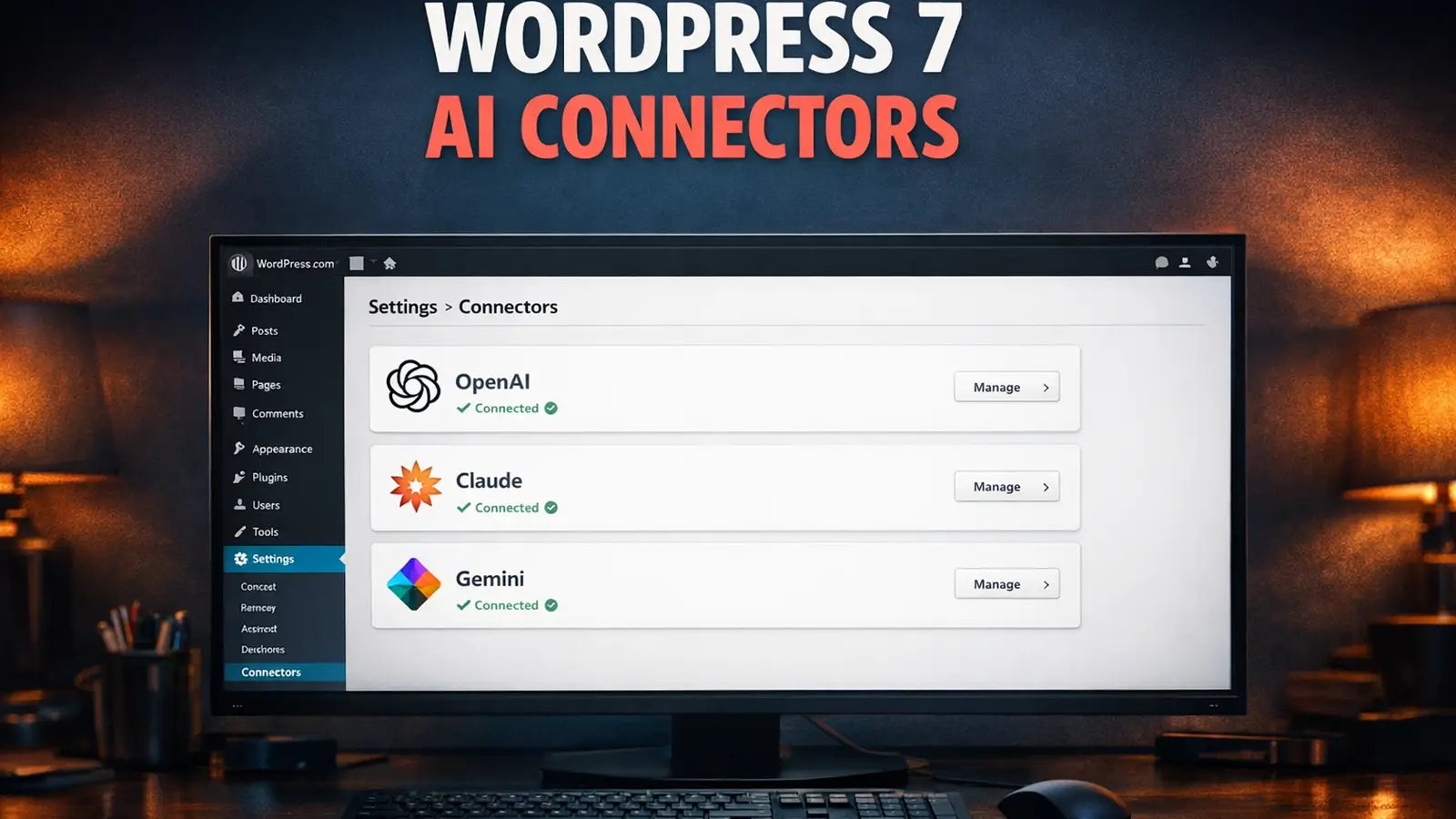
- AI Client ships in core as a provider-agnostic PHP API. The three official provider plugins (Anthropic, Google, OpenAI) install separately via a new Settings > Connectors page
- MCP Adapter allows AI agents to interact with your WordPress site directly (requires PHP 8.2+)
- DataViews replaces the old WP List Tables with a modern React-based interface across the admin
- New blocks including Icons, Breadcrumbs, and a responsive Grid block
- Client-side media processing handles image compression in the browser before upload
Good stuff. But the feature lists gloss over the infrastructure implications. Here's what they don't mention.

What the Feature Lists Don't Mention
PHP 7.2 and 7.3 Are Dead
WordPress 7.0 drops support for PHP 7.2 and 7.3. If your site runs either of those versions, the update simply won't appear. You'll stay on WordPress 6.9 and stop receiving security patches.
The new minimum is PHP 7.4. But "minimum" doesn't mean "recommended." For the best performance (and for the MCP Adapter to work at all), you need PHP 8.2 or higher. We've been running PHP 8.5 since it launched, and the speed difference over 7.4 is roughly 12-14% on real WordPress sites.
If your host still defaults to PHP 7.4 or 8.0, that's a red flag. Not because 7.0 won't run on it, but because it shows they're not keeping up. PHP 8.1 reached end-of-life in December 2025. If they haven't moved past it yet, ask yourself how quickly they'll respond when something breaks on 20 May.
MySQL 8.0 Is the Recommended Database (Not the Minimum)
Editorial correction (16 May 2026): an earlier version of this section claimed WordPress 7.0 raises the MySQL minimum from 5.5.5 to 8.0 and gates the update on database version. That was wrong, and we apologise. The official WordPress.org requirements page lists MySQL 8.0 / MariaDB 10.6 as recommended. The hard minimum is still MySQL 5.5.5 / MariaDB 10.4 (both well past End Of Life, both still functional). Sites on older databases will still be offered the 7.0 update.
That said, the database version question is still worth asking your host. MySQL 5.5.5 and MariaDB 10.4 are years past official End Of Life. They no longer receive security updates. The 7.0 installer won't block the upgrade, but running production WordPress on an unsupported database is exposing you to known, unpatched vulnerabilities. The recommendation is MySQL 8.0 (or, better, MySQL 8.4 LTS) or MariaDB 10.6 (or MariaDB 11.4 LTS).
If you're reading this thinking "I have no idea what database version my host runs," that's the first thing to ask. Most modern managed hosts already run 8.0+ by default. Budget shared hosting that still sits on MySQL 5.7 or 5.6 is the case to watch. Upgrading the database on a shared plan is not usually a one-click affair. It often means the host migrates your account to a new server, which means downtime and risk.
Real-Time Collaboration Works on Shared Hosting
This one is actually good news. The collaboration feature uses HTTP polling, not WebSockets. That means it works on standard shared hosting without any special server configuration.
The trade-off is performance. HTTP polling sends requests every few seconds to check for changes. For a two-person team editing a page, that's fine. For a newsroom with ten editors on the same article, it'll feel sluggish compared to WebSocket-based tools. But for most UK small businesses? It works out of the box.
What will increase is database load. Every collaborative edit triggers autosaves, REST API calls, and presence checks. Sites with editorial teams of three or more will feel this on budget hosting. If you run WooCommerce alongside active editing sessions, the database pressure compounds.
AI Connectors Need Outbound Access
The new AI Client in WordPress 7.0 makes outbound HTTPS requests to external AI services. Your server isn't doing AI processing. It's sending prompts to OpenAI, Anthropic, or Google and receiving responses.
This sounds simple, but some shared hosting providers restrict outbound HTTP connections, throttle them, or block specific ports. If your host locks down wp_remote_post() or has aggressive firewall rules on outbound traffic, the Connectors page will show errors with no obvious explanation.
DataViews Will Break Some Admin Plugins
DataViews replaces the PHP-rendered WP List Tables with a React-based interface. Plugins that hook into the old DOM structure (adding custom columns, inline edit buttons, or bulk action filters) may break visually or functionally. This is a hosting support issue as much as a plugin compatibility issue. When plugins break after an update, the first call goes to the hosting provider.
Client-Side Media Processing Is a Win
One piece of good infrastructure news: WordPress 7.0 handles image compression and format conversion in the browser before uploading to the server. That reduces server-side CPU usage and speeds up media uploads. For hosts with tight resource limits, this is a welcome change.

The WordPress 7.0 Hosting Readiness Checklist
Here are the questions worth asking your hosting provider before 20 May. If the answer to more than two of these is "I don't know," it might be time to evaluate your hosting.
- What PHP version am I running? Can I switch to PHP 8.2 or higher? Is it a one-click change or do I need to raise a support ticket?
- What database version am I running? MySQL 8.0 or MariaDB 10.6 is the WordPress 7.0 recommendation (not the hard minimum, but anything older is past End Of Life and receives no security updates). Some hosts still sit on MySQL 5.7 on shared plans. If your host can't give you a straight answer, or says an upgrade involves "migration" with downtime, plan the move early.
- Do I have a staging environment? Can I clone my live site and test WordPress 7.0 before committing? Staging is included on every WordPress hosting plan.
- Are daily backups running? And can I restore to a specific point in time, not just "yesterday's backup"? Timeline restore is the difference between losing an hour of work and losing a day.
- Does my host handle core updates automatically? And if an update breaks something, is there a rollback mechanism or am I on my own?
- Are outbound API connections unrestricted? WordPress 7.0's AI Connectors need to reach external APIs. Some budget hosts throttle or block these.
- Will the support team know what to do? When DataViews breaks a plugin or the Connectors page throws errors, will your host's support team understand the problem? Or will they tell you to "contact the plugin developer"?
- Is my host already testing WordPress 7.0? If they've been running the betas and RCs on their platform, they've already found and fixed compatibility issues. If they haven't, you're the test case.
What We're Doing at 365i
This isn't a sales pitch. It's a factual account of our preparation, because transparency matters more than marketing.
We've been testing every beta release since Beta 1 landed in February, and we're running the RC builds in staging ahead of 20 May. PHP 8.5 is already the default on all new installs, and switching versions takes one click in the My365i control panel. Our database servers run MySQL 8.0+ as standard, so you're already on the recommended database version with security updates intact. Staging environments are included on every plan, so testing 7.0 against your live content takes minutes.
Our platform handles WordPress core updates automatically with safe rollback. If an update causes problems, we can revert to the previous version without you losing data. We've already tested and documented the AI Connectors, and outbound API connections are completely unrestricted on every plan.
And if something goes wrong on 20 May or after, our free 1-to-1 WordPress assistance means you talk to someone who understands WordPress, not a script reader.

The AI Angle Nobody Else Is Connecting
WordPress 7.0 puts AI infrastructure into core for the first time. The Connectors page, the WP AI Client, and the MCP Adapter are developer foundations that will shape the next generation of WordPress plugins.
But there's a bigger picture that most hosting companies aren't talking about. Your WordPress site is about to become a two-way AI participant.
On one side, AI discovery files (llms.txt, ai.json, identity.json) tell AI systems like ChatGPT and Claude who you are and what your business does. On the other, the MCP Adapter in WordPress 7.0 lets AI agents interact with your site directly.
One side is your identity. The other is your capability.
We've built a free AI Discovery Files plugin that creates all these files for your WordPress site with one click. And our sister site AI Visibility Checker lets you test what AI systems actually see when they visit. Most hosting companies haven't heard of AI discovery files. They're certainly not thinking about MCP support.
What to Do This Week
You've got about a month. Here's the practical list:
- Check your PHP version in your hosting dashboard. If it's below 8.2, upgrade now. If your host doesn't let you change it easily, that tells you something.
- Check your database version too. MySQL 8.0 or MariaDB 10.6 is the WordPress 7.0 recommendation (not a hard minimum, but anything older is past End Of Life and unpatched). If your host can't tell you what you're on, or says a database upgrade means downtime, start that conversation immediately.
- Take a full backup today. Not next week. Today. If your host offers timeline restore, check it's actually working.
- Test on staging if your host offers it. Install the WordPress 7.0 RC on a staging copy and check your plugins. RC 3 lands 8 May, RC 4 on 14 May; the RC 4 build is effectively the "final before stable" test.
- Audit your admin plugins. Anything that adds columns to the Posts or Pages list, or modifies bulk actions, is a DataViews risk. Check for updated versions.
- Don't update on 20 May. Wait a few days unless you've tested thoroughly. Let someone else find the edge cases.
- Set up your AI discovery files. Install our free plugin and get your site ready for the AI ecosystem that WordPress 7.0 is building towards.
- If your host can't answer the checklist questions, start looking at alternatives. The gap between managed and budget hosting is about to get wider. We explored this in depth in our look at the hidden costs of cheap hosting.
WordPress 7.0 is a good release. It moves the platform forward in ways that matter. But "good software" still needs "good hosting" to deliver on its promises. Make sure your infrastructure is ready before 20 May, not after.
Frequently Asked Questions
Is WordPress 7.0 safe to install on day one?
If you've tested it on a staging site and confirmed your plugins work, yes. If you haven't tested, wait a week. Every major WordPress release triggers a round of plugin compatibility fixes in the first 48 hours. WordPress 6.9 broke three popular plugins within hours of launch.
What PHP and MySQL versions does WordPress 7.0 require?
PHP 7.4 is the new minimum. Sites on PHP 7.2 or 7.3 won't receive the update. For best performance and full feature support (including the MCP Adapter), PHP 8.2 or higher is recommended. PHP 8.3+ gives you an additional 12-14% speed boost. For the database, the WordPress.org requirements page recommends MySQL 8.0 or MariaDB 10.6, but the hard minimum is still MySQL 5.5.5 / MariaDB 10.4 (both past End Of Life). MySQL 8.4 LTS or MariaDB 11.4 LTS are the recommended versions for fully-supported security updates.
Will my plugins break with WordPress 7.0?
Plugins that modify admin list tables (Posts, Pages, Users screens) are most at risk because DataViews replaces the underlying DOM structure. Front-end plugins are unlikely to be affected. Test on staging before updating your live site.
Does WordPress 7.0 require special hosting?
No. Real-time collaboration uses HTTP polling, which works on standard shared hosting. The AI Connectors need unrestricted outbound HTTPS connections, which most managed hosts already allow. Budget hosts with aggressive firewalls may have issues.
What are the WordPress 7.0 AI features?
WordPress 7.0 includes the AI Client (a standardised way for plugins to connect to AI services), the Connectors page (Settings > Connectors for configuring API keys), and the MCP Adapter (allowing AI agents to interact with your site). These are developer foundations, not end-user features yet.
Do I need WebSocket support for real-time collaboration?
No. WordPress 7.0's collaboration feature uses HTTP polling, not WebSockets. It works on any hosting environment. WebSocket support would provide faster synchronisation for larger teams, but it's not required.
Can I roll back to WordPress 6.9 if something goes wrong?
WordPress doesn't include a built-in downgrade function. Rolling back depends on your hosting provider's backup and restore capabilities. Managed hosts like 365i offer one-click restore from daily backups. On budget hosting, you'd need to restore files and database manually from your own backups.
Will WooCommerce work with WordPress 7.0?
WooCommerce typically releases compatibility updates within days of a major WordPress release. Don't update your live WooCommerce store on 20 May without checking for a compatible WooCommerce version first. Test on staging and wait for the all-clear from the WooCommerce team.
Make Sure Your Hosting Is Ready for 20 May
365i WordPress hosting includes PHP 8.5, MySQL 8.0+, staging environments, automatic updates with rollback, and free 1-to-1 WordPress support. We've been testing WordPress 7.0 since Beta 1 and we're running the RC builds in staging ahead of launch.
Explore WordPress HostingSources
- Dropping support for PHP 7.2 and 7.3 - Make WordPress Core
- WordPress Requirements - WordPress.org (MySQL 8.0 / MariaDB 10.6 recommended)
- WordPress Compatibility - Make WordPress Hosting Handbook
- Increase the PHP minimum supported version to 7.4 - WordPress/Gutenberg GitHub
- Extending the 7.0 Cycle - Make WordPress Core (31 March 2026)
- WordPress 7.0 Release Party Updated Schedule - Make WordPress Core (22 April 2026)
- Real-Time Collaboration Flagged for WordPress 7.0 - The Repository
Published: · Last reviewed: · Written by: Mark McNeece, Founder & Managing Director, 365i
Editorially reviewed by: Mark McNeece on · Our editorial standards