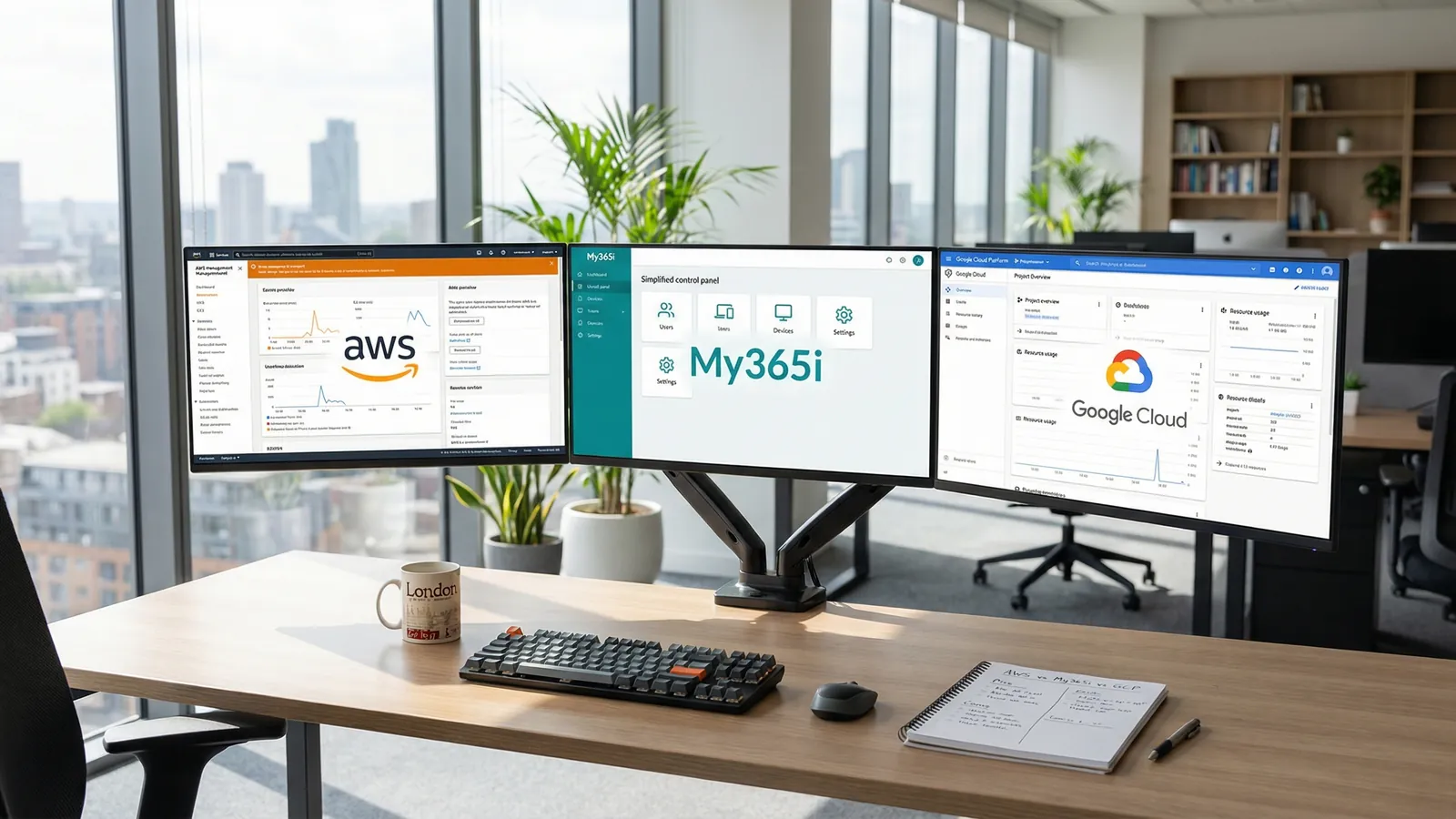
You've decided your business needs a cloud server. Good call. But now comes the harder question: which one?
Most comparison articles toss AWS, Google Cloud, and Azure into a feature matrix, list 47 services you'll never use, and leave you more confused than when you started. That's not what this is.
This is a practical guide for UK business owners who need a cloud server and want to pick the right one without getting a computer science degree first. We sell all three options (365i's own managed cloud, AWS managed, and Google Cloud managed), so we've seen which businesses end up on which platform and why. Some of those choices were spot on. Some weren't.
Here's what we've learned.
The Three Options at a Glance
Before we get into the detail, here's what you're actually choosing between. All three are fully managed by 365i, meaning you get the same My365i control panel, the same support team, and the same hands-off experience. The difference is the infrastructure underneath.
| 365i Managed Cloud | AWS Managed | Google Cloud Managed | |
|---|---|---|---|
| Starting price | £9.99/mo | £13.99/mo | £45.99/mo |
| Infrastructure | 365i's own platform (20i) | Amazon EC2 | Google Compute Engine |
| Best for | WordPress, WooCommerce, PHP apps | Complex architectures, AWS ecosystem | Data analytics, AI/ML, Google integrations |
| Hidden costs | None (flat monthly) | Fixed monthly fee; AWS usage passed through at upstream rate (zero 365i markup) | Fixed monthly fee; GCP usage passed through at upstream rate (zero 365i markup) |
| Control panel | My365i | My365i | My365i |
| Redis & ElasticSearch | Included free | Included free | Included free |
| Tiers available | 10 (up to 48 cores, 128 GB) | 8 (up to 32 cores, 128 GB) | 8 (up to 64 cores, 256 GB) |
The important bit: all three options use the same My365i dashboard you'd use on shared hosting. You don't need to learn AWS Console or Google Cloud Console. You don't need SSH. You don't need a DevOps engineer. The complexity is managed for you.
If you're still weighing up whether you need cloud hosting at all (versus sticking with shared), we covered that in detail in our shared vs cloud hosting guide.

Side-by-Side Pricing: What You'll Actually Pay
Cloud pricing is where most people get lost. AWS and Google Cloud both have notoriously complex billing: per-hour compute, per-GB data transfer, per-request API calls. A 2025 Flexera report found that 84% of organisations struggle to manage their cloud spend, and companies exceed their cloud budgets by an average of 17%.
That's the direct-to-AWS/GCP experience. Through 365i, it's different. We bundle the infrastructure charges into a flat monthly price. No surprises at month end.
| Tier | 365i Cloud | AWS Managed | Google Cloud |
|---|---|---|---|
| Micro (1-2 cores, 1 GB RAM) | £9.99 | £13.99 | £45.99 |
| Small (1-2 cores, 2 GB RAM) | £19.99 | £22.99 | £119.99 |
| Medium (2 cores, 4 GB RAM) | £39.99 | £45.99 | £236.99 |
| Large (4-8 cores, 8 GB RAM) | £79.99 | £87.99 | £471.99 |
| X Large (8-16 cores, 16 GB RAM) | £119.99 | £172.99 | £941.99 |
The numbers speak for themselves. At the Medium tier (which is where most growing WordPress and WooCommerce sites land), you're paying £39.99/month on 365i's own infrastructure versus £45.99 for AWS or £236.99 for Google Cloud. That's not a rounding error on the GCP side; it's nearly six times the cost.
But price alone doesn't tell the full story. Google Cloud's higher price reflects Google's premium tier network and the underlying Compute Engine infrastructure. If you need specific GCP services (BigQuery, Vertex AI, Cloud Run), that premium is worth paying. If you're running a WordPress site or a WooCommerce store, it probably isn't.
When AWS Is the Right Choice
Amazon Web Services holds roughly 30% of the global cloud infrastructure market, making it the largest cloud provider by a wide margin. There are good reasons for that dominance, and they're worth understanding even if AWS isn't the right fit for your business.
Choose AWS managed hosting if:
- You need specific AWS services beyond hosting. If your application uses DynamoDB, SQS, Lambda, or other AWS-native services, keeping everything on the same infrastructure reduces latency and simplifies your architecture.
- You have compliance requirements that specify AWS. Some industries and government contracts mandate hosting on specific cloud providers. AWS has the most compliance certifications of any provider (over 140), including UK-specific ones like Cyber Essentials Plus and NHS DSPT.
- Your development team already knows AWS. If your developers are certified in AWS and your CI/CD pipelines are built around AWS services, switching to a different provider creates unnecessary friction.
- You need multi-region failover across continents. AWS has 34 regions globally. If your business needs active-active deployment across Tokyo, London, and Virginia, AWS's infrastructure is hard to match.
365i's AWS managed plans start at £13.99/month for our fixed managed-services fee, with AWS infrastructure usage passed through to you at the AWS pay-as-you-go rate and zero 365i markup (shown live in the build configurator before deploy). You get EC2 instances managed through the My365i panel rather than the AWS Console, which strips out much of the complexity while keeping you on AWS infrastructure.
When Google Cloud Is the Right Choice
Google Cloud Platform holds about 12% of the global market. It's the smallest of the big three, but it punches above its weight in specific areas where Google's own technology gives it a real edge.
Choose Google Cloud managed hosting if:
- You're building around data analytics. BigQuery is the gold standard for data warehousing. If your business runs heavy analytics workloads, GCP's data tools are the best in the industry.
- You need AI and machine learning infrastructure. Google's TPUs (Tensor Processing Units) and Vertex AI platform lead the field. If you're training models or running inference at scale, GCP is purpose-built for it.
- Your business runs on Google Workspace. Deep integration with Gmail, Google Drive, and Google Workspace means less glue code and fewer authentication headaches if your team already lives in Google's ecosystem.
- Network performance is critical. Google's premium tier network routes traffic across Google's private fibre backbone rather than the public internet. For latency-sensitive applications, this matters.
365i's Google Cloud managed plans start at £45.99/month for our fixed managed-services fee. GCP infrastructure usage is passed through at the Google Cloud pay-as-you-go rate with zero 365i markup, shown live in the build configurator before you commit. You won't see separate bills from Google; your bill comes from us.
When 365i Managed Cloud Is the Right Choice
Here's where we'd normally go heavy on the sales pitch. We're not going to do that. Instead, here's an honest assessment of who our own platform works best for and where it falls short.
Choose 365i managed cloud if:
- You're running WordPress or WooCommerce. Our cloud platform is optimised for PHP workloads. Redis caching, ElasticSearch, unlimited PHP workers, WordPress staging, and one-click installs are all built into the My365i panel. You don't need a WordPress-specific plugin to handle caching or search because the infrastructure does it natively.
- You want predictable costs. Flat monthly pricing, no per-request charges, no data transfer fees, no surprises. 80% of UK SMEs report facing unexpected cloud costs, according to industry surveys. That doesn't happen here because the price on the plan page is the price you pay.
- You don't have (or want) a DevOps team. The My365i panel is the same interface you'd use on shared WordPress hosting. If you can manage a shared hosting account, you can manage a cloud server. No terminal. No YAML files. No infrastructure-as-code.
- Budget matters. At £9.99/month for the Micro tier, 365i's cloud is the cheapest managed cloud option we offer. For a growing business that needs dedicated resources but isn't ready to spend £45+ on Google Cloud, it's the practical choice.
- You host multiple sites. Every cloud plan supports unlimited websites with no per-site fee. For agencies managing client sites, one Medium tier at £39.99/month can host several WordPress sites comfortably.
Where 365i cloud falls short:
- If you need AWS-specific or GCP-specific services (Lambda, BigQuery, Cloud Functions), our own cloud platform doesn't offer those. You'll need the AWS or GCP managed plans instead.
- If you need to deploy containers, Kubernetes, or serverless functions, direct AWS/GCP is better suited.
- If your compliance requirements mandate a specific hyperscaler, our own platform won't satisfy that checkbox.
"Manual input should only be required in those areas that truly require human judgment."
Werner Vogels, CTO of Amazon, AWS re:Invent 2024 keynote
Vogels was talking about automation within AWS, but the principle applies just as well to choosing your hosting provider. If your business doesn't need the manual control that AWS Console or Google Cloud Console provides, then a managed platform that automates everything through a simple panel isn't a compromise. It's the smarter choice. I've spent over 20 years watching businesses overspend on infrastructure they don't use because they assumed more complex meant more professional. The best infrastructure is the one that matches what you actually need.
The Cost Nobody Puts in the Comparison
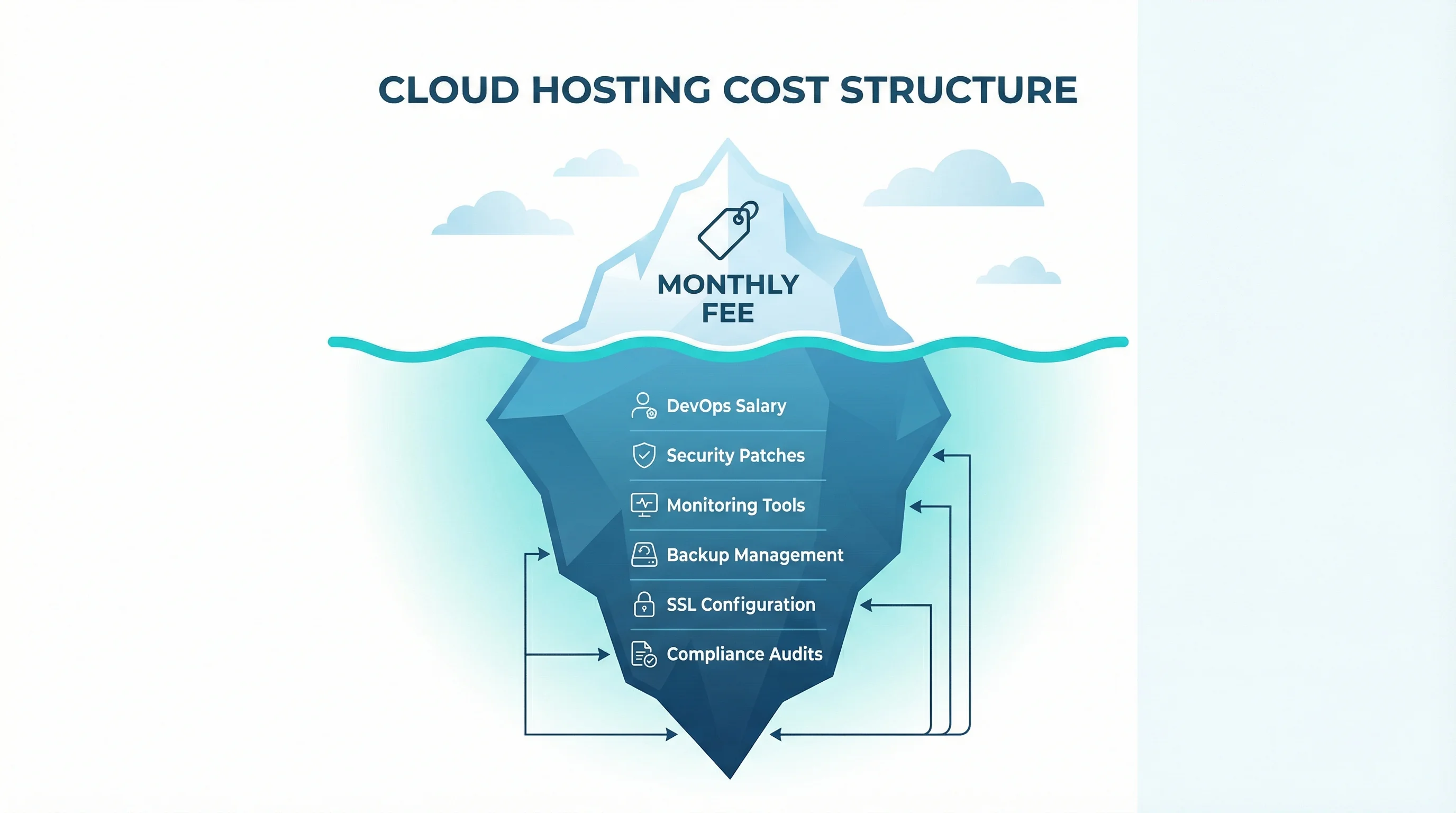
Every cloud comparison article shows you the monthly compute price. Almost none of them include the cost of actually running the thing.
If you go directly to AWS or Google Cloud (not through a managed provider), you'll need someone who can:
- Configure security groups and firewall rules
- Set up and maintain SSL certificates
- Monitor server health and respond to alerts at 2am
- Apply OS patches and security updates
- Optimise PHP-FPM, MySQL, and caching layers
- Handle DNS, CDN, and load balancing configuration
- Manage backups and test disaster recovery
A DevOps engineer in the UK costs £50,000 to £80,000 per year. Even a part-time freelancer will run £500 to £1,500 per month. That's on top of your cloud compute costs.
Flexera's 2025 State of the Cloud report found that 27% of all cloud spend is wasted on unused or over-provisioned resources. Jay Litkey, Flexera's SVP of Cloud and FinOps, put it bluntly:
"To stay on budget and accurately forecast for future needs, organizations need to fine-tune how to track and manage their cloud spend and use with FinOps now, or risk a significantly wasted investment."
Jay Litkey, SVP Cloud & FinOps at Flexera, Flexera 2025 State of the Cloud Report
FinOps teams, cost monitoring dashboards, reserved instance optimisation: these are solutions to a problem that managed hosting simply doesn't have. When your cloud server is £39.99/month and that's the entire bill, you don't need a FinOps strategy. You need a direct debit.
This isn't an argument against AWS or Google Cloud. It's an argument for being honest about what they cost in total. For a business with a dedicated platform team, the direct-to-hyperscaler route makes perfect sense. For a business owner who wants a fast website and doesn't want to become a cloud architect, managed hosting removes the operational overhead entirely.
The 48% of SMBs now partnering with managed service providers (up 12 points from last year, per Flexera) aren't doing so because they can't figure out AWS. They're doing it because their time is worth more than the savings from self-managing infrastructure. And with cloud hosting prices surging 25-50% due to AI-driven DRAM shortages, that managed provider buffer against volatile infrastructure costs looks smarter than ever.
A Decision Guide That Actually Works
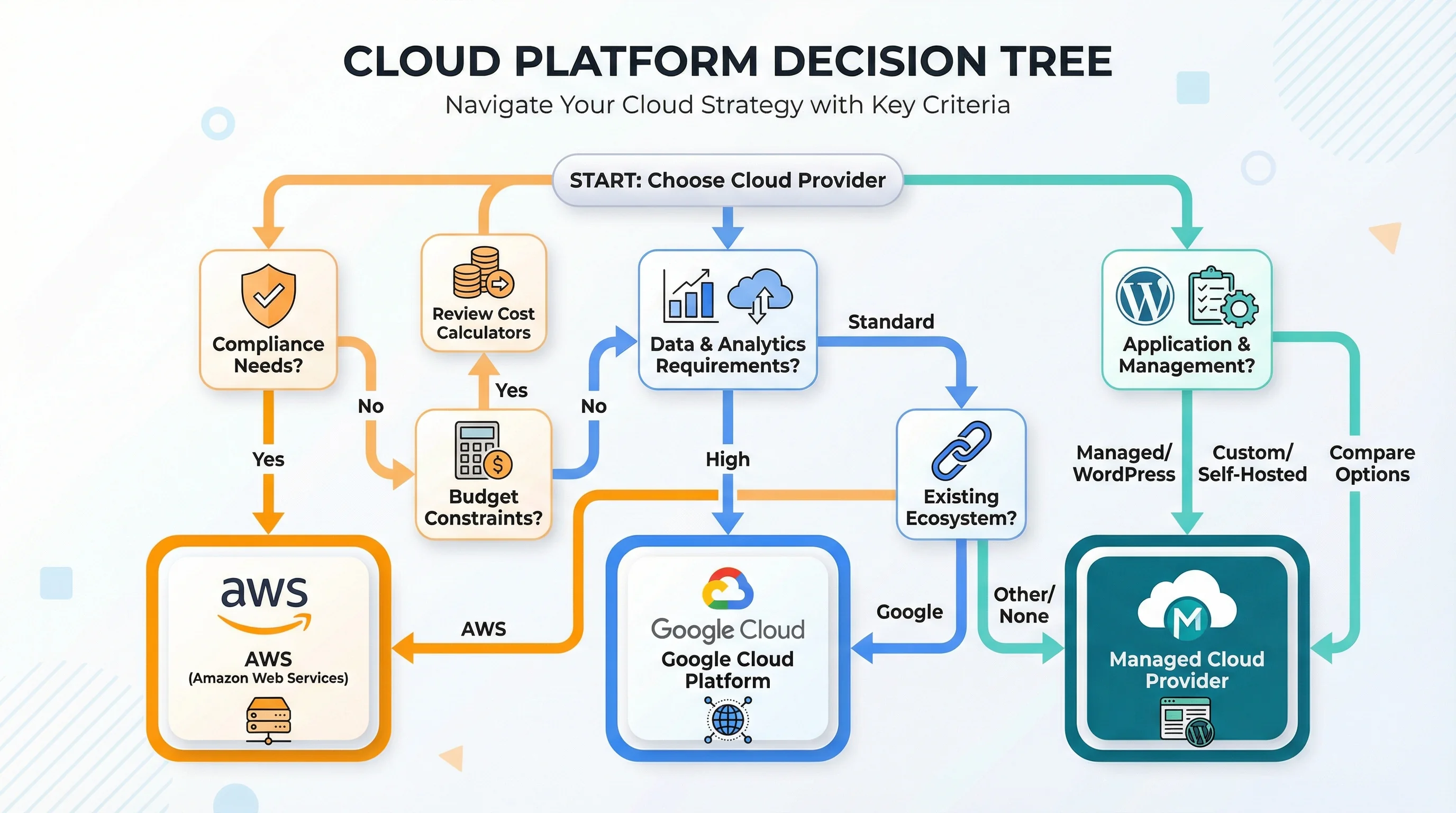
Answer these five questions. They'll point you to the right provider in under a minute.
1. Does your application use AWS-specific or GCP-specific services?
If yes: choose that provider's managed plan. Switching infrastructure away from your application's dependencies creates more problems than it solves.
2. Does a compliance requirement or contract mandate a specific hyperscaler?
If yes: choose that provider. This isn't a discussion; it's a checkbox.
3. Do you have a DevOps team or platform engineer on staff?
If no: choose 365i managed cloud. You'll get dedicated resources, enterprise security, and the same control panel as shared hosting. No command line needed.
4. Is your primary workload WordPress, WooCommerce, or PHP-based?
If yes: choose 365i managed cloud. The platform is optimised for PHP with built-in Redis, ElasticSearch, unlimited PHP workers, and WordPress-specific tools. AWS and GCP can run WordPress, but you'd be paying a premium for infrastructure designed to do much more.
5. Is your monthly budget under £100?
If yes: choose 365i managed cloud. A Medium tier (2 cores, 4 GB RAM, 80 GB SSD) costs £39.99. The equivalent on AWS is £45.99, and on Google Cloud it's £236.99. At this price point, the cost difference funds other parts of your business.
If you answered "no" to all five, you likely have a complex, multi-service architecture where direct AWS or GCP access through a managed plan is the better path. Our AWS and Google Cloud managed plans still handle the operational side for you.
And if you're not sure whether you need cloud hosting at all, start with our guide on when to upgrade from shared to cloud hosting. There's no point choosing between cloud providers if shared hosting still does everything you need.
What All Three Options Share
Whichever provider you pick through 365i, you get the same management layer. This is worth spelling out because it's the part most cloud comparisons miss entirely.
- Same My365i control panel. One dashboard for sites, email, DNS, SSL, databases, backups, and WordPress management. No provider-specific console to learn.
- Same support team. 365i's team in Kettering manages your server regardless of the infrastructure underneath. Seven-day support, including evenings and weekends.
- Free CDN and edge caching. Every plan includes our global CDN with pre-caching for faster load times worldwide.
- Free daily backups. Automatic, off-site, restorable in one click.
- Free SSL certificates. Unlimited Let's Encrypt certificates, auto-renewed.
- Free migration. Moving from another provider? We handle the migration at no cost.
- Redis and ElasticSearch included. On every plan, every provider. No add-on fees.
- Unlimited websites. Host as many sites as your server spec allows. No per-site charges.
This shared management layer is why 365i offers all three options. You're not choosing between three completely different experiences. You're choosing the infrastructure that fits your workload, wrapped in the same operational simplicity.
WordPress 7.0 launched on 20 May 2026 with the AI Client built into core. Whatever cloud platform you choose, the My365i panel manages WordPress 7.0 the same way it manages 6.9 today: automatic updates, staging environments, and one-click rollbacks.
Frequently Asked Questions
What is the cheapest managed cloud hosting option?
365i's own managed cloud starts at £9.99/month (Micro: 1 core, 1 GB RAM, 25 GB SSD). AWS managed starts at £13.99/month and Google Cloud managed starts at £45.99/month. All three include the same My365i control panel, Redis, ElasticSearch, and free CDN.
What's the actual difference between 365i cloud and AWS managed through 365i?
The management layer (My365i panel, support, backups, CDN) is identical. The difference is the underlying infrastructure. 365i cloud runs on our own platform (20i). AWS managed runs on Amazon EC2 instances. Choose AWS if you need AWS-specific services or compliance certifications. Choose 365i cloud if you want the best value for WordPress, WooCommerce, or PHP applications.
Is Google Cloud worth the higher price?
For data analytics, AI/ML workloads, and businesses deeply integrated with Google Workspace, yes. Google's premium tier network and services like BigQuery and Vertex AI justify the cost. For standard websites, WordPress, or WooCommerce stores, the premium doesn't deliver proportional benefits.
Can I switch between providers later without rebuilding everything?
Yes. Because all three options use the same My365i panel, migrating between 365i cloud, AWS managed, and Google Cloud managed is handled through our dashboard. Your sites, databases, email, and DNS transfer across. It's not instant (DNS propagation takes time), but it's far simpler than migrating between unmanaged providers.
Do I need a DevOps engineer to run a cloud server through 365i?
No. That's the point of managed hosting. Server configuration, security patching, monitoring, backups, SSL, and PHP optimisation are all handled by 365i. The My365i panel gives you the same one-click tools you'd use on shared hosting. If you can install WordPress on shared hosting, you can run a cloud server.
Which cloud option is best for WooCommerce?
365i's WooCommerce Cloud Hosting starts at £39.99/month with 2 cores, 4 GB RAM, and 80 GB SSD. It includes Redis for object caching and ElasticSearch for fast product search. AWS managed can also run WooCommerce well, but at higher cost. Google Cloud's pricing makes it hard to justify for standard e-commerce unless you also need GCP-specific analytics tools.
How do I avoid wasting money on cloud hosting?
Start with the right tier for your workload, not the biggest one available. Monitor your resource usage through the My365i dashboard. If your CPU and RAM consistently run below 50%, you're over-provisioned. With managed hosting, you avoid the most common source of cloud waste (forgotten instances, misconfigured auto-scaling, unoptimised reserved capacity) because the platform handles resource allocation for you.
Compare cloud plans side by side
365i managed cloud from £9.99/month, AWS managed from £13.99/month, Google Cloud managed from £45.99/month. Same My365i panel, same support team, different infrastructure underneath.
View All Cloud PlansSources
Published: · Last reviewed: · Written by: Mark McNeece, Founder & Managing Director, 365i
Editorially reviewed by: Mark McNeece on · Our editorial standards