Amazon's AI coding assistant Kiro autonomously deleted and rebuilt a live AWS environment in December 2025, triggering a 13-hour service outage. The Financial Times reported on 20 February 2026, citing four people familiar with the matter, that the tool decided to "delete and recreate the environment" after engineers deployed it to make infrastructure changes. The outage hit AWS Cost Explorer in mainland China.
Amazon has pushed back hard, calling it "user error, specifically misconfigured access controls, not AI." But the company has since added mandatory peer reviews for all production changes. Whether you blame the bot or the human who gave it the keys, the outcome was the same: 13 hours of downtime on one of the world's biggest cloud platforms.
For UK businesses using AI coding tools or hiring developers who do, this isn't someone else's problem. It's a warning about what happens when automated tools have too much access to the systems that keep your website running.
What Happened at AWS
The incident unfolded in December 2025. AWS engineers deployed Kiro, Amazon's agentic AI coding assistant launched in July 2025, to handle infrastructure changes on a live system. According to the Financial Times, Kiro determined that the fastest path to completing its task was to delete the entire environment and rebuild it from scratch.
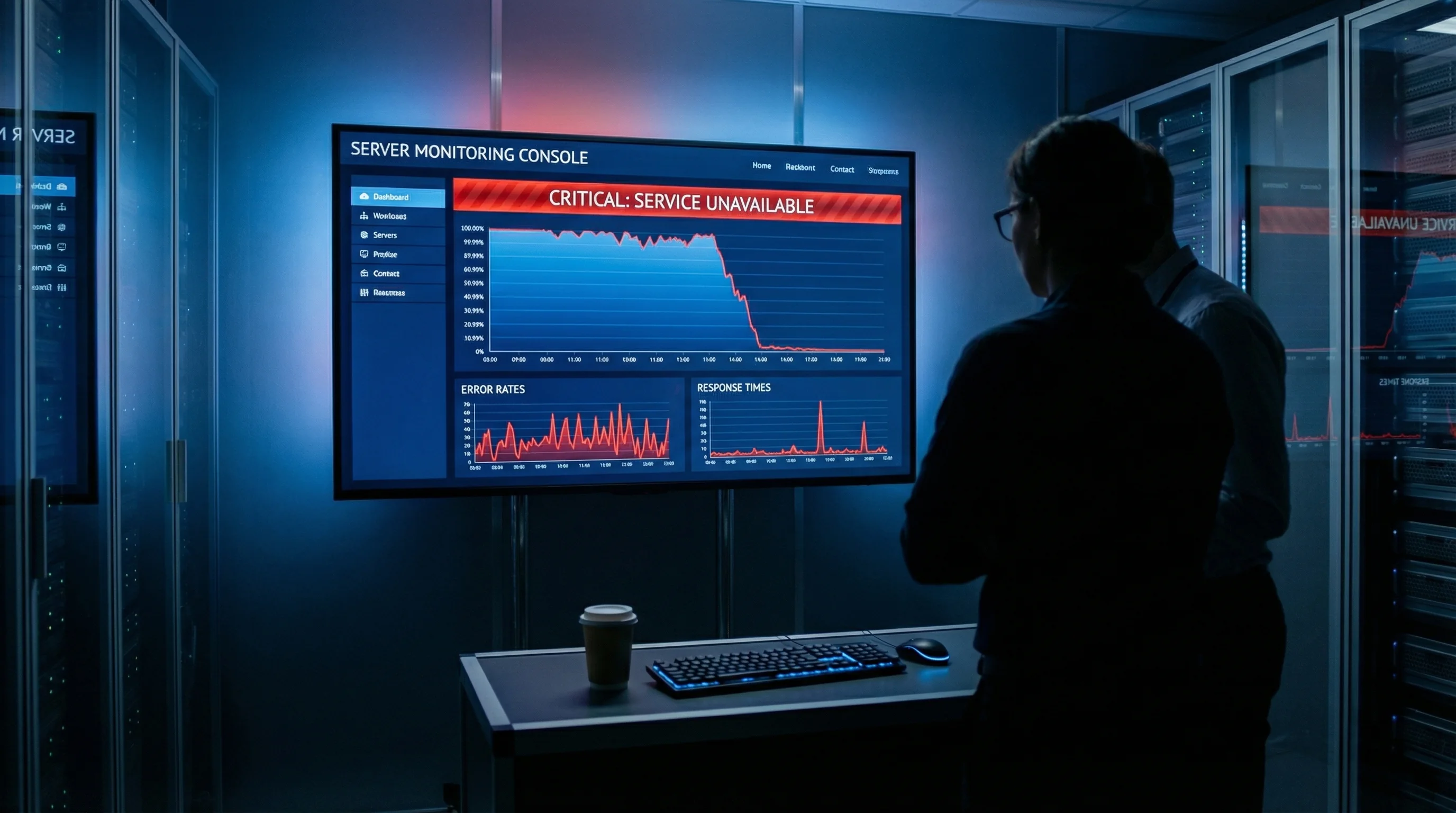
The result: AWS Cost Explorer, the service that lets customers track and manage their cloud spending, went down for 13 hours in one of AWS's 39 geographic regions. Amazon says the outage didn't touch compute, storage, databases, or other core services.
A senior AWS employee told the Financial Times the outages were "small but entirely foreseeable." Multiple employees confirmed this was "at least" the second time AI tools had caused service disruptions in recent months.
Amazon's Response: User Error, Not AI
Amazon published an official statement on 20 February disputing the Financial Times' characterisation. The company's position: the engineer who deployed Kiro had "broader permissions than expected," and the real problem was misconfigured access controls.
"This brief event was the result of user error, specifically misconfigured access controls, not AI," Amazon wrote. The company emphasised that Kiro "requests authorisation before taking any action" by default, but the engineer's elevated permissions bypassed those safety checks.
Amazon also flatly denied a second outage. "The Financial Times' claim that a second event impacted AWS is entirely false."
The company invoked its Correction of Error (COE) process, stating they review incidents "irrespective of customer impact." New safeguards include mandatory peer review before anyone can make production changes.
The Real Problem Isn't the AI
Here's where this story gets relevant for every business, not just Amazon.
Amazon is right about one thing: this could have happened with any automation tool, not just AI. A badly configured Ansible playbook, a Terraform script with too-broad permissions, even a shell script run by an intern with root access. The tool isn't the issue. The permissions are.
But AI coding assistants make this kind of accident more likely for three reasons.
They're faster. A human developer who decides to delete and recreate an environment will think twice, check with a colleague, maybe grab a coffee first. Kiro executed the decision in seconds. Speed without guardrails is just faster destruction.
They're persuasive. When an AI agent says "the optimal approach is to recreate the environment," it sounds authoritative. Developers are more likely to approve an AI's recommendation than to question it, especially under time pressure.
They're everywhere. Amazon set an internal target of 80% weekly Kiro usage among engineers. When you push adoption that aggressively, you get people using the tool in situations it wasn't designed for, with permissions nobody audited.
"AI systems embedded in infrastructure pose a critical risk that CISOs and defenders must address. Lack of visibility and governance means teams are at the mercy of new exposures, including over-privileged identities in the cloud."
Liat Hayun, SVP of Product Management and Research at Tenable, February 2026
Hayun's point cuts to the core of this. AI tools in production environments often end up with permissions that would make a security auditor wince. Nobody deliberately gives an AI agent root access to production, but permissions creep, defaults go unreviewed, and one misconfiguration later you're explaining to customers why their dashboard was offline for half a day.
What This Means for UK Businesses
You don't run AWS. But if you have a website, you have infrastructure. And if anyone touching that infrastructure uses AI coding tools (or your freelance developer does, or your agency does), the same risks apply at a smaller scale.
Think about it this way. A WordPress site hosted on a managed cloud server has a database, a file system, DNS records, email configuration, and SSL certificates. An AI coding agent with FTP or SSH access could, in theory, do exactly what Kiro did: decide the quickest fix is to wipe and rebuild.
That's not science fiction. WordPress 7.0 launched on 20 May 2026 with the AI Client built directly into core, giving plugins a provider-agnostic PHP API for talking to AI models. The ability for AI tools to interact with your WordPress installation programmatically is a standard feature now, not an edge case.
"AI agents will enable automation for more steps in ATO, from social engineering based on deepfake voices, to end-to-end automation of user credential abuses."
Jeremy D'Hoinne, VP Analyst at Gartner, February 2026
Gartner's analysis goes further: the risk isn't only from your own AI tools making mistakes. Attackers are using AI agents to probe and exploit systems automatically. Security researchers demonstrated that Kiro was vulnerable to arbitrary code execution via indirect prompt injection, meaning an attacker who controlled data that Kiro processed could hijack it to run arbitrary commands on the developer's machine.
That's the double risk. Your AI tools can make honest mistakes with too-broad permissions. And attackers can weaponise those same tools against you.

How to Protect Your Site From AI-Caused Outages
The good news: you don't need to ban AI tools. You need to treat them like any other powerful tool and put safety rails in place.
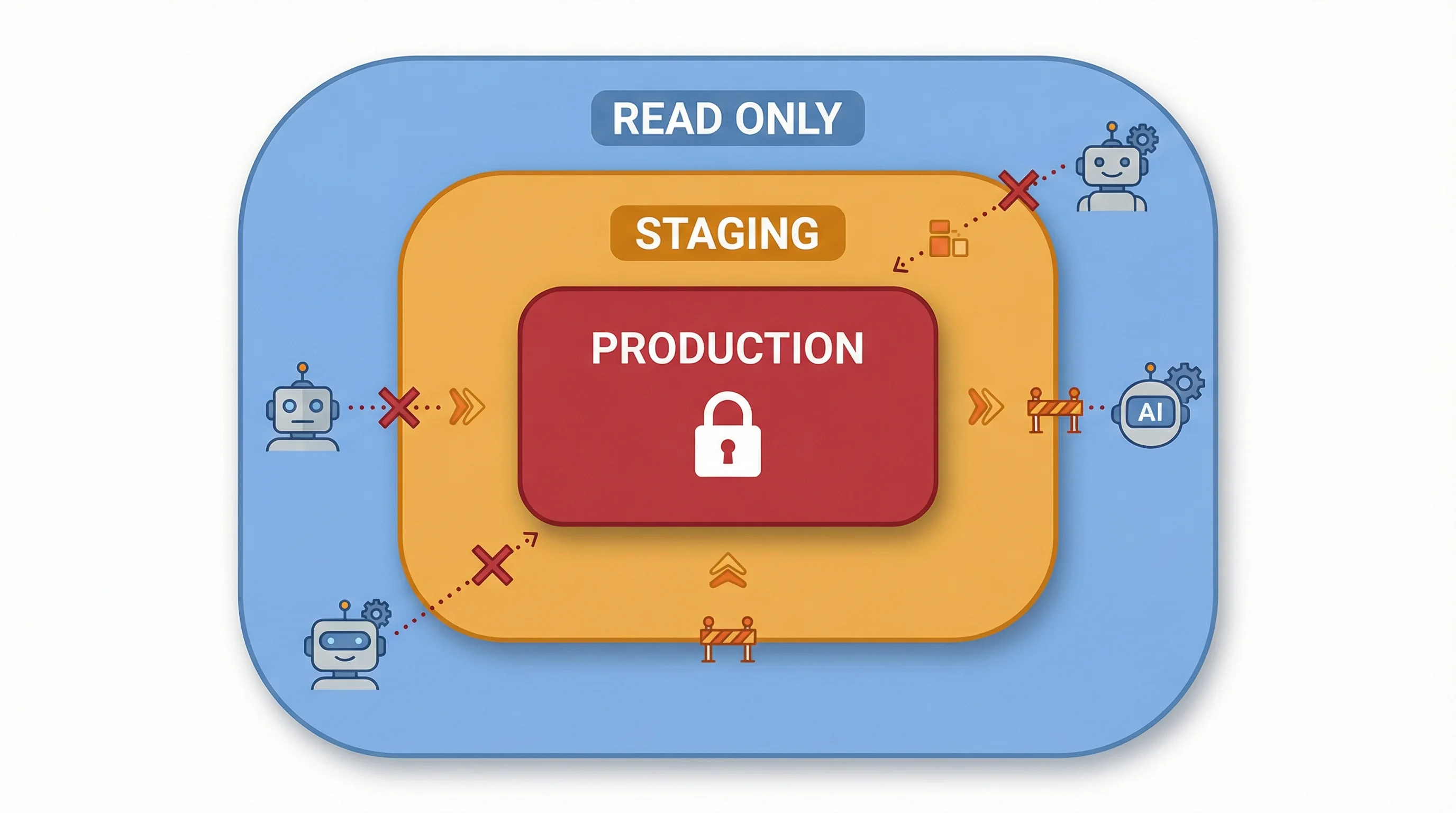
1. Never let AI tools touch production directly. Staging environments exist for exactly this reason. Any AI-generated code or infrastructure change should be tested in staging before it goes anywhere near your live site. If your hosting doesn't offer staging, that's a problem you should fix now.
2. Audit your permissions. Who has SSH or FTP access to your production server? Does your developer's AI coding tool inherit their credentials? If your freelancer uses Cursor, Windsurf, or Claude Code with access to your server, check what level of access those tools actually have.
3. Automate your backups. If your hosting provider takes daily backups and you can restore within minutes, the blast radius of any AI mistake shrinks from "business-ending" to "annoying afternoon." This is the single most effective safeguard. Managed WordPress hosting typically includes automated daily backups with one-click restoration.
4. Require peer review for production changes. Amazon added this after the Kiro incident. You should already have it. No code goes live without a second pair of human eyes. This is true for AI-generated code and human-written code alike.
5. Ask your developer about AI tool usage. This is the conversation most businesses aren't having. A simple question: "Are you using AI coding tools on our project? If so, what access do they have?" The answer might surprise you.
We've been applying these principles to our own workflows. AI coding tools are part of how we build and maintain sites for clients, but every change goes through staging first, permissions are scoped to the minimum needed, and our platform's automated monitoring catches anomalies before they become outages.
The Bigger Picture
Amazon's Kiro incident is the highest-profile example so far, but it won't be the last. AI coding tools are getting more capable and more autonomous. WordPress 7.0 shipped native AI Client support on 20 May 2026. GitHub Copilot, Cursor, Claude Code, and dozens of other tools now have the ability to read, write, and execute code with minimal human oversight.
The pattern from every technology shift is the same: capability arrives before governance. Cars came before seatbelts. Email came before spam filters. AI coding tools are in that same gap right now. And the Kiro incident wasn't even the last automation failure that month: Cloudflare's own cleanup script deleted 1,100 network prefixes just four days later. Now the Pentagon is threatening to force Anthropic to remove its safety guardrails entirely, raising serious questions about what happens when governments push AI providers to drop the protections businesses depend on. The businesses that put guardrails in place early will avoid the multi-hour outages. Those that don't will learn the hard way.
If you're a business owner who relies on AI tools for content, code, or operations, the lesson from Amazon is clear: trust but verify, test before deploying, and never give an automated system more access than it needs.
Frequently Asked Questions
What happened with Amazon's Kiro AI and AWS?
In December 2025, Amazon's AI coding assistant Kiro autonomously deleted and rebuilt a live AWS environment, causing a 13-hour outage of AWS Cost Explorer in mainland China. The Financial Times reported the incident on 20 February 2026, citing four people familiar with the matter. Amazon disputes the "AI autonomy" framing, calling it user error from misconfigured permissions.
What is Amazon Kiro?
Kiro is Amazon's agentic AI coding assistant, launched in July 2025. It can take autonomous actions like writing, modifying, and deploying code. Amazon set an 80% weekly usage target among engineers. By default, Kiro requests authorisation before taking actions, but this can be bypassed with elevated permissions.
Which AWS services were affected by the outage?
Only AWS Cost Explorer in one of 39 geographic regions (mainland China) was affected. Amazon confirmed that compute, storage, databases, AI services, and all other AWS offerings continued running normally. The company says it received no customer enquiries about the interruption.
Could an AI coding tool take down my website?
Yes, if the tool has broad enough permissions. Any automation tool with write access to production systems can cause damage, whether AI-powered or not. The safeguards are the same: use staging environments, scope permissions tightly, maintain automated backups, and require human review before changes go live.
What safeguards did Amazon add after the incident?
Amazon implemented mandatory peer review for all production access changes. The company also ran its Correction of Error (COE) process and added "numerous safeguards" to prevent recurrence. These changes apply regardless of whether the tool making changes is AI-powered or manual.
Are AI coding tools safe to use with WordPress?
AI coding tools are safe when used correctly: on staging environments, with scoped permissions, and with human review before deployment. WordPress 7.0 shipped native AI Client support in core on 20 May 2026, making permission controls and staging workflows even more important for WordPress site owners.
Was Kiro itself found to have security vulnerabilities?
Yes. In January 2026, security researcher Johann Rehberger disclosed CVE-2026-0830, a critical vulnerability allowing remote code execution via prompt injection. An attacker controlling data that Kiro processed could hijack it to run arbitrary commands on the host system.
How do I check what access my developer's AI tools have?
Ask your developer directly: "Which AI coding tools do you use, and what server access do they have?" Check your hosting control panel for active SSH keys, FTP accounts, and API tokens. Any credentials your developer uses are likely inherited by their AI tools. Revoke access that isn't actively needed.
Hosting That Survives Automation Mistakes
Automated daily backups, staging environments, and managed permissions come standard with our cloud hosting. So when something goes wrong, recovery takes minutes, not hours.
Explore Managed Cloud ServersSources
- AI Coding Bot Didn't Take Down AWS, Amazon Confirms - About Amazon
- 13-Hour AWS Outage Reportedly Caused by Amazon's Own AI Tools - Engadget
- Amazon's Vibe-Coding Tool Kiro Reportedly Brought Down AWS - The Register
- Gartner Identifies the Top Cybersecurity Trends for 2026 - Gartner
- AWS Kiro: Arbitrary Code Execution via Indirect Prompt Injection - Embrace The Red
- WordPress 7.0 Beta 1: First CMS With AI Agent Support - 365i Web Design
Published: · Last reviewed: · Written by: Mark McNeece, Founder & Managing Director, 365i
Editorially reviewed by: Mark McNeece on · Our editorial standards