
Wordfence disclosed two vulnerabilities in Avada Builder this week, affecting more than 1,050,000 active installations. The headline-grabber is CVE-2026-4798, an unauthenticated time-based SQL injection rated 7.5 high. The sibling is CVE-2026-4782, an arbitrary file read rated 6.5 medium. Avada Builder 3.15.3, released on 12 May 2026, patches both.
By Wednesday this week the SERP was wall-to-wall "1 million sites at risk, patch now". Almost none of the rewrites mention the strange precondition that turns the SQL injection from a real-world exploit into a non-event for most Avada installs. The injection only fires on sites where WooCommerce was previously installed and then deactivated. The dormant wp_woocommerce_* database tables are exactly what the malformed query reaches for. If you never had WooCommerce, you cannot be exploited via this path. If you still have WooCommerce active, the active plugin handles the request safely. The vulnerable population is the awkward middle: sites where someone tried WooCommerce, decided against it, and clicked Deactivate without removing the database tables it left behind.
We have held Avada licences for years, built many client sites on it before pivoting our newer builds away from page builders, and still host the legacy portfolio. That makes us an unusual voice on this one. Most hosts are sniping at Avada from a distance. We're a long-time customer of the affected vendor, writing about a patch we have already shipped to our own portfolio. The advisory matters. The advisory framing matters more.
What Wordfence Disclosed This Week
Security researcher Rafie Muhammad reported both flaws to Wordfence's Bug Bounty Program on 21 March 2026. Wordfence shared full disclosure with the Avada team at ThemeFusion on 24 and 25 March. ThemeFusion shipped the file-read fix in Avada Builder 3.15.2 on 13 April and the SQL injection fix in 3.15.3 on 12 May. Muhammad received roughly £3,400 in bounty. The vulnerabilities and the disclosure timeline are now public on the Wordfence Threat Intel database, cross-listed at the National Vulnerability Database under CVE-2026-4782 and CVE-2026-4798.
The technical detail that matters: the SQL injection sits in the product_order parameter of an Avada Builder Fusion element. The flaw is the absence of $wpdb->prepare() on a user-supplied value that lands directly inside a query against the WooCommerce order item tables. Time-based blind injection means an attacker can chain SLEEP() calls into the response time and read out the database one bit at a time. There is no need for the attacker to be authenticated. There is, however, a strict requirement that the target database has the wp_woocommerce_order_items family of tables in place for the query to compile.
Reporting in Infosecurity Magazine on 13 May and TechRadar on 14 May took the install-base figure and ran with it. Neither lead on the WooCommerce prerequisite. Both noted it lower down. Avada Builder 3.15.3 has been the headline answer ever since. It is the right answer. It just isn't the whole answer.
The WooCommerce Deactivated Trap

Deactivating a plugin in WordPress is not the same as uninstalling it. Deactivating tells WordPress to stop loading the plugin's PHP. It does not drop the plugin's database tables. It does not delete its rows. In WooCommerce's case, that means wp_woocommerce_order_items, wp_woocommerce_order_itemmeta, wp_woocommerce_sessions, wp_woocommerce_payment_tokens, wp_woocommerce_log, and a handful more, all sitting quietly in the database after the merchant has moved on.
The pattern is everywhere. A UK SME experiments with an online shop in 2022. The shop never quite takes off. Stripe goes back to being a contact form. WooCommerce gets deactivated. The site reverts to a brochure presence. Two and a half years later the orphaned tables are still there. Nobody notices because nothing on the front end depends on them. Avada Builder still works fine. Search still works. Everything is normal, except the site is now sitting inside the narrow exploit window for CVE-2026-4798.
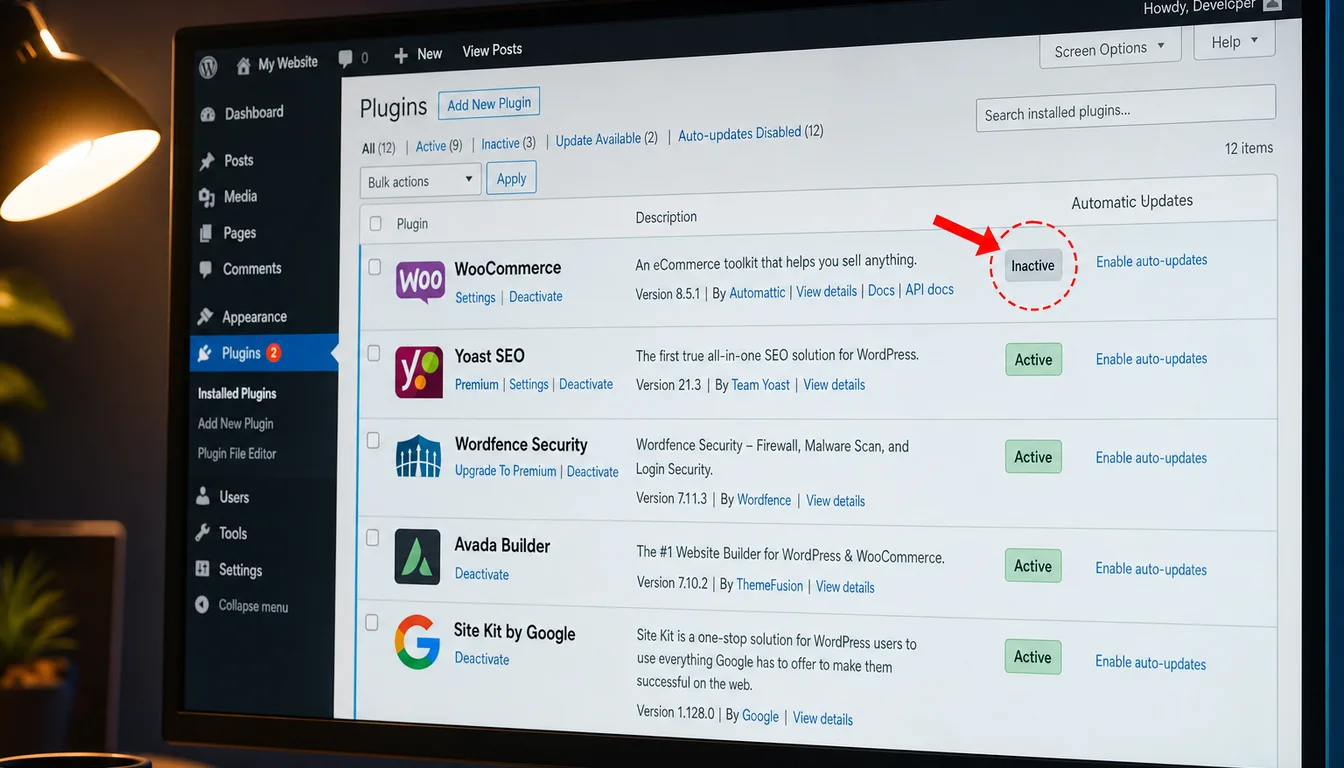
The press coverage compressed the exploit precondition into a clause and moved on. That is the gap. Sites that never installed WooCommerce are not at risk via this path. Sites still running WooCommerce are not at risk. The vulnerable cohort is the one nobody is counting. It's also the one most likely to read a "patch now" headline, glance at Avada Builder, see they're not running it, and close the tab. There is a real chance their site has the orphaned tables from a different former plugin that wired into the same WooCommerce schema. The framing matters more than the patch instruction.
How to Check for Orphaned WooCommerce Tables Safely
Two warnings first. Don't do this on a production database without a backup you have just verified. Don't run any DROP TABLE command if WooCommerce is still in use anywhere on the site, including multisite subsites. If you are not comfortable with WP-CLI or SQL, ring your host and ask. If we host you, ring us and we'll do it for you on a copy of your database before we touch the live one.
With those triple-flagged, the safe check is a single read-only query:
wp db query "SHOW TABLES LIKE '%woocommerce%';"That lists every table whose name contains the word woocommerce. If the result is empty, the site never had WooCommerce or it has been fully cleaned up already. If it returns a list, you have orphaned tables and your Avada Builder install needs to be on 3.15.3 today. Update first, then come back to the database hygiene question.
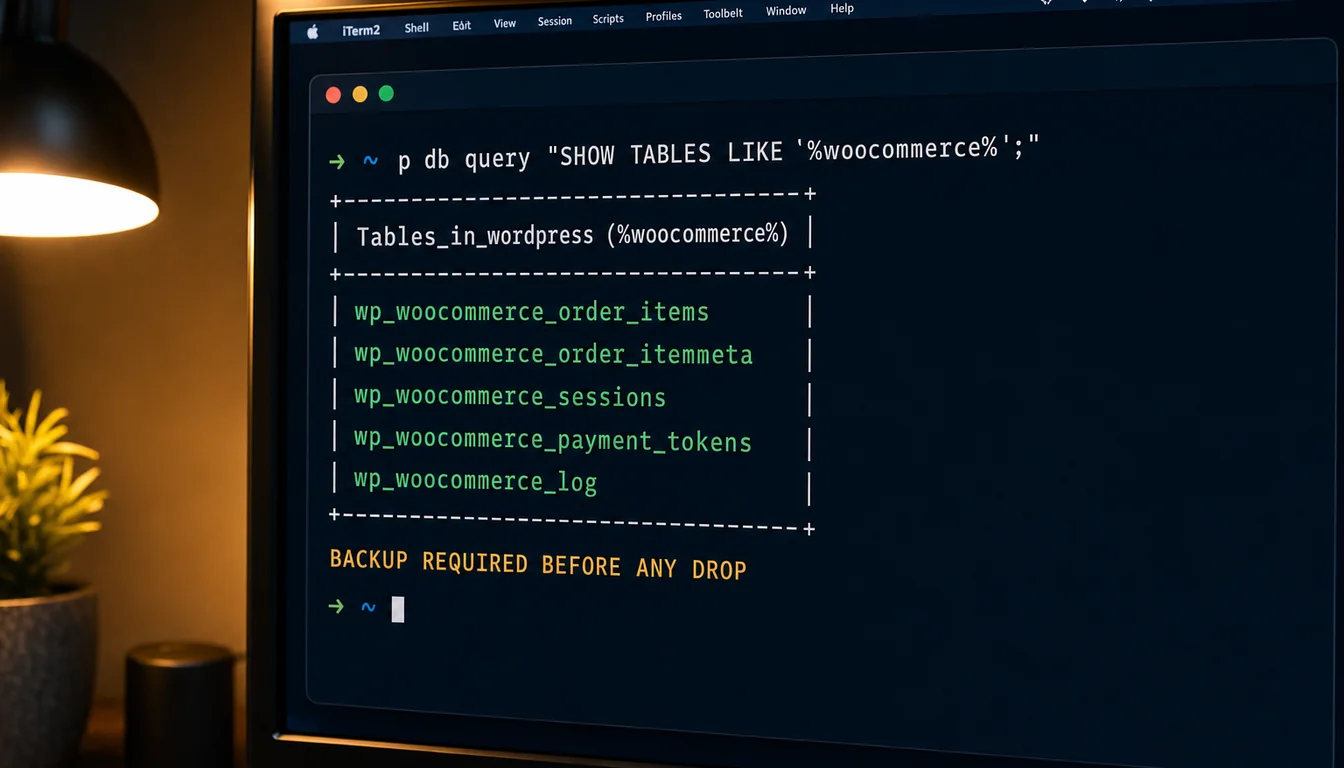
Removing the tables, once you're certain WooCommerce is retired site-wide, is a destructive operation. The correct flow is: take a fresh database backup, restore it to a staging copy, drop the tables on staging, verify nothing broke, then repeat on production. Don't shortcut that sequence under deadline pressure. Database backups are the cheapest insurance you'll buy this month, as long as you can actually restore from them when it counts. Our 30-second WordPress security check covers the broader hygiene picture beyond just this one CVE.
Inside a UK Hosting Helpdesk Response
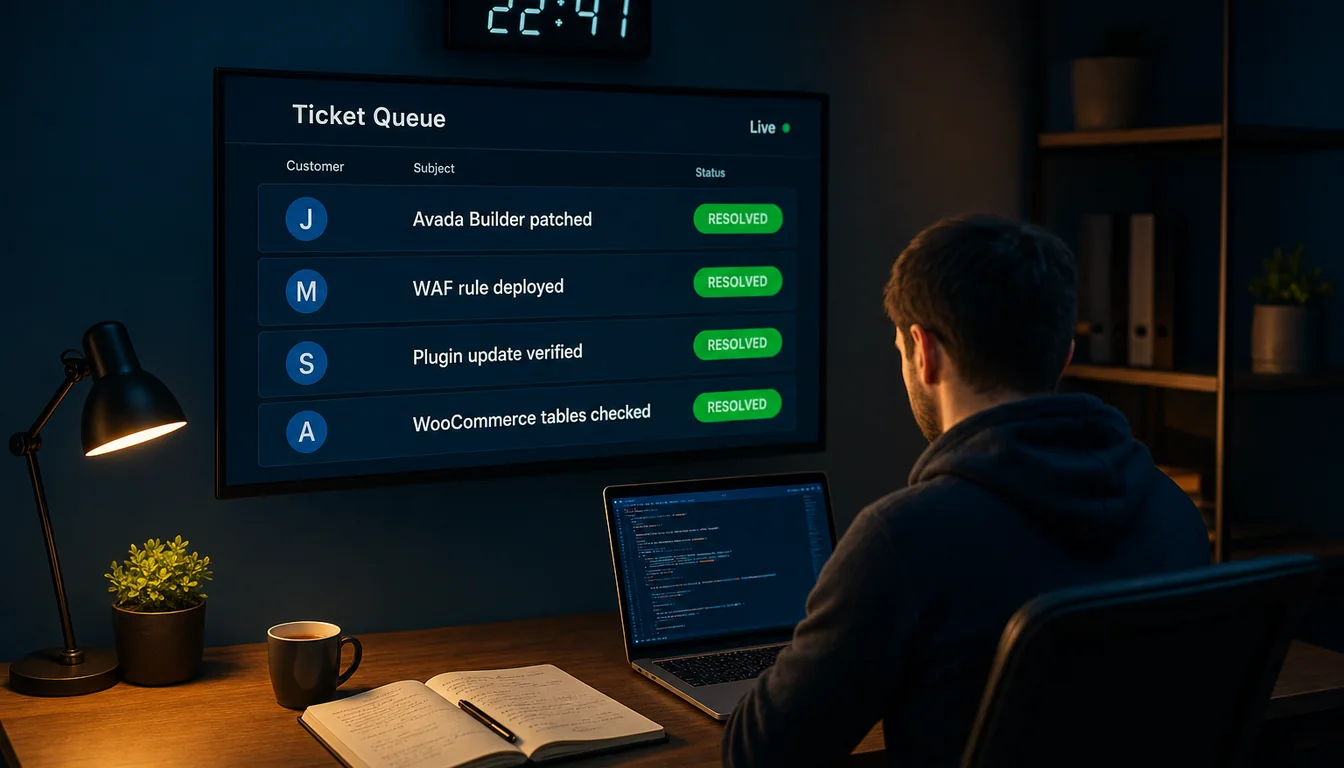
We've published the full inside-the-helpdesk count before. The lifetime total in our ticket system is 449. That's the entire history of the system, across every department, every customer, every plan. The median first response across our eleven most recent tickets was under five minutes. The full evidence pack with screenshots is in our piece 11 real tickets from inside the 365i helpdesk.
When CVE-2026-4798 dropped on 13 May, the response across our Avada portfolio was the boring version of incident response. Patch released on a Monday afternoon US time. We saw the disclosure on the Tuesday morning UK time. We worked the affected sites through the Tuesday and Wednesday on a staged update path: backup, push 3.15.3 to staging, smoke-test the Fusion elements that customers actually use on each site, then promote to production. None of it generated a panic ticket. None of it generated a customer-facing outage.
Two of the long-running Avada sites we host belong to Keith Hargraves at Care Fees Annuity and Matt Wilcox at MW Leadwork. Both have been Avada-built for years and are still actively hosted with us. Both sat on the partial 3.15.2 patch (CVE-2026-4782 closed, CVE-2026-4798 still open) until the 12 May 3.15.3 release. Both are now on 3.15.3. Neither owner had to ask. That's the model.
That's the part the headlines miss. A high-severity CVE in a plugin used on a million sites is not a freak event. It's a Tuesday. The hosting model is built for it. If you are paying for managed WordPress hosting and your host is sending you a panicked "you need to patch" email rather than telling you it's already done, you should be having a different conversation about what you're paying for.
I'll quote myself for the pull quote, because the 449-ticket count makes the point for me: "We've absorbed worse than this without our customers ever knowing. The skill in hosting is not getting through a CVE. It's getting through a CVE without the customer having to think about it."
What This Means If You Run Avada Builder
Order of operations, in priority:
- Update Avada Builder to 3.15.3 today. Whether your site is in the exploit window or not, the patch fixes the file-read vulnerability too, which has no WooCommerce precondition. Update is non-negotiable regardless of the SQL injection picture.
- Check for orphaned WooCommerce tables. Run the read-only WP-CLI query above. If the result is empty, you're fully outside the SQL injection exploit window. If it isn't, you've patched in time and the data is safe, but you still have a database hygiene job pending for the next maintenance window.
- Review your hosting security setup. Web Application Firewall rules at the edge can block time-based SQL injection payloads regardless of plugin patch status. If your host doesn't have an edge WAF, you are relying entirely on plugin authors to ship patches and on yourself to apply them within hours of disclosure.
- Plan the database cleanup. Backups first, staging copy second, destructive operations third. Never reverse that order. If you don't have a staging environment, ring your host and ask. Our WordPress hosting plans include push-button staging across all tiers.
One more thing worth saying out loud. This isn't an argument against Avada. We've used it for years and recommended it for years. ThemeFusion patched within roughly seven weeks of disclosure, which is normal for a vendor of this size on a non-actively-exploited bug. The Wordfence Bug Bounty Program is exactly the system you want operating here: a researcher, a responsible disclosure, a bounty paid, a patch shipped. The press cycle is the part that breaks down, not the patching cycle.
This pattern is the same pattern we covered in WordPress's three back-to-back security patches in March: the news lifecycle moves faster than the threat lifecycle, and the gap between "headline drops" and "your site is actually fine" is the bit nobody fills in. For a more direct compare on plugin CVEs more broadly, see our sister site's analysis on 661 WordPress vulnerabilities in a single week and the wider free WordPress security scanner we run on every client site.
Frequently Asked Questions
What is CVE-2026-4798?
CVE-2026-4798 is an unauthenticated time-based SQL injection vulnerability in the Avada Builder WordPress plugin, rated 7.5 (high). It affects all versions up to and including 3.15.1. The vulnerability sits in the product_order parameter and is patched in Avada Builder 3.15.3, released 12 May 2026.
Is my Avada site vulnerable to the SQL injection?
If you are running Avada Builder 3.15.1 or earlier AND your database has orphaned wp_woocommerce_* tables from a previously-installed-then-deactivated WooCommerce, then yes. If you are running Avada Builder 3.15.3, no. If you never had WooCommerce on the site, no. The sibling vulnerability CVE-2026-4782 has no such precondition and affects all unpatched installs.
How do I update Avada Builder to 3.15.3?
In WordPress admin, go to Plugins, find Avada Builder (sometimes listed as Fusion Builder), and click Update Now. Take a database and files backup first. If you use staging, push to staging, run a smoke test of any pages that use Fusion elements, then promote to production. Avada Live customers can also update via Avada > System Status > Theme Updates.
Does CVE-2026-4798 affect every Avada site?
No. The SQL injection only fires on sites that previously installed and then deactivated WooCommerce, leaving the WooCommerce database tables behind. Most Avada sites never installed WooCommerce, or still have it active. The companion file-read vulnerability CVE-2026-4782 does affect every unpatched install, which is why updating is still essential.
What does "WooCommerce previously installed and deactivated" actually mean?
It means at some point in your site's history WooCommerce was an active plugin, then someone deactivated it without uninstalling. Deactivating stops the plugin loading but does not drop its database tables. The orphaned wp_woocommerce_* tables stay in the database. The Avada Builder SQL injection needs those tables to be present for the exploit to compile.
How do I check if my site has orphaned WooCommerce tables?
The safe read-only check is wp db query "SHOW TABLES LIKE '%woocommerce%';" via WP-CLI. An empty result means no orphaned tables. A list of wp_woocommerce_* tables means they're there. The check is read-only and does not modify anything. Always take a database backup before any destructive cleanup.
Can I just delete the wp_woocommerce_* tables?
Only after you're certain WooCommerce is fully retired site-wide, including on every subsite if you run multisite. The safe flow is: backup, restore to a staging copy, drop the tables on staging, verify nothing broke, then repeat on production. Don't shortcut this. If you're unsure, ring your host and ask. If we host you, we'll do it on a database copy first at no charge.
Does 365i hosting block this attack at the firewall?
Time-based SQL injection payloads that rely on SLEEP() chaining are a recognised class of attack at the WAF layer. Our edge protection sits in front of every site we host. The combination of edge WAF rules plus shipped patches plus staged deployment is how we got through CVE-2026-4798 across our Avada portfolio without a customer-facing ticket. The full inside-the-helpdesk picture is in our 11-real-tickets piece.
Hosting that absorbs CVEs so you don't have to
If your current host emailed you about CVE-2026-4798 yesterday and asked you to patch, ask why they didn't already do it. Our WordPress hosting plans include managed updates, edge WAF, and a small UK support team who answer their own tickets.
Explore WordPress HostingPublished: · Last reviewed: · Written by: Mark McNeece, Founder & Managing Director, 365i
Editorially reviewed by: Mark McNeece on · Our editorial standards
Sources
- 1,000,000 WordPress Sites Affected by Arbitrary File Read and SQL Injection Vulnerabilities in Avada Builder WordPress Plugin - Wordfence
- Avada Builder Flaws Expose One Million WordPress Sites - Infosecurity Magazine, 13 May 2026
- Over a million WordPress sites hit in plugin flaw - TechRadar, 14 May 2026
- Two vulnerabilities found in popular WordPress plugin Avada Builder - SC Media
- Avada Builder <= 3.15.1 - Unauthenticated Time-Based SQL Injection - Wordfence Threat Intel