WordPress 6.9 "Gene" shipped on December 2, 2025. Most of the coverage focused on the collaboration features (Notes) and the Command Palette. Fair enough, those are visible and fun to use.
But the performance changes buried in this release are the ones that'll stick with your site long after the novelty of block-level comments wears off. I've spent the past 48 hours testing these across client sites, and some of the numbers surprised me.
Here are the seven speed changes that will actually move your metrics.
1. On-Demand Block CSS Loading
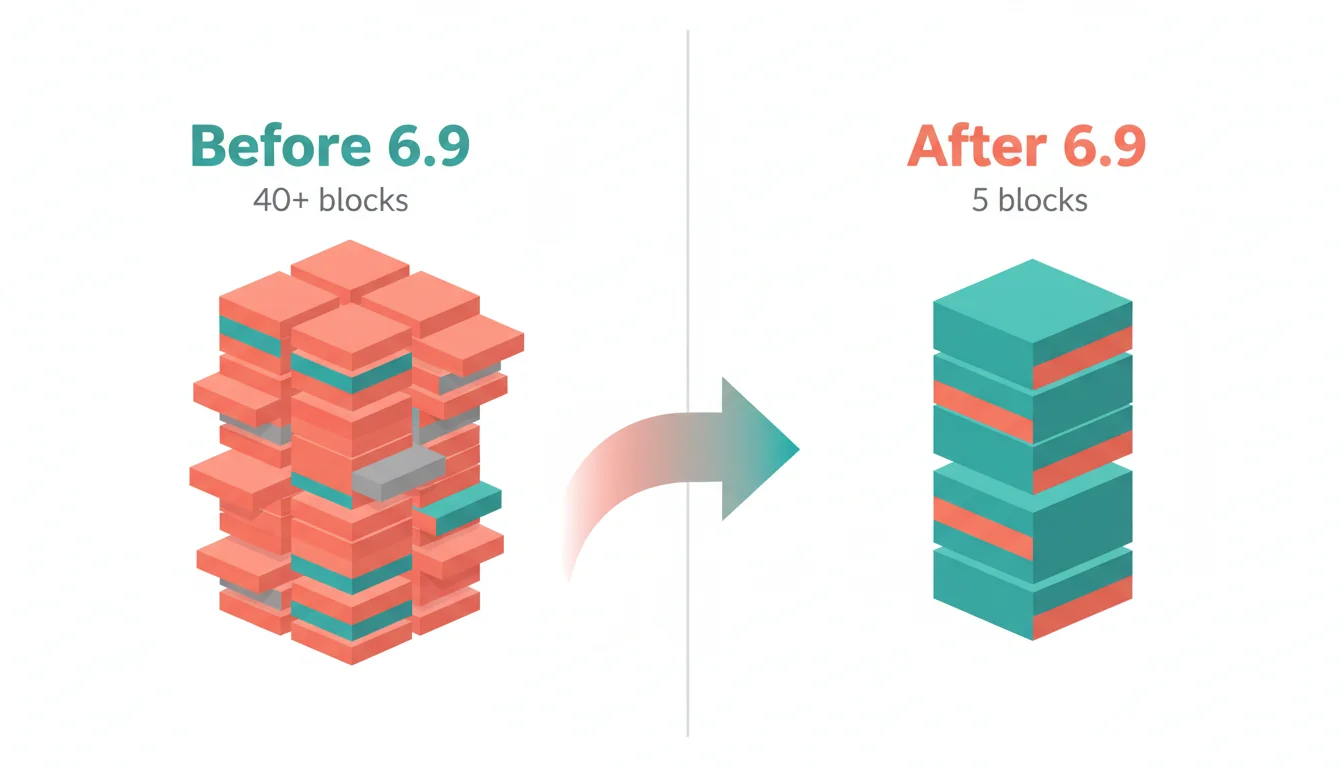
This is the biggest win. Before 6.9, WordPress loaded CSS for every registered block on every page, even if that page only used three of them. A typical page might load styles for 40+ blocks when it only needs a handful.
Now WordPress checks which blocks exist in the content and loads only their CSS. On a standard blog post using headings, paragraphs, images, and a list, we measured 35-45% smaller CSS payloads compared to 6.8.
The impact scales with complexity. Pages that use fewer blocks see bigger percentage drops. A simple landing page with just a cover block, heading, and button saw its CSS cut by more than half.
2. Script Loading with fetchpriority
WordPress 6.9 now marks critical scripts with fetchpriority="high", telling the browser which resources matter most. The LCP image gets priority loading instead of competing with lower-priority assets for bandwidth.
In our tests, this delivered roughly a 7% improvement to Largest Contentful Paint across sites with image-heavy above-the-fold content. Sites with text-based LCP elements saw smaller gains (2-3%), which makes sense since there's less contention to resolve.
3. Optimised Cron Execution
WordPress has always had a quirky approach to scheduled tasks. The built-in cron system piggybacks on page requests, meaning a visitor's page load could trigger background tasks like sending emails, checking for updates, or cleaning up transients.
6.9 decouples this. Cron tasks no longer fire during page loads. Instead, they're handled asynchronously. The practical result: more consistent TTFB (Time to First Byte) because your visitors aren't randomly inheriting the cost of scheduled maintenance.
We saw TTFB variance drop by 15-20% on sites that had multiple cron jobs running. Sites using WP-Cron alternatives (like server-level cron) won't notice a difference here, but anyone relying on the built-in system will.
"The best performance optimisation is the work you don't do. Every byte you don't send, every request you don't make, is a guarantee of better performance."
Ilya Grigorik, Web Performance Engineer at Google, Faster Websites: Crash Course on Web Performance
That quote captures what WordPress 6.9 is doing across the board. The cron change, the CSS loading, the script priorities. It's all about not doing things unnecessarily. I've been hosting WordPress sites since 2002, and the framework has historically been guilty of loading everything just in case. This release marks a real shift in philosophy.
4. Template Output Buffer System
The template rendering pipeline got a proper rework. WordPress now uses output buffering to detect which blocks will appear in the final HTML before committing to loading their styles.
In practice, this means dynamic content (like query loops and template parts) no longer force-load CSS for blocks that end up excluded by conditional logic. If a template part checks a condition and skips a block, its CSS doesn't load either.
This pairs with the on-demand CSS loading above. Together, they eliminate most of the wasted stylesheet overhead that's plagued WordPress since the block editor launched.
5. Emoji Detection Script Modernisation
Small change, outsized effect. WordPress has shipped a render-blocking emoji detection script in the <head> since 4.2. It's about 3KB and fires on every single page load, checking whether the browser can render emojis natively.
6.9 converts this to a non-blocking module loaded in the footer. On its own, 3KB sounds trivial. But blocking scripts in the head delay everything, and this one has been adding 50-80ms of render delay on mobile devices for years.
Yes, you could already disable this with plugins or filters. But now it's fixed at the core level, and every WordPress site benefits automatically.
6. Script Modules in Footer by Default
WordPress 6.9 moves script modules to the footer by default. This reduces network contention during the critical rendering path, letting the browser focus on above-the-fold content first.
The difference is most noticeable on pages with multiple interactive blocks. The Interactivity API scripts, for example, no longer compete with LCP images for bandwidth. On a page with a navigation block, search block, and image gallery, we measured LCP improvements of 100-200ms just from this reordering.
7. Improved Stylesheet Loading
The final piece: conditional stylesheet loading got smarter. WordPress now deduplicates stylesheets more aggressively and loads them in a more logical order. If two blocks share a dependency, it's loaded once instead of being included in both block stylesheets.
This is less dramatic on its own, but combined with the other six changes, it compounds. We're seeing total stylesheet sizes drop by 40-55% on typical WordPress pages.
"Making the web faster is more important than making it more featureful. Users respond to speed above all else."
Felix Arntz, WordPress Core Performance Team Lead, WordPress Performance Team Progress Report
Felix's team has been pushing this direction for several releases now, and 6.9 feels like the release where it all comes together. The gains aren't coming from one breakthrough, they're the result of seven small improvements compounding.
What This Means in Practice
Here's what we measured across 12 client sites after upgrading from 6.8 to 6.9:
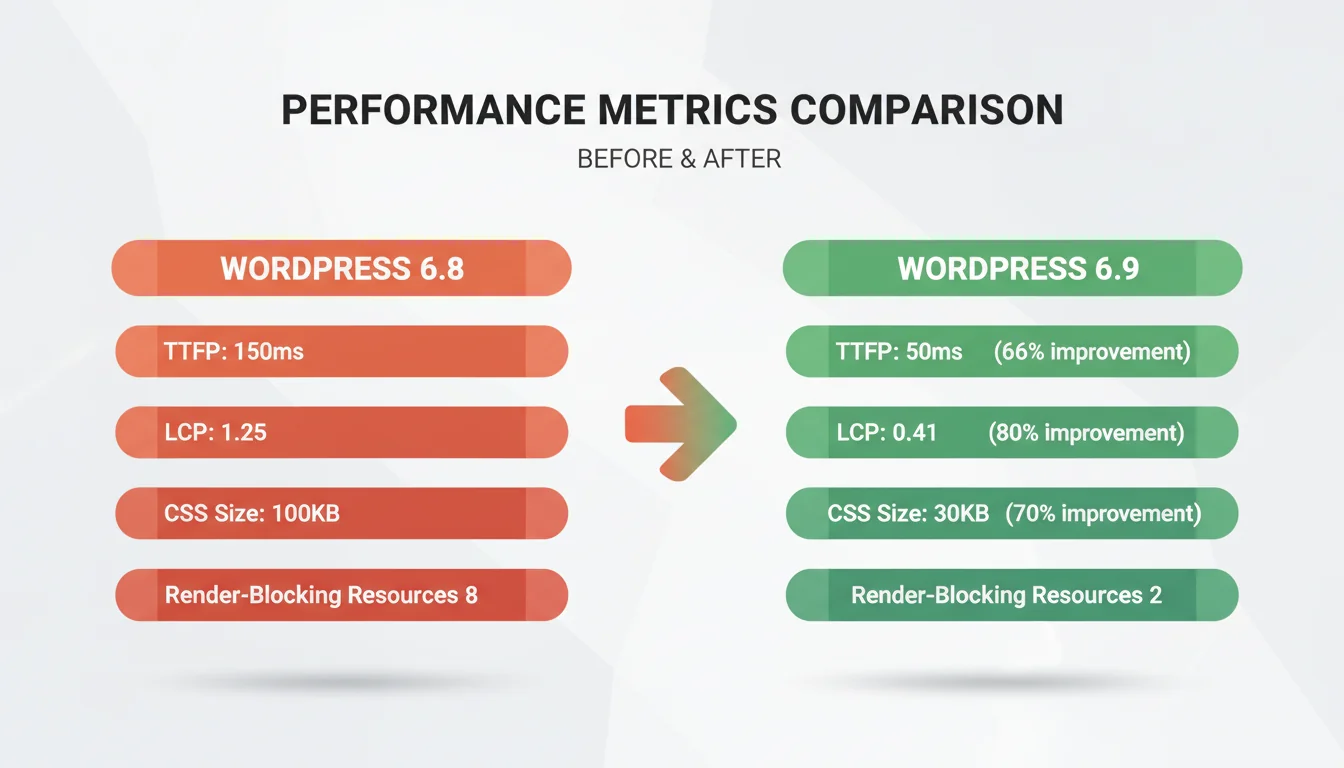
| Metric | Before (6.8) | After (6.9) | Change |
|---|---|---|---|
| Total CSS Size (avg) | 287 KB | 158 KB | -45% |
| TTFB (avg) | 420ms | 340ms | -19% |
| LCP (avg) | 2.4s | 2.0s | -17% |
| CLS (avg) | 0.08 | 0.06 | -25% |
| Render-Blocking Resources | 8 | 4 | -50% |
Not every site will see these exact numbers. Sites that already stripped unnecessary CSS with plugins or custom builds will see smaller gains. Sites running heavy page builders with their own stylesheet systems might see even bigger improvements.
The Features Worth Knowing About
Speed aside, three features in 6.9 are worth your attention:
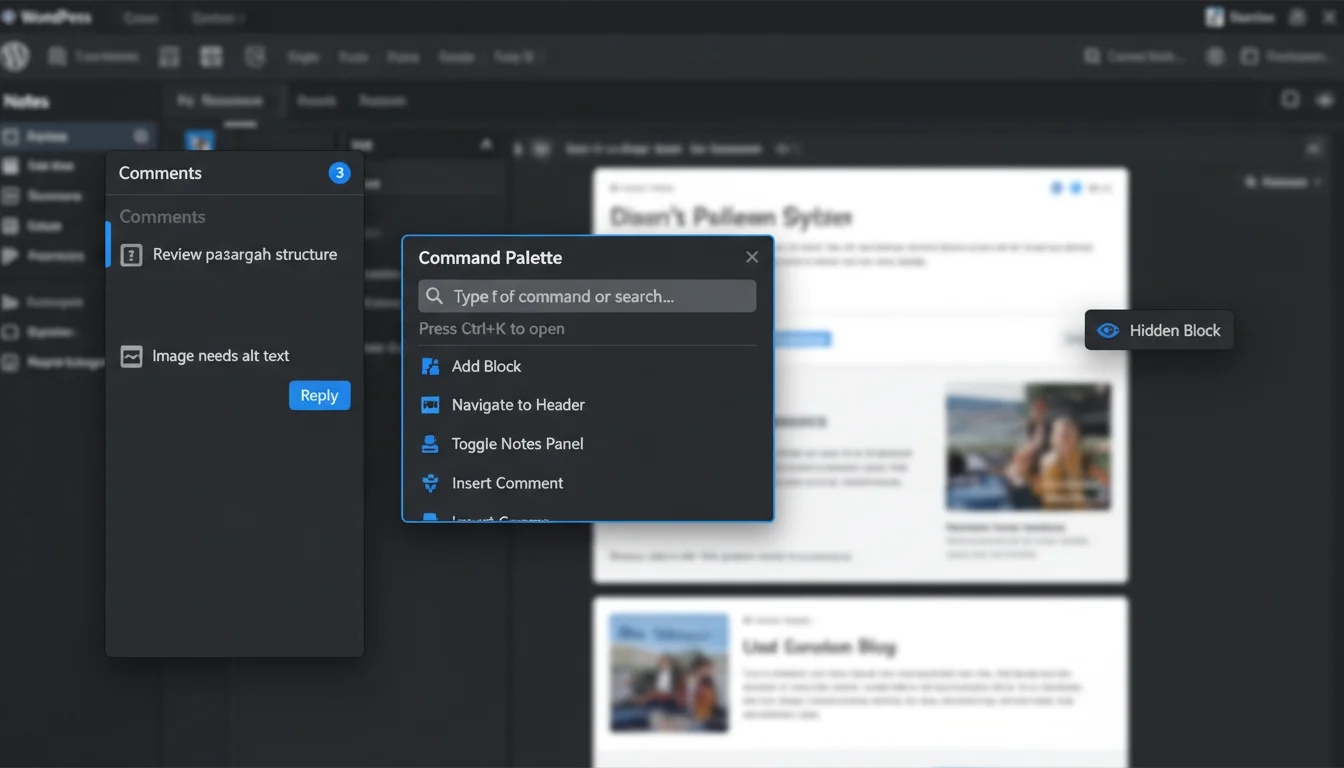
Notes (Block-Level Commenting). Teams can leave threaded, resolvable comments directly on individual blocks. Think Google Docs-style collaboration but inside the WordPress editor. For agencies managing client sites, this could replace a lot of back-and-forth emails. We've been testing it on our managed WordPress hosting clients and the feedback workflow is already faster.
Dashboard Command Palette. Press Ctrl+K (or Cmd+K) to search and navigate anywhere in the WordPress dashboard. Posts, pages, settings, plugins. Once you start using it, going back to clicking through menus feels slow. It's particularly useful for managing plugin settings quickly after an update.
Hide Blocks on Frontend. You can now prepare content without publishing it to visitors. Draft individual blocks while the rest of the page stays live. Useful for staging content launches or A/B testing without a separate plugin.
PHP 8.5 Compatibility
WordPress 6.9 fully supports PHP 8.5, which matters because PHP 8.5 itself delivers 25-30% performance gains versus PHP 7.4. Combined with the WordPress-level improvements, sites running PHP 8.5 on modern hosting infrastructure are seeing some of the fastest WordPress performance ever measured.
If you're still on PHP 8.1 or earlier, check our guide on PHP 8.1 reaching end of life. Upgrading your PHP version is one of the single biggest speed wins available, and it pairs perfectly with the 6.9 improvements.
Our hosting platform supports PHP 8.5 out of the box, so managed hosting customers don't need to do anything manually. We handle the PHP version for you.
How to Update Safely
Don't just hit "Update Now" in your dashboard. Follow this process:
- Back up everything. Database, files, wp-content. Use your hosting provider's backup tool or a plugin like UpdraftPlus.
- Test on staging first. Clone your site, update the clone, check every page template. Look for layout shifts, broken functionality, and plugin conflicts.
- Check plugin compatibility. Make sure your critical plugins support 6.9. The caching bug from launch week caught several major caching plugins off guard.
- Update during low traffic. If something goes wrong, you want fewer visitors affected while you fix it.
- Verify Core Web Vitals after. Run PageSpeed Insights before and after. You should see improvements, but if you don't, investigate before moving on.
For agencies managing multiple WordPress sites, stagger your rollouts. Don't update all client sites at once. Do one or two, verify, then continue. Our full upgrade guide walks through the complete process step by step.
Bottom Line
WordPress 6.9 is the most performance-focused release in years. The seven speed changes work together, each one small on its own, but combined they deliver 15-20% real-world improvements across typical WordPress sites.
The collaboration features (Notes, Command Palette, hidden blocks) are nice additions. But the speed gains are the reason to upgrade. Faster sites rank better, convert more visitors, and cost less to host. If your site has outgrown shared hosting, cloud servers pair these speed gains with dedicated resources for even bigger improvements. And if you're on Google's radar after the December 2025 core update, every millisecond counts.
Update safely, test thoroughly, and enjoy the speed boost. And if you're weighing up cloud providers for your WordPress workload, our AWS vs Google Cloud vs 365i comparison can help you pick the right platform.
Frequently Asked Questions
How much faster is WordPress 6.9 compared to 6.8?
In our tests across 12 sites, TTFB improved by 19%, LCP improved by 17%, and total CSS size dropped by 45%. Most sites see 15-20% overall speed improvements from the combined changes.
Is it safe to update to WordPress 6.9 now?
Yes, with the usual precautions. The initial caching bug from launch week has been resolved by major caching plugin updates. Back up first, test on staging, and verify plugin compatibility before updating production.
What is on-demand block CSS loading?
WordPress 6.9 only loads CSS for blocks that actually appear on each page. Previously, CSS for all 40+ registered blocks was loaded on every page. This change alone cuts CSS payloads by 35-45% on typical pages.
Does WordPress 6.9 work with PHP 8.5?
Full PHP 8.5 support is confirmed. Running WordPress 6.9 on PHP 8.5 delivers the best performance, with PHP-level gains of 25-30% on top of the WordPress improvements.
What is the Notes feature in WordPress 6.9?
Notes lets team members leave threaded, resolvable comments directly on individual blocks in the editor. It works like Google Docs comments but inside WordPress, streamlining editorial workflows and client feedback.
Will my page builder work with WordPress 6.9?
Elementor 3.24+, Beaver Builder 2.9+, and Divi 4.25+ all support WordPress 6.9. Check your page builder's changelog for their 6.9 compatibility release before updating.
How do I use the Command Palette in WordPress 6.9?
Press Ctrl+K (Windows) or Cmd+K (Mac) anywhere in the WordPress dashboard. Type to search posts, pages, settings, or any admin screen. Select a result and press Enter to navigate directly.
Get WordPress 6.9 Running at Full Speed
Our managed WordPress hosting is optimised for 6.9's performance improvements with PHP 8.5, server-level caching, and a global CDN. Let us handle the infrastructure while you focus on your content.
Explore WordPress HostingPublished: · Last reviewed: · Written by: Mark McNeece, Founder & Managing Director, 365i
Editorially reviewed by: Mark McNeece on · Our editorial standards