Two days ago we published our honest comparison of WordPress, Shopify, Squarespace and Wix. Those are the consumer-grade builders. But there's another tier of platform that targets designers, developers, and businesses who want something more sophisticated.
Webflow has been around since 2013. It's polished, it's popular with design agencies, and it does visual web design better than almost anything else. Cloudflare's EmDash launched its v0.1.0 developer preview on 1 April 2026, calling itself "the spiritual successor to WordPress." And WordPress, powering 42.5% of all websites in April 2026, keeps doing what it's always done.
This isn't a features checklist. There are a hundred of those already. If you're weighing up CMS options more broadly, our sister site covered choosing the right CMS from a design perspective. This comparison focuses on something different: which of these platforms lets you actually own your website?
What Each Platform Actually Is
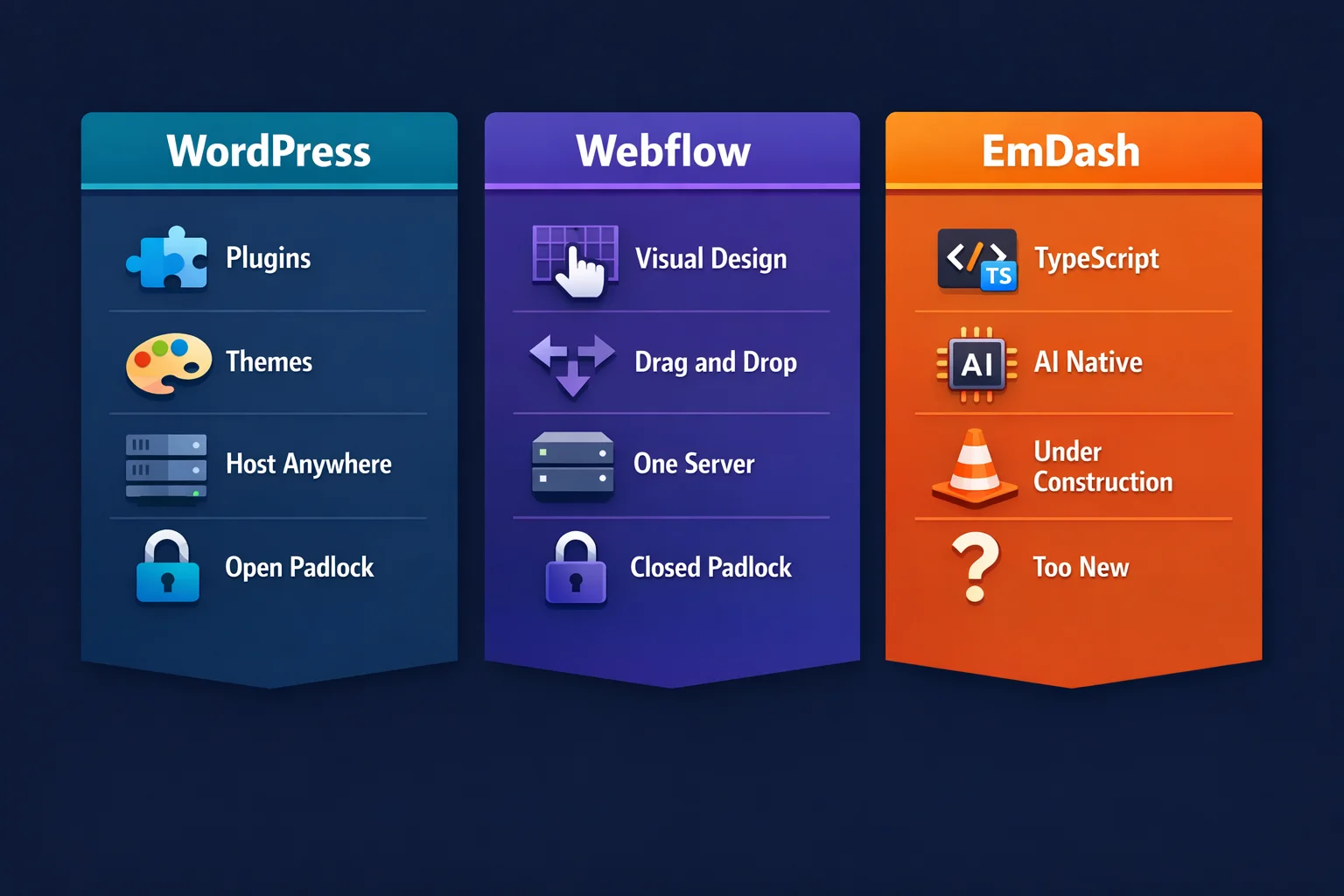
WordPress is open-source software you download, install, and run on any server you choose. You own the code. You own the database. You pick your host from thousands of providers worldwide. If you don't like your host, you zip everything up and move. WordPress has 59,000+ free plugins and powers everything from personal blogs to the White House website.
Webflow is a visual website builder with hosting built in. You design in their browser-based editor, and your site lives on Webflow's servers. It's excellent for visual design and marketing pages. Around 822,000 sites run on Webflow globally, with roughly 15,000 in the UK. Pricing starts at $14/month (about £11) for a basic site and climbs to $39/month (about £31) for the Business plan.
EmDash is Cloudflare's brand-new CMS, built in TypeScript on Astro 6.0. It's open-source under the MIT licence and technically runs on any Node.js server. Its headline feature is sandboxed plugins that run in isolated V8 workers, preventing the security issues that plague WordPress plugins. But here's the catch: that sandboxing only works on Cloudflare's runtime. On any other host, you get a TypeScript CMS without its defining security feature.
The Hosting Freedom Test
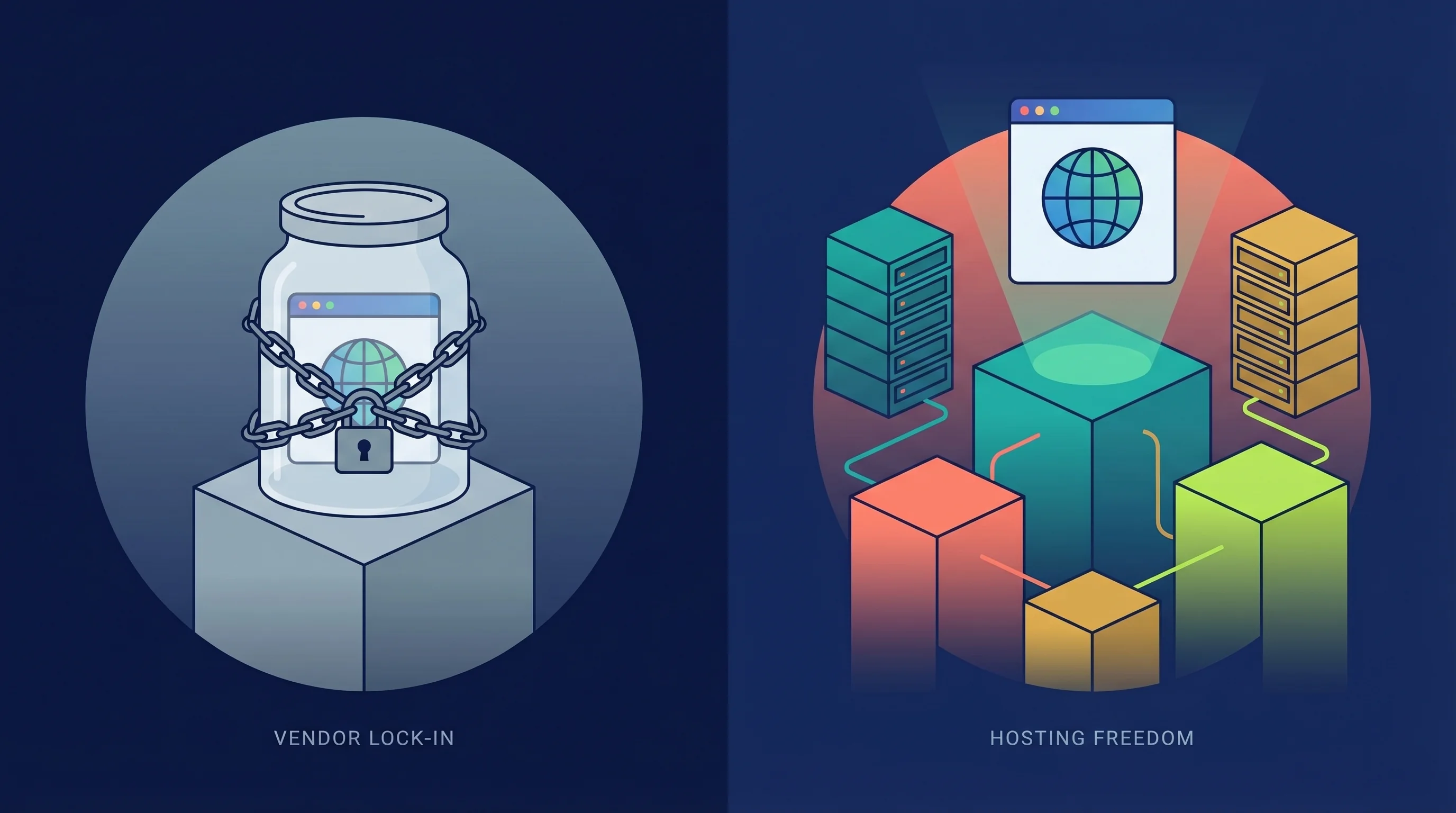
Here's the question that matters more than any feature comparison: if you want to move your website tomorrow, can you?
| Platform | Host Anywhere? | Full Data Export? | Hosting Providers |
|---|---|---|---|
| WordPress | Yes, any server | Everything: files, database, media, users | Thousands worldwide |
| Webflow | Webflow servers only | Static HTML/CSS/JS only. CMS content, forms and ecommerce break. | 1 (Webflow) |
| EmDash | Technically yes, practically Cloudflare | Open source, but plugin sandboxing is Cloudflare-only | 1 with full features (Cloudflare) |
WordPress co-founder Matt Mullenweg put it directly in his WordPress Everywhere post:
"From the beginning, WordPress has always been open source, giving you freedom, liberty, autonomy, and digital sovereignty."
Matt Mullenweg, WordPress co-founder, WordPress Everywhere (March 2026)
I've been hosting WordPress sites since 2002. In that time I've moved sites between dozens of different providers. It takes an afternoon at most. The database, the media library, the theme, the plugins, the user accounts, all of it transfers intact. That kind of portability isn't a nice-to-have. It's the difference between owning a business asset and renting someone else's shopfront.
What Happens When You Try to Leave
Leaving WordPress: Export your database, zip your files, upload to a new host. Done. Your migration doesn't break anything. We offer free managed migrations for every hosting plan because it really is that simple.
Leaving Webflow: You can export HTML, CSS, and JavaScript. That's the good news. The bad news? Your CMS collections export empty. Your forms stop submitting data. Your ecommerce checkout goes dead. Site search breaks. Membership areas become public. As BRIX Templates documented: "you'll maintain your design and visual elements, but lose all the dynamic features that make Webflow so powerful." You're left with a shell of your site that needs rebuilding from scratch.
Leaving EmDash: The code is MIT-licensed and open source, so technically you can run it anywhere. But self-hosting means giving up the sandboxed plugin security that's EmDash's entire selling point. Mullenweg was blunt about this in his EmDash feedback:
"If you want to adopt a CMS that will work seamlessly with Cloudflare and make it hard for you ever to switch vendors, EmDash is an incredible choice."
Matt Mullenweg, EmDash Feedback (April 2026)
That's a pointed comment, but having watched clients get stuck on platforms they can't leave, I think he's right. We've rebuilt sites for businesses that chose a proprietary builder five years ago because it looked easier at the time. The rebuild cost more than the original site. If the main reason you chose EmDash was plugin security, and that security only works on one platform, you're locked in by architecture even if the licence says you're free.
When Webflow Genuinely Wins
We're a WordPress hosting company, but we're not going to pretend Webflow is bad. It's not. For certain teams, it's the right tool.
Design-led marketing teams who need to ship landing pages quickly without touching code. Webflow's visual editor is genuinely faster than building custom WordPress templates for one-off campaign pages.
Agencies building portfolios and brochure sites where the visual polish is the product. Webflow produces clean, responsive HTML/CSS without the overhead of a traditional development workflow.
Small static sites with no blog, no ecommerce, no member areas, and no plans to grow beyond a handful of pages. If you'll never need what you can't export, the lock-in is less painful.
But the moment your site needs a blog with proper SEO control, an online shop, user accounts, or any functionality beyond what Webflow offers natively, you'll hit a wall. And climbing over that wall means rebuilding elsewhere.
When EmDash Might Make Sense
EmDash is genuinely interesting from a technical perspective. Joost de Valk, the founder of Yoast SEO (the most popular WordPress SEO plugin in history), reviewed it within days of launch:
"The most interesting thing to happen to content management in years."
Joost de Valk, founder of Yoast SEO, EmDash: a CMS built for 2026
Coming from the person who built the plugin that runs on more WordPress sites than any other, that carries weight. But de Valk also flagged three problems: an empty plugin ecosystem, governance uncertainty under Cloudflare's stewardship, and the fact that the whole thing was built in two months using AI agents. That last point is impressive and slightly terrifying in equal measure.
EmDash might make sense for:
- Developer teams already on Cloudflare's stack who want a CMS that integrates natively with Workers, R2, and D1.
- AI-native workflows where the built-in MCP server and CLI let AI agents manage content directly.
- Greenfield projects with no legacy content or plugin requirements, where you can build from scratch.
For everyone else? It's a v0.1.0 preview. WordPress has 60,000+ plugins and 23 years of battle testing. EmDash has two months. The WordPress 7 delay is about getting the architecture right for the next decade, not rushing something out for headlines.

When WordPress Is the Right Choice
For the vast majority of UK businesses, WordPress remains the right answer. Not because it's perfect (it isn't), but because it's the only option that respects your ownership of your own website.
Business websites that need to grow. Blogs with proper SEO control. Online shops running WooCommerce. Membership sites. Learning platforms. Multi-language sites. Community forums. Anything where you might need functionality that doesn't exist yet, because someone in WordPress's ecosystem of 59,000+ plugins has probably already built it.
And the hosting question settles itself. If your current provider raises prices, slows down, or goes out of business, you move. Your site, your data, your choice. Try that with Webflow or EmDash.
With managed WordPress hosting from 365i, you get the freedom of self-hosted WordPress with the convenience of a managed platform: automatic backups, staging environments, one-click SSL, and a hosting platform that handles the server-side complexity so you don't have to. Starting at £5.99/month with no renewal price increases.
The Three-Year Cost Question
Platforms like Webflow sell predictability. Fixed monthly fee, no plugins to manage, no security patches. That's a real benefit for teams who'd rather not think about infrastructure.
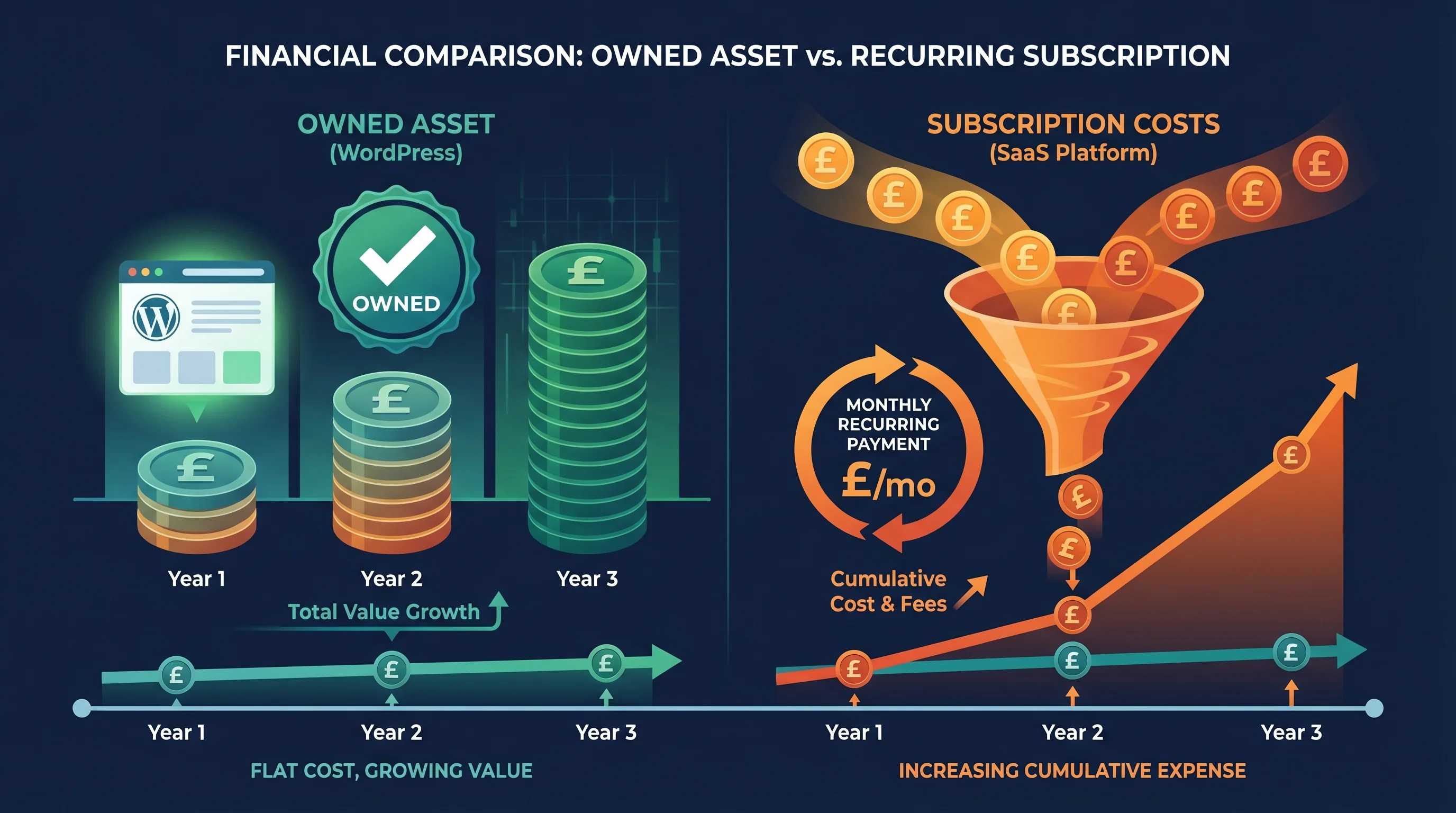
But there's a financial reality underneath. A WordPress site is an asset you own. A Webflow site is a subscription you rent. If Webflow raises prices (and SaaS platforms always do eventually), your choices are: pay more, or rebuild from scratch somewhere else. We've written about exactly this pattern with hosting renewal price shock, and the same logic applies to platforms.
Over three years, WordPress on 365i managed cloud hosting gives you predictable costs AND portability. You're not just paying for hosting. You're paying for the freedom to leave if something better comes along.
The Webflow CMS plan at $23/month (about £18) sounds affordable until you add the workspace plan ($19-49/month for teams), localization (£7 per locale), analytics (£7/month), and ecommerce ($29-212/month). Those add-ons stack up. With WordPress, most of that functionality comes free.
The Verdict
Webflow is a good tool for a narrow set of use cases. EmDash is a fascinating experiment that's months away from being production-ready. WordPress is the platform you build a business on.
The honest comparison isn't about features. It's about a question that's easy to overlook when you're excited about a shiny new builder: what happens when you want to leave?
With WordPress, you leave whenever you want. With Webflow and EmDash, you ask permission. And when it comes to your business, that difference matters more than any drag-and-drop editor ever could.
Frequently Asked Questions
Can I move my Webflow site to WordPress?
You can export the static HTML, CSS and JavaScript, but your CMS content, forms, ecommerce and membership features won't transfer. In practice, moving from Webflow to WordPress means rebuilding the dynamic parts of your site from scratch. The visual design can serve as a reference, but the code won't import directly into WordPress.
Is EmDash ready for production websites?
No. EmDash launched as a v0.1.0 developer preview in April 2026. It has no plugin ecosystem, limited documentation, and was built in two months. Cloudflare hasn't announced pricing or an SLA. It's worth watching, but running a business website on it today would be premature.
Is Webflow cheaper than WordPress hosting?
Webflow's CMS plan costs $23/month (about £18). WordPress hosting at 365i starts at £5.99/month. Webflow includes hosting and maintenance in that price, but most functionality that's free on WordPress (SEO tools, forms, analytics) requires paid add-ons on Webflow. Over three years, WordPress is typically cheaper with more flexibility.
Does Webflow lock you in?
Yes, for anything beyond a static brochure site. While Webflow allows HTML/CSS/JS code export, all dynamic features (CMS collections, forms, ecommerce, memberships, site search) stop working once exported. You can't host a Webflow site elsewhere and keep it fully functional.
Can EmDash run outside Cloudflare?
Technically yes, on any Node.js server. But EmDash's headline security feature, sandboxed plugins via Dynamic Workers, only functions on Cloudflare's runtime. Self-hosting gives you a TypeScript CMS without the security model that distinguishes it from other options.
Is WordPress still the best platform for SEO?
WordPress gives you the most SEO control of any major CMS. Google's John Mueller has confirmed that the CMS itself doesn't affect rankings, but WordPress offers full control over meta tags, URL structure, schema markup, sitemaps, and page speed, plus thousands of SEO plugins. Webflow has decent SEO tools but far less flexibility. EmDash has no SEO ecosystem yet.
How many hosting providers support WordPress?
Thousands. Every major hosting company in the world supports WordPress. You can run it on shared hosting from £2/month, managed hosting like 365i from £5.99/month, VPS servers, dedicated servers, cloud platforms like AWS and Google Cloud, or even a Raspberry Pi on your desk. No other CMS comes close to this level of hosting choice.
Should I wait for EmDash before building my website?
No. EmDash is a developer preview with no production track record, no plugin ecosystem, and no timeline for a stable release. If you need a website now, WordPress is the proven choice. If EmDash matures into something compelling in a year or two, WordPress sites are portable enough that you could always evaluate a switch then.
Your Website, Your Hosting, Your Choice
WordPress on 365i gives you managed hosting with full data ownership. No lock-in, no renewal surprises, and free migration from any provider.
Explore WordPress HostingSources
- WordPress Usage Statistics - W3Techs (April 2026)
- Webflow Usage Statistics - W3Techs (March 2026)
- Introducing EmDash - Cloudflare Blog (April 2026)
- EmDash Feedback - Matt Mullenweg (April 2026)
- WordPress Everywhere - Matt Mullenweg (March 2026)
- EmDash: a CMS built for 2026 - Joost de Valk
- Webflow Pricing - Webflow (2026)
- Webflow Code Export Limitations - BRIX Templates
- Cloudflare EmDash: TypeScript CMS - InfoQ (April 2026)
Published: · Last reviewed: · Written by: Mark McNeece, Founder & Managing Director, 365i
Editorially reviewed by: Mark McNeece on · Our editorial standards