Every "best website platform" comparison on page one of Google is funded by affiliate commissions. The sites with the biggest Shopify kickbacks put Shopify first. The sites chasing Wix affiliate payouts put Wix first. You can work out the ranking order before you even click.
This isn't one of those. We run a WordPress hosting company, so we have skin in the game, but we've also migrated sites off every one of these platforms and onto them. We know where each one genuinely wins, and we're going to tell you.
Here's the short version before we get into the numbers.
The Honest Verdict (Before the Tables)
- Pure online store with no existing site and no desire to learn anything? Shopify. It handles everything. Just pay the bill.
- Beautiful simple portfolio for a photographer, designer, or creative? Squarespace. The templates are genuinely better out of the box.
- Absolute beginner who needs drag-and-drop and will never touch code? Wix. It's the easiest.
- Everything else? WordPress. That's most business sites, most blogs, most stores that want to grow, anything that needs real SEO control, and anything you want to actually own.
That's the honest answer. Now let's prove it.
What It Actually Costs
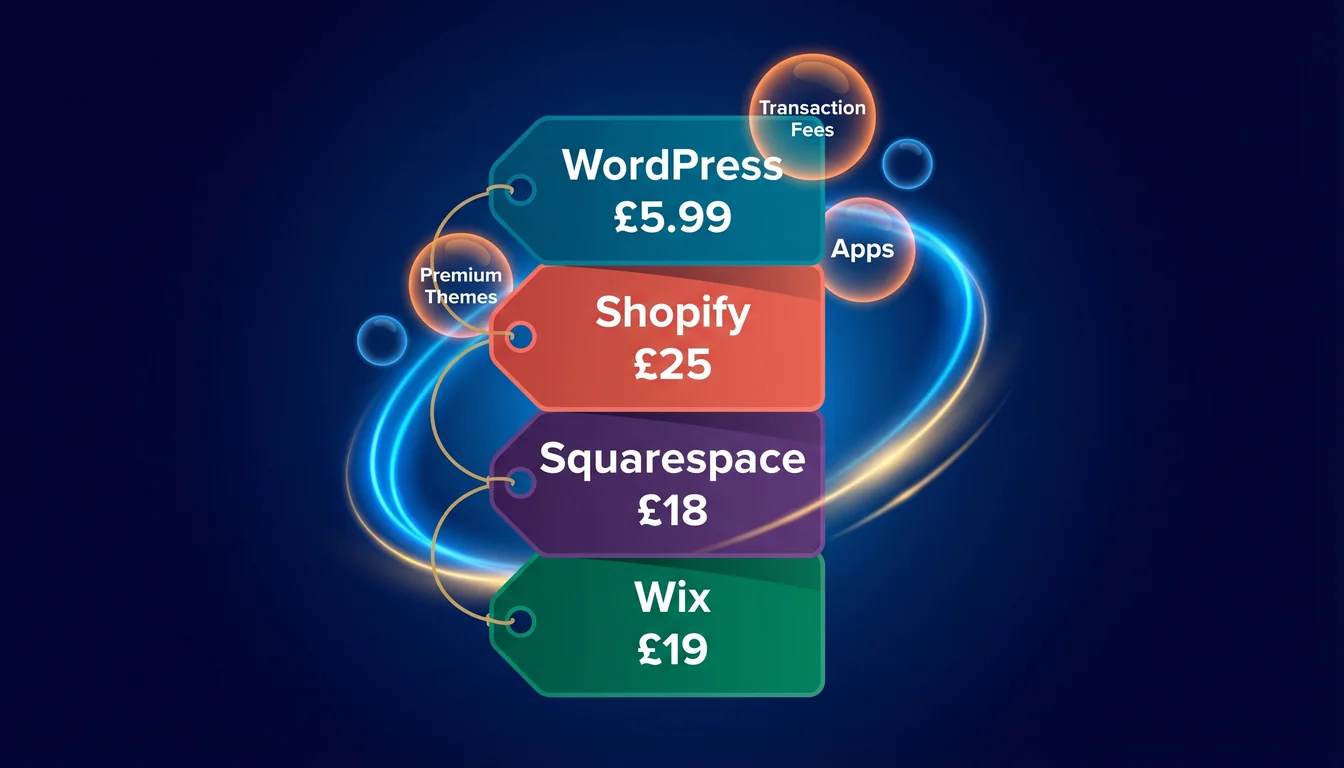
All prices in GBP, based on each platform's public pricing as of April 2026. Shopify and Squarespace publish in USD, so these are converted at current rates.
| Platform | Cheapest Plan | Mid-Tier | Top Plan | Transaction Fee |
|---|---|---|---|---|
| WordPress on 365i | £5.99/mo Personal | £8.99/mo Premium | £14.99/mo Business | 0% platform (processor only) |
| Shopify | £25/mo Basic | £65/mo Shopify | £344/mo Advanced | 2.0% / 1.0% / 0.5% if not using Shopify Payments |
| Squarespace | £18/mo Basic | £26/mo Core | £105/mo Advanced | 2% on Basic, 0% on Core and above |
| Wix | £19/mo Light | £32/mo Core | £140/mo Elite | 0% platform fee |
The 365i row isn't for show. That's what WordPress actually costs when you host it with us, and every plan from Premium upwards includes managed hosting, our own CDN, free SSL, daily backups, UK support, and free migration. Personal at £5.99 covers the essentials without the CDN. No renewal price jump after the first year. No surprises.
The Hidden Costs Nobody Talks About
The sticker price is the easy part. Here's what the comparison articles skip.
Shopify charges an extra transaction fee of up to 2% if you don't use Shopify Payments. That's on top of your card processor's fee. If your processor charges 1.7% and Shopify adds another 2% on the Basic plan, you're paying almost 4% per sale just to exist on the platform. Shopify Payments fixes it, but it ties you tighter to the walled garden.
Premium themes are often paid. Shopify themes run £150 to £350 one-off. Squarespace and Wix include their templates, but once you've customised one, moving to another means starting again.
Apps add up fast. The average Shopify store pays for five or six apps to replicate features that come free as WordPress plugins. Reviews app? £15/mo. Upsell app? £25/mo. SEO app? £20/mo. That's another £60-£80/mo on top of the base plan.
Renewal pricing. Some platforms advertise an intro price that jumps on renewal. 365i doesn't do this. If you're on a cheap host wondering whether your hosting bill will double next year, we covered what your WordPress hosting really costs after year one in a separate piece.
The Features That Actually Matter
| Feature | WordPress | Shopify | Squarespace | Wix |
|---|---|---|---|---|
| Themes/templates | 14,000+ free, 25,000+ premium | ~2,500 (268 in official store) | ~1,000 starting points | ~800 |
| Plugins/apps | 59,000+ free | ~12,300 apps | 31-45 extensions | ~600 apps |
| Custom code | Full HTML/CSS/PHP/JS | HTML/CSS/JS, no PHP | HTML/CSS/JS, no PHP | Front-end JS via Velo, no PHP |
| robots.txt control | Full | Limited | Full | Full |
| Sitemap control | Fully customisable | Auto-only | Auto-only | Auto-only |
| .htaccess access | Yes | No | No | No |
| Content export | Full database + media | Products CSV only, no pages/blog | XML only | No blog export at all |
| Product limit | None (WooCommerce) | None | 10,000 cap | None |
| AI visibility files (llms.txt, ai.txt) | Native via free plugin | App required | Manual upload only | Auto on premium plans |
| Multilingual | WPML, Polylang, Multisite | Shopify Markets (native) | Via Weglot (paid) | Wix Multilingual (native) |
Sources: wordpress.org/plugins, Shopify App Store statistics, and each platform's official documentation.
One row in that table deserves a closer look. Our sister site has just released the free AI Discovery Files plugin for WordPress, which drops all ten AI discovery files onto any WordPress site with one click. There's no equivalent on Shopify, Squarespace, or Wix. If AI visibility matters to your business (and it increasingly does), WordPress is currently the only platform where you can do this properly.
The Ownership Question

This is the part the affiliate sites don't want to touch, because it's the single biggest reason WordPress wins.
"If you don't control the software, the software controls you."
Matt Mullenweg, co-founder of WordPress, The Four Freedoms, January 2014
When we first read that line, it sounded like philosophy. After more than 20 years running a hosting company and watching customers try to leave walled-garden platforms, it reads more like a warning.
If you build a site on Squarespace and decide to move, you get an XML file with your blog posts. Your product catalogue, your custom layouts, your image galleries, your forms, your member areas: none of that exports. Rebuild from scratch.
Wix is worse. As of 2026 there is still no native way to export a Wix blog to another platform. None. You can copy an RSS feed as a workaround, but it strips out images, categories, tags, and metadata. Your content is effectively locked to the platform.
Shopify is better. You get your product CSVs, your customer list, your order history. But your theme, your pages, your blog, your apps, your URL structure: you're rebuilding.
WordPress exports everything. Database, media, themes, plugins, users, comments. You own it. When you leave 365i you take your whole site with you, and we'll help you move it. That's not a marketing promise. That's what "open source" actually means.
And it's not just the established builders that lock you in. Newer platforms like Webflow and Cloudflare's EmDash have the same problem. We compared them in our WordPress vs Webflow vs EmDash hosting freedom comparison.
Performance and SEO Control
| Platform | Performance | SEO Control | Hosting Flexibility |
|---|---|---|---|
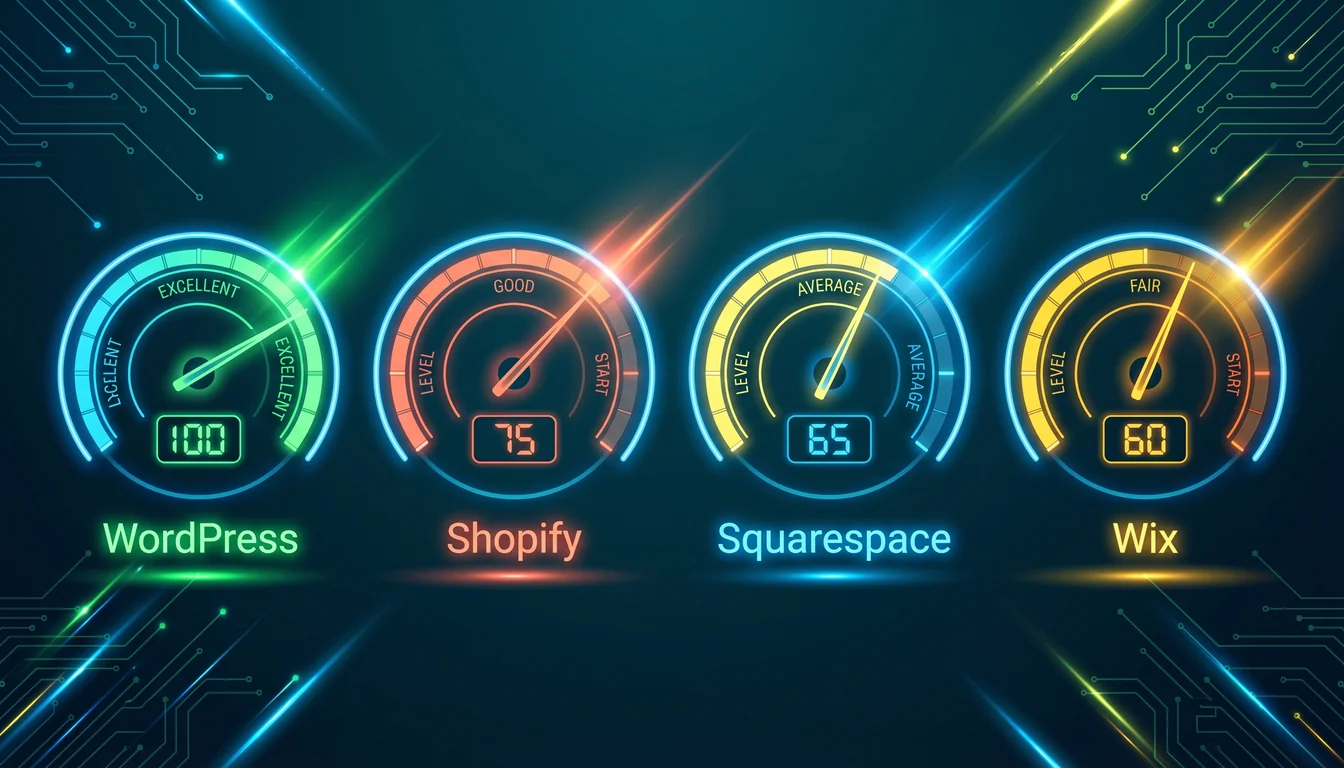
| WordPress (on good hosting) | Fastest option with proper caching and NVMe | Full (every signal, every file) | Any host you want |
| WordPress (on cheap shared) | Often slow, often blamed on WordPress itself | Full | Limited by host |
| Shopify | Solid out of the box, consistent but not peaky | Limited (no robots.txt control, no sitemap customisation) | None, Shopify hosts |
| Squarespace | Decent, rarely exceptional | Medium | None |
| Wix | Improved significantly in 2025, now competitive | Medium | None |
WordPress Is Only as Fast as the Hosting Under It
"WordPress is slow" is the most repeated myth in the website builder conversation. It's also wrong, because WordPress itself is just PHP running against a database. The performance you see depends entirely on the server it sits on.
This is the conversation the comparison articles skip, because admitting it means admitting that every "WordPress is slow" benchmark is really a "cheap shared hosting is slow" benchmark in a WordPress disguise.
Google's John Mueller put it simply:
"There's no fundamental SEO difference between mainstream CMSs, even static hosting with modern frameworks is fine."
John Mueller, Senior Search Advocate at Google, quoted in Search Engine Roundtable, October 2025
Google doesn't care if you used WordPress, Wix, or a hand-coded HTML file. It cares how quickly your page loads and how good the content is. Put WordPress on 365i's platform with NVMe storage and autoscaling cloud infrastructure and you'll beat Shopify, Squarespace, and Wix on Core Web Vitals. Put it on a £1.99/mo shared host stuffed with 500 other sites, and you won't. The platform isn't the bottleneck. The host is.
If you're already nervous about moving hosts, we covered that too: scared to switch WordPress hosting? Here's what actually happens.
Who Should Use What (Honestly)
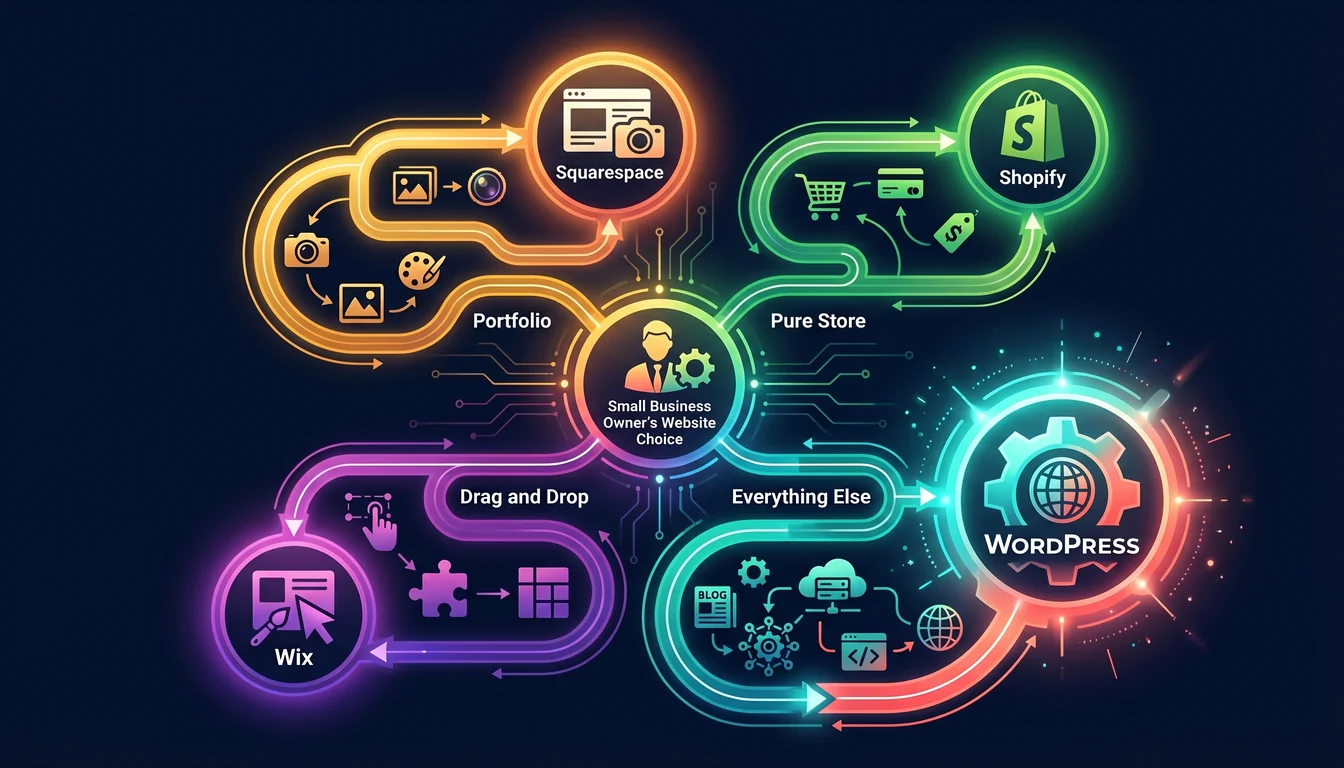
| If you need... | Best platform | Why |
|---|---|---|
| A simple portfolio (photographer, creative) | Squarespace | Best templates out of the box, minimal fuss |
| A pure online store (no existing site, no desire to learn) | Shopify | Handles everything, fewer moving parts |
| Drag-and-drop for absolute beginners | Wix | Lowest learning curve |
| A small business site with a blog | WordPress | Ownership, flexibility, SEO control |
| An online store that will grow past 50 products | WordPress + WooCommerce | No product cap, no platform transaction fees |
| A blog or content site | WordPress | Nothing else comes close for publishing |
| Full SEO control and rich schema | WordPress | The only one with full robots.txt, sitemap, schema, and .htaccess access |
| AI visibility (llms.txt, ai.txt, etc.) | WordPress | Free AI Discovery Files plugin handles all ten files in one click |
| A site you want to actually own | WordPress | Your data, your files, your choice of host |
When a Walled Garden Is the Right Choice
Look, we host WordPress for a living, so our bias is obvious. But we're not going to tell you WordPress is right for everyone.
If you want to open an online store tomorrow, have never touched a CMS, don't want to think about hosting, don't care about owning your data, and will happily pay £65/mo forever: Shopify is fine. Genuinely. It does what it says.
If you're a wedding photographer who needs ten beautiful pages and a contact form and you'll never add anything more: Squarespace is fine. It'll look good with no effort.
If you need to build a site tonight, publish by morning, and your business fits inside a drag-and-drop builder: Wix will get you there.
For everyone else (and that's most UK small businesses we talk to) WordPress is the answer. If you're weighing up the decision, our sister site has a good piece on choosing the right CMS and another on the £6.3 billion AI website builder market and what they still can't do that go deeper on the trade-offs.
One footnote that doesn't fit anywhere else in this comparison: if WordPress feels like overkill and the four hosted builders feel like underkill, there's a small middle ground worth knowing about. CMS Made Simple is a deliberately small open-source CMS that handles brochure sites for owners who want to edit their own pages without taking on the WordPress plug-in maintenance burden. It runs on our standard web hosting, the admin is calmer than WordPress, and you keep full ownership the way you do with WordPress. It's not a fifth headline option for most businesses, but for a particular kind of small organisation it's the better answer.
Frequently Asked Questions
Is WordPress really free?
Yes. The software is free and open source. You pay for hosting and an optional domain. Total cost on 365i starts at £5.99/mo all-in, which is less than Shopify's cheapest plan even before you add Shopify's transaction fees.
Can I move from Shopify to WordPress?
Yes, but plan for it. Products export cleanly as CSV. Customer data exports. Blog posts and pages do not export, so those get copied manually. Themes don't transfer at all. We do this migration for new customers as part of our free migration service.
Does Shopify, Squarespace, or Wix rank better in Google than WordPress?
No. Google's John Mueller has confirmed the CMS doesn't affect rankings. What matters is the final HTML, the page speed, and the content quality. WordPress on proper managed hosting beats all three on every technical SEO measure we've tested.
Will my site be faster on Wix than on WordPress?
Only if your WordPress site is on cheap shared hosting. On proper managed hosting with NVMe storage and a CDN, WordPress is faster. "WordPress is slow" is a hosting problem, not a WordPress problem.
What about WordPress.com versus WordPress.org?
Different products. WordPress.com is Automattic's hosted SaaS, closer to Wix or Squarespace in how it works. WordPress.org is the open-source software anyone can download and install. This article is about WordPress.org, which is what 365i hosts.
Is WooCommerce better than Shopify for an online store?
For stores that want flexibility, zero platform fees, custom checkout, and full content ownership, yes. For stores that want everything handled with zero thought, Shopify. It's genuinely a trade-off and depends on whether you value control or convenience more.
Do I need technical skills to run WordPress?
Not with managed hosting. We handle updates, security, backups, and performance. You use the WordPress dashboard to publish posts, pages, and products. If you can use Squarespace, you can use modern WordPress.
Can I start on WordPress and add a shop later?
Yes. Add WooCommerce when you're ready. No rebuild, no migration, no platform change. This is one of WordPress's biggest advantages over Shopify: it grows with you instead of forcing you into an e-commerce-first structure from day one.
WordPress Is Right. 365i Is Where You Host It.
Managed WordPress hosting from £5.99/mo with free SSL, daily backups, free migration, and UK support. No surprise renewal prices. No platform transaction fees. No walled gardens.
Explore WordPress HostingSources
- WordPress Usage Statistics - W3Techs
- The Four Freedoms - Matt Mullenweg
- Google's John Mueller On Best Content Management Systems For SEO - Search Engine Roundtable
- Shopify Pricing - Official Plans
- Squarespace Pricing Plans
- Wix Premium Plans
- WordPress Plugin Directory
- Exporting your site - Squarespace Help Center
- Wix Blog Request: Exporting Blog Posts - Wix Help Center
Published: · Last reviewed: · Written by: Mark McNeece, Founder & Managing Director, 365i
Editorially reviewed by: Mark McNeece on · Our editorial standards