The WordPress Foundation dropped a bombshell this morning. Starting with WordPress 7.0, every installation will require a physical USB-C hardware key, plugged into the user's computer, to access the WordPress admin dashboard.
The device, officially called the "WordPress Licence Dongle," must be connected to your machine whenever you log into wp-admin. No dongle, no dashboard. The Foundation says the move is about "protecting the integrity of the open-source ecosystem" and "ensuring every WordPress administrator has a tangible connection to their content."
Matt Mullenweg reportedly described it as "the most important step forward for WordPress since we replaced the blink tag with Gutenberg."
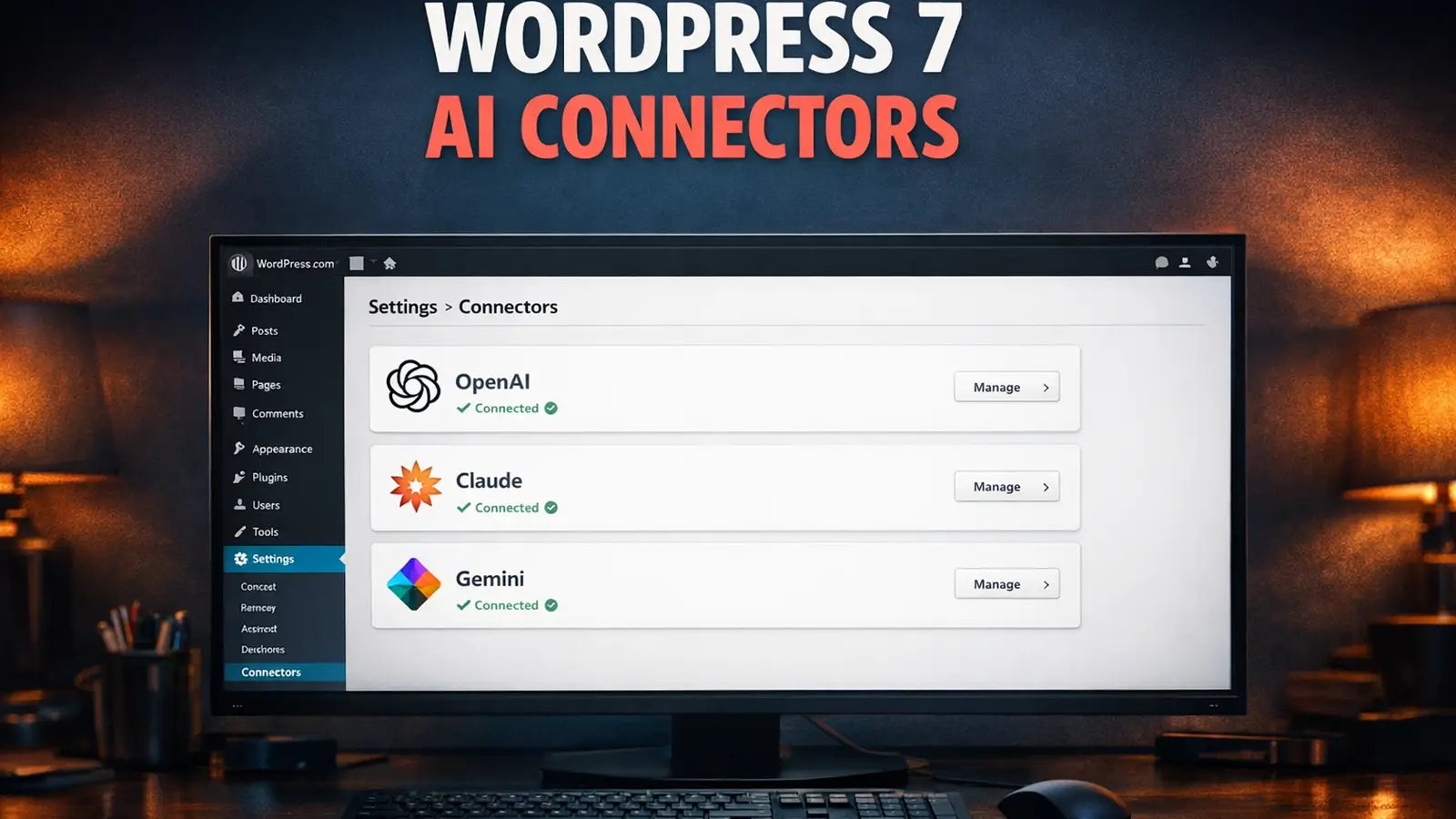
We've been covering WordPress 7.0's development for months, from the AI Connectors in Beta 2 to the AI Experiments plugin tests. But nothing prepared us for this.
What the Dongle Actually Looks Like
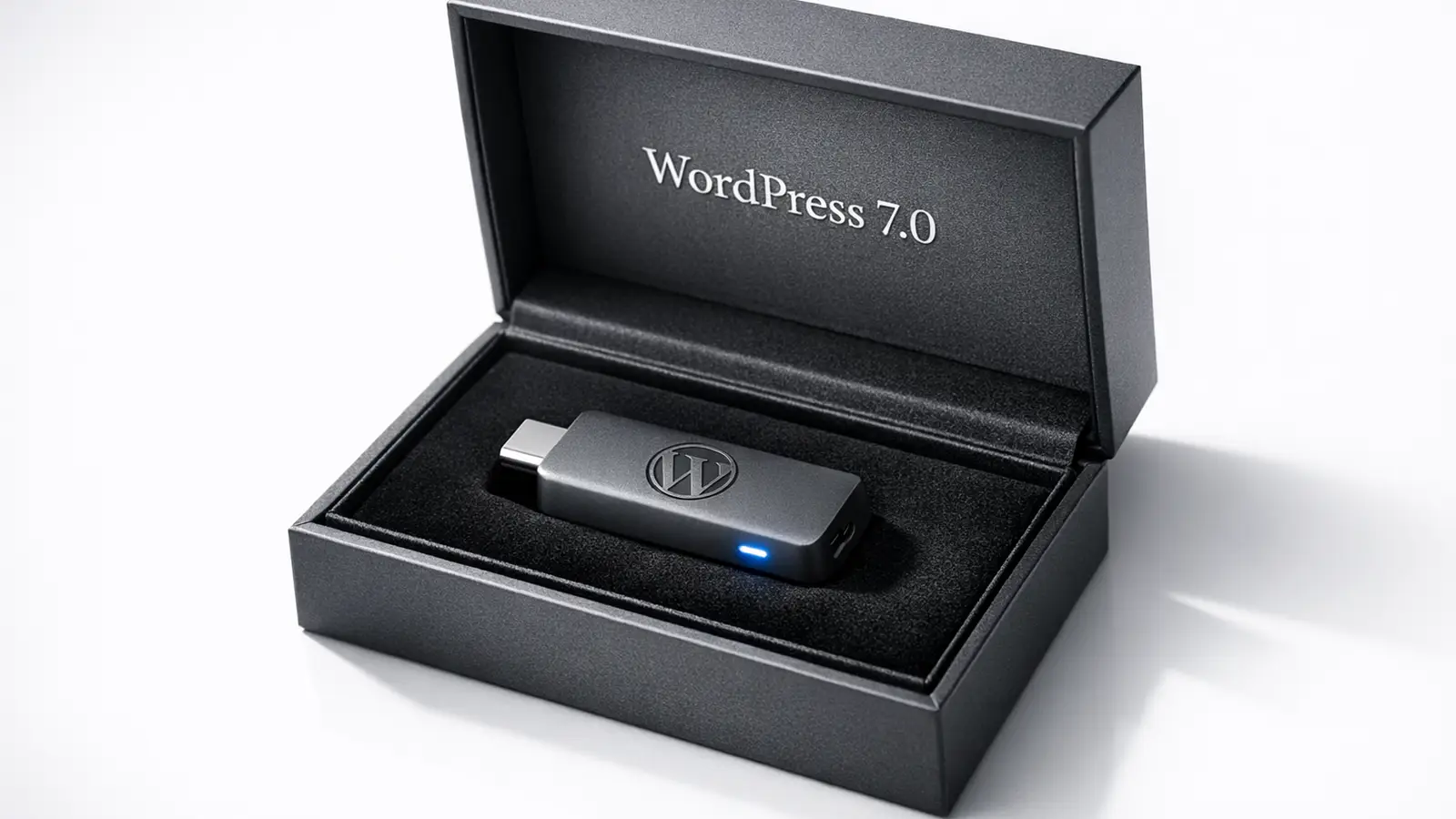
We got our hands on an early production unit. It's a 3.7cm USB-C stick in a colour the Foundation is calling "Gutenberg Grey." There's a small WordPress W logo embossed on one side and a blue LED on the tip that pulses gently when your site receives traffic.
It ships in a presentation box with foam padding, a certificate of authenticity, a quick-start card printed in 47 languages, and a keyring attachment shaped like the WordPress logo.
The LED behaviour, apparently, cannot be disabled. The Foundation considers it "a meditative reminder of your site's heartbeat." One beta tester described it as "slightly hypnotic" and another as "the reason I now sleep with my laptop in another room."
The Pricing Tiers
WordPress is free and open-source. The dongle is not.
Four tiers have been announced:
| Tier | Price | Sites | What You Get |
|---|---|---|---|
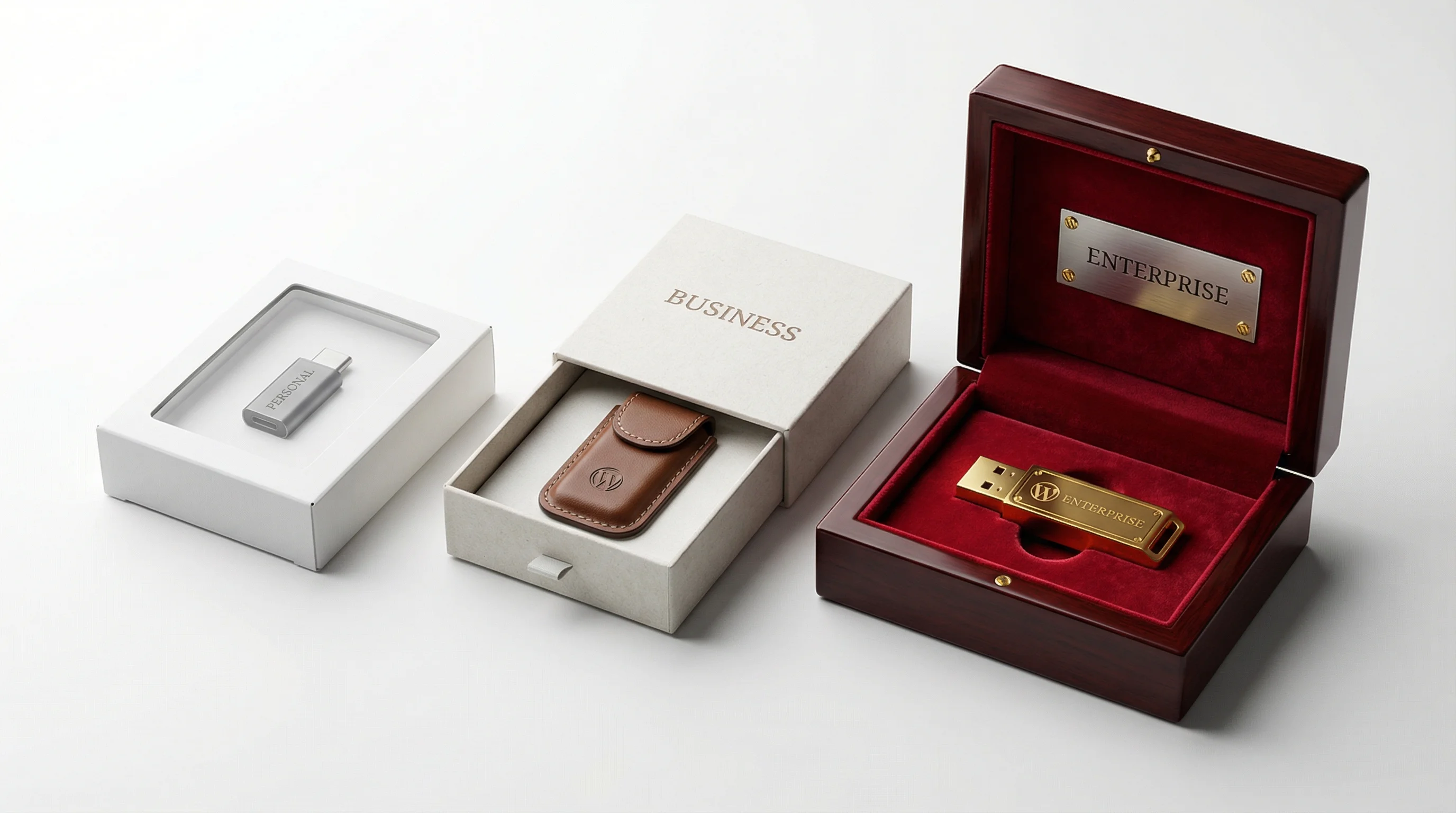
| Personal | £29.99 | 1 site | Dongle, cardboard box, quick-start card |
| Business | £149.99 | Up to 10 sites | Dongle, leather carry case, branded lanyard |
| Enterprise | £499.99 | Unlimited sites | Dongle, velvet-lined mahogany box, handwritten note from Matt Mullenweg, commemorative coin |
| Agency Bundle | £1,999.99 | 50 dongles | 50 dongles on a single keychain (weighs 1.4kg), branded tote bag, bulk discount on replacements |
The Agency Bundle has already caused controversy. Several developers pointed out that 50 USB-C dongles on one keychain makes the keychain heavier than most laptops. The Foundation responded that this "encourages agencies to invest in sturdier trousers."
If you're wondering what this adds to the cost of running a WordPress site, we broke down what WordPress hosting really costs after year one. Add a dongle to that equation and the maths gets interesting.
How It Actually Works
The dongle must be plugged into your computer's USB-C port before you navigate to wp-admin. WordPress 7.0 includes a new core component called the "Gutenberg Authenticator" that checks for the dongle's cryptographic handshake every 90 seconds.
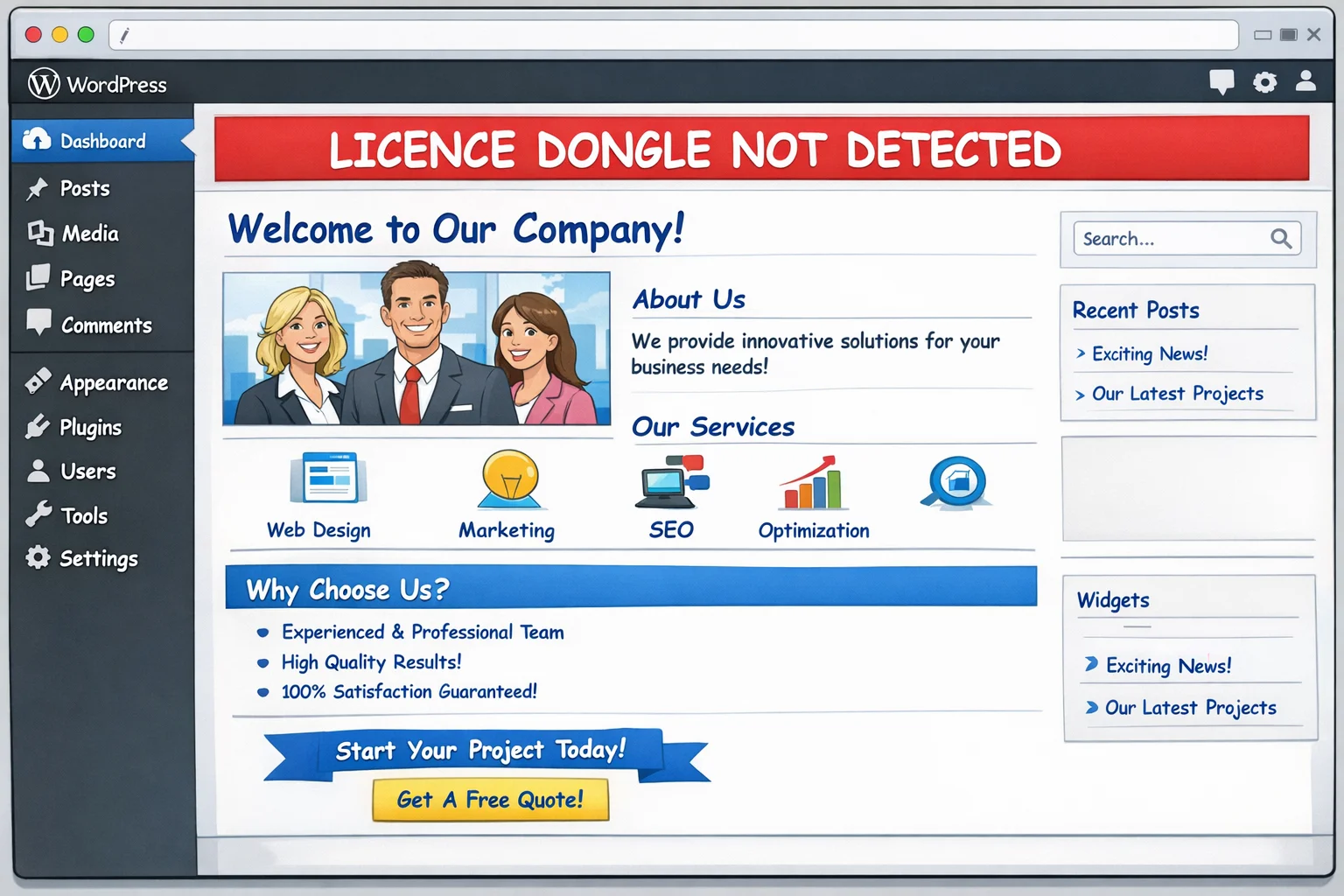
If the handshake fails (because you pulled the dongle out, moved to a different computer, or a cat knocked it loose), you get a 30-second grace period to reconnect. After that, the dashboard locks and you're redirected to a helpful page that reads: "Please reconnect your WordPress Licence Dongle. If you've lost it, check behind the sofa."
Some additional technical details from the developer documentation:
- The dongle plays a short jingle every time you publish a post. This cannot be muted.
- The jingle is the first four notes of "Ode to Joy" played on a synthesised recorder.
- If a draft has been open for more than 72 hours without saving, the dongle's LED turns from blue to a "passive-aggressive amber."
- The dongle contains a gyroscope. If you shake it vigorously, it triggers a confetti animation in the block editor. The Foundation calls this an "easter egg." The developer community calls it "a workplace hazard."
What Beta Testers Are Reporting
The dongle has been in closed beta since February, and the bug reports make for exceptional reading. Here are some highlights from the beta forum (reproduced with permission, because the testers want the world to know):
User: developer_karen_42
"Left my dongle in my coat pocket. Coat went through the washing machine. My portfolio site spent three hours in Papyrus before I found a spare."
User: wpfreelancer_tom
"Was presenting a client's redesign over Zoom. Cat jumped on the desk, knocked the dongle out. The entire site switched to Comic Sans live on screen. The client asked if it was a creative direction. I said yes. They loved it. I hate everything."
User: agency_nightmare_uk
"Our office has a hot-desking policy. I left my dongle plugged into a monitor that someone else took. By the time I found it, I'd been locked out of 14 client dashboards and the dongle had played 'Ode to Joy' 23 times because someone published their lunch blog."
User: debug_this_please
"I accidentally sat on the Agency Bundle keychain. Triggered 47 simultaneous confetti animations across all connected sites. Chrome used 18GB of RAM. My laptop fan sounded like a jet engine. The office fire alarm went off. Unrelated, but the timing was poetic."
User: sarahs_woocommerce
"The WooCommerce Commerce Module fell out during checkout testing. Instead of Comic Sans, the prices switched to Wingdings. A customer tried to buy a £49.99 jumper for what appeared to be a snowflake, a smiley face, and a mailbox flag. The payment actually went through."
What Happens If You Remove the Dongle
This is where it gets dark.
If the dongle is disconnected while your site is live, WordPress 7.0 triggers what the Foundation is calling "Degraded Typography Mode." Your entire website, every page, every post, every carefully chosen heading, switches to Comic Sans MS.
Your visitors see it. Google sees it. Your brand guidelines see it and weep.
The Foundation's FAQ describes this as "a gentle visual reminder to reconnect your licence dongle." The web design community has described it using words we can't print here. Our sister site wrote about what makes a website actually work last year. None of the criteria included "involuntary Comic Sans."
Reconnecting the dongle restores your typography within 15 seconds. Unless your site uses WooCommerce, in which case it takes 45 seconds because the Commerce Module (sold separately) needs to re-handshake independently.
The WooCommerce Commerce Module
WooCommerce stores need a second dongle.
The "Commerce Module" is a smaller USB-C device that plugs into the first dongle, creating a two-dongle chain hanging from your laptop. It handles payment authentication and, according to the WooCommerce team, "provides a satisfying click when inserted that simulates the emotional weight of processing financial transactions."
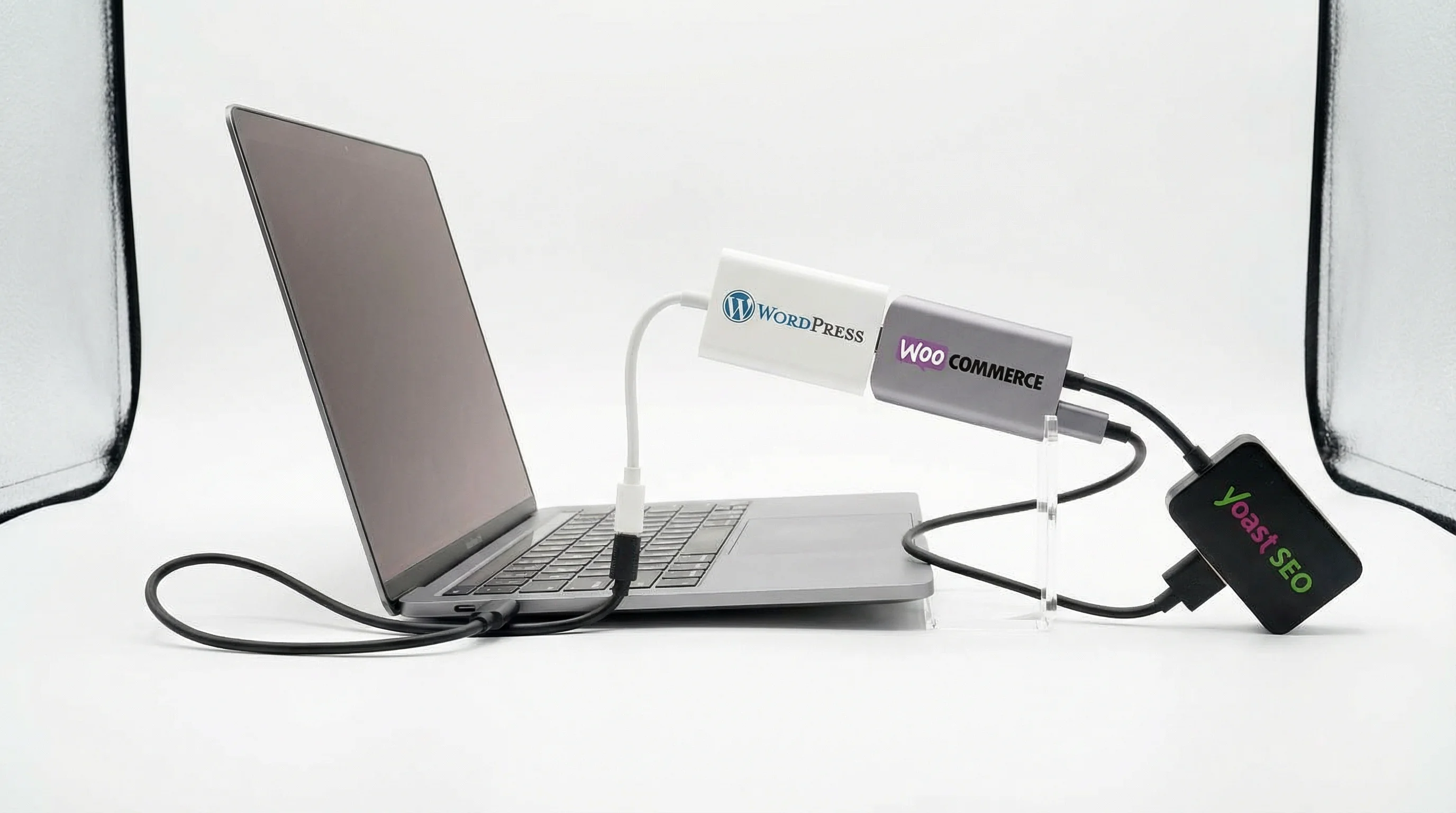
Plugin developers are reportedly planning their own dongles. Yoast has confirmed a "Readability Authenticator" that clips onto the WooCommerce Module. Elementor is rumoured to be developing a dongle shaped like a small drag-and-drop handle.
At the time of writing, nobody has addressed what happens when you have seven dongles chained together and need to use your laptop on a train.
What the Industry Is Saying
Reactions have been mixed, in the sense that some people are mixed between confusion and outrage.
"We're currently assessing whether our laptops have enough USB-C ports. Most of them only have two. If a developer is running WooCommerce with Yoast on a staging site, they'll need a USB hub just to log in. We've ordered 200 USB hubs as a precaution."
That quote landed differently depending on who you asked. Some hosting providers are already bundling free dongles with managed WordPress hosting plans. Others are pretending the announcement doesn't exist.
"This is the most important WordPress update since Gutenberg. Perhaps since the invention of the paragraph itself. The dongle represents a philosophical bridge between the digital and physical worlds. When you hold it, you hold your content."
Several WordPress meetup groups have cancelled their April events to "process the implications." The WordPress subreddit briefly went private. A petition on Change.org titled "No Dongle, No Problem" gathered 40,000 signatures in three hours before the organiser realised they'd need a dongle to update their own WordPress petition site.
What This Means for Your Site
According to the current roadmap:
- April 9, 2026: WordPress 7.0 releases. The dongle requirement is active from day one.
- April 10, 2026: WordPress 6.9 auto-update starts pushing users towards 7.0 with a banner that says "Your content misses you. Get your dongle."
- July 1, 2026: WordPress 6.9 enters "Dongle Encouragement Mode." The dashboard background gradually fades to grey over 30 days until a dongle is connected.
- October 1, 2026: WordPress 6.9 EOL. All non-dongled installations display a full-screen splash page with a spinning dongle animation and the text "It's time."
If you're nervous about the WordPress 7.0 upgrade in general (dongle aside), we covered what your hosting provider won't tell you about WordPress 7.0 and it's still a useful read.
For those thinking about switching hosts before the dongle deadline, we also wrote about what actually happens when you switch hosting. Spoiler: it's less scary than a daisy chain of USB dongles.
What If You Lose Your Dongle?
Replacements take 6-8 weeks. The Foundation says this timeframe "reflects the artisanal nature of the manufacturing process" and that each dongle is "individually calibrated to your WordPress installation's unique energy."
During the replacement period, you can apply for a "Temporary Digital Dongle Pass" which involves submitting a 14-page form, three forms of identification, a photograph of yourself holding a sign that says "I promise to look after my dongle this time," and a £25 processing fee.
The Form requires a WordPress site to submit. The irony has not been lost on anyone.
Frequently Asked Questions
Do I really need a physical dongle to use WordPress?
According to the announcement, yes. There is no digital alternative. The Foundation explored a software-only option but rejected it because "you can't lose a software key behind the sofa, and the sofa moment is an important part of the WordPress experience."
Can I use one dongle for multiple WordPress sites?
Only on Business tier and above. Personal dongles are locked to a single WordPress installation. If you manage multiple sites, you'll need either a Business dongle or one Personal dongle per site. The Agency Bundle comes with 50 on a keychain, though your pocket may not survive the experience.
My computer only has USB-A ports. Is there an adapter?
The Foundation sells an official USB-C to USB-A adapter for £19.99. It's called the "Legacy Bridge" and comes with a small card that reads "We understand you're still on a journey." Third-party adapters are not supported and may cause your dashboard to display in Wingdings instead of Comic Sans.
Can I 3D print a replacement dongle?
No. Each dongle contains a proprietary chip called the "Gutenberg Authenticator" that cannot be replicated. Several attempts to reverse-engineer the chip have resulted in WordPress installations that only display posts in reverse chronological order. Wait, they already do that.
Does this affect WordPress.com users?
No. WordPress.com users will instead be required to complete a daily CAPTCHA that asks them to identify which images contain a dongle. Failing the CAPTCHA three times results in a mandatory 15-minute "dongle appreciation" video narrated by Matt Mullenweg.
How do I manage my site from my phone?
A mobile dongle adapter is in development. For now, the Foundation recommends "keeping your dongle on a lanyard around your neck at all times" and carrying a USB-C OTG cable. The WordPress mobile app will display a helpful animation of a dongle searching for a phone to connect to. It looks like a lost puppy.
Is the dongle waterproof?
No. The dongle is rated IP22, which means it's protected against "vertically dripping water" but not much else. The Foundation acknowledges this is a problem for "anyone who edits WordPress posts in the bath" but says a waterproof version is on the 2027 roadmap.
Is this an April Fools' joke?
...yes. Happy April Fools! None of this is real. WordPress 7.0 does not require a dongle. You can put the USB hub down.
The Real WordPress 7.0 (No Dongle Required)
WordPress 7.0 actually drops on April 9, and it's a big release for real reasons: AI Connectors, the Abilities API, and a reworked admin experience. No hardware key needed. Your typography is safe.
We've been testing the betas on our hosting platform since January. If you want the real story, here's what we've published:
- WordPress 7.0's AI Experiments Plugin: We Tested Every Feature
- WordPress 7.0 Drops April 9: What Your Hosting Provider Won't Tell You
- What the AI Connectors Actually Do on WordPress 7 Beta 2
And if you want to make sure your hosting can handle the real 7.0 upgrade without drama, 365i's managed WordPress hosting includes automatic updates, staging environments for testing, and daily backups. No dongle, no keychain, no trousers reinforcement required.
Happy April Fools!
Ready for WordPress 7.0 (Dongle-Free)?
365i's managed WordPress hosting handles updates, backups, and security so you can focus on your content. No USB dongles, no keychains, no Comic Sans.
Explore WordPress HostingSources
- This article is entirely fictional. It was published on 1 April 2026 as an April Fools' joke. WordPress 7.0 does not require a physical dongle. All quotes are fabricated. No USB hubs were harmed in the making of this post.
Published: · Last reviewed: · Written by: Mark McNeece, Founder & Managing Director, 365i
Editorially reviewed by: Mark McNeece on · Our editorial standards