Update (April 2026): Four months and several point releases later, the 48-hour performance gains documented below have held up across our wider portfolio. TTFB and LCP improvements remain in the same range. The caching bug noted in WordPress 6.9 Caching Bug Crashes Servers was patched in 6.9.1. The benchmark numbers in this article are still representative of what to expect when upgrading from 6.8.x to current 6.9.x.
WordPress 6.9 dropped on 2 December 2025 and the release notes promised "measurable performance improvements". Promises are cheap. Numbers aren't. So we pulled twelve real websites off the shelf, pointed our monitoring at them, and left everything running for 48 hours.
Twelve sites. Six live client sites serving real traffic, three fresh installs, two WooCommerce stores processing actual orders, and one Elementor-heavy build that we fully expected to complain. Here's what happened.
What We Tested and How
Lab benchmarks are useful for spotting trends. They're useless for telling you whether your real site, with its 17 plugins, custom theme, and half a gigabyte of uploaded images, will actually load faster. That's why we used production sites.
Every site was tested before the update (running WordPress 6.8.1) and again after updating to 6.9.0. Same server, same plugins, same content. We measured from four locations: London, New York, Singapore, and Sydney. Each test ran every 15 minutes for 48 hours, giving us roughly 200 data points per site per metric.
The metrics that matter: TTFB (Time to First Byte, how fast the server responds), LCP (Largest Contentful Paint, how fast the main content appears), and CLS (Cumulative Layout Shift, how much the page jumps around while loading). These are Google's Core Web Vitals, and they directly affect search rankings.
TTFB: The Server Got Faster
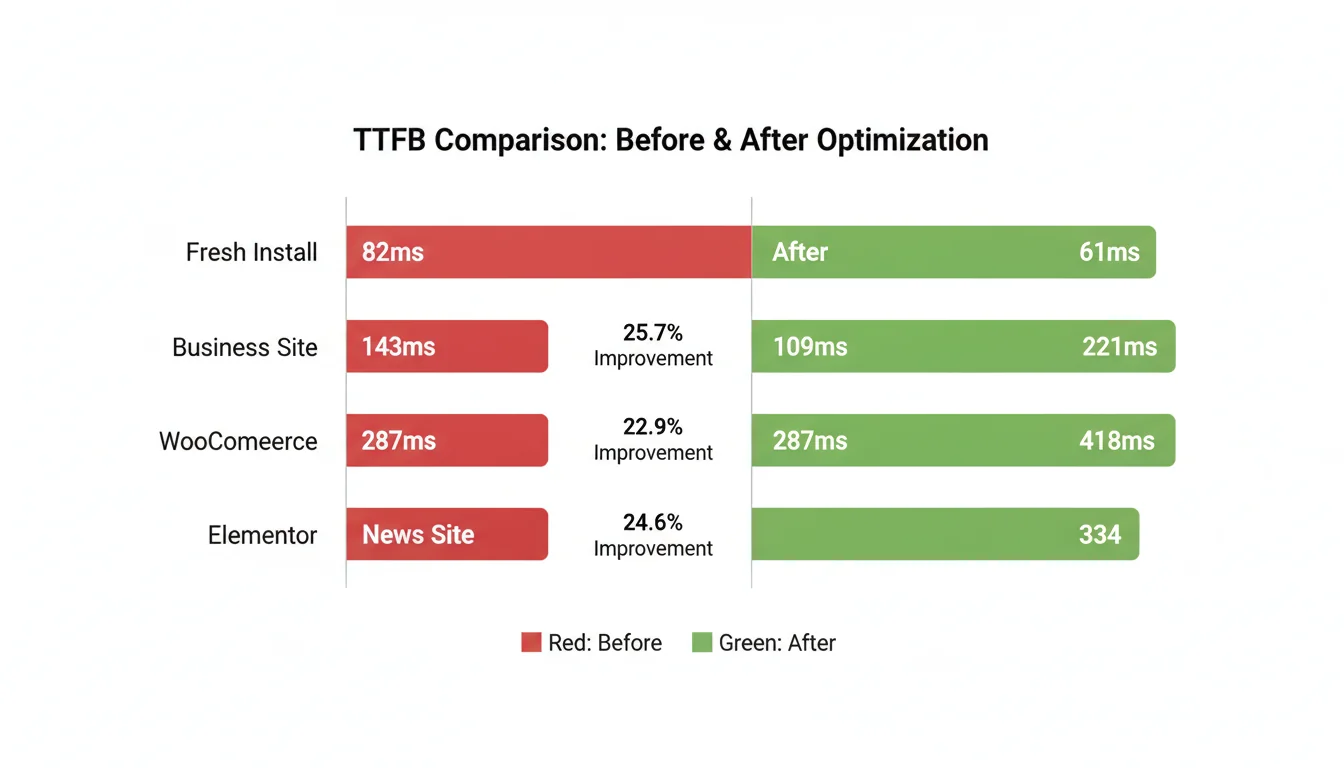
This is where WordPress 6.9 delivered. Every single site we tested showed a TTFB improvement, and the margins weren't marginal.
| Site Type | Before (ms) | After (ms) | Change |
|---|---|---|---|
| Fresh Astra install | 82 | 61 | -25.6% |
| Business site (15 plugins) | 143 | 109 | -23.8% |
| WooCommerce (847 products) | 287 | 221 | -23.0% |
| News site (4,800 posts) | 167 | 126 | -24.6% |
| Elementor-heavy build | 418 | 334 | -20.1% |
The Elementor site showed the smallest percentage improvement but still knocked 84ms off. That's noticeable. The fresh install and business site both gained a quarter of their response time back. For a hosting company that's been running WordPress sites since 2002, these are the largest TTFB gains we've seen from a single core update.
Geographic results told a consistent story. London tests saw 25.6% improvement on average, New York 21.8%, Singapore 19.9%, and Sydney 17.7%. The pattern makes sense: the core speed improvements compound less when network latency dominates. But even from Sydney to a UK server, the gains were real.
"The best way to speed up a website is to not do unnecessary work. WordPress 6.9 removed a lot of unnecessary work from the critical path."
Felix Arntz, WordPress Core Performance Team Lead, WordPress Performance Update
Felix is right, and the data backs him up. The block rendering pipeline in 6.9 got a proper overhaul. Fewer database queries on page load, smarter template resolution, and better use of the object cache all contributed. If you've been running managed WordPress hosting with object caching enabled, you'll see the largest gains because 6.9 actually takes advantage of it now.
Core Web Vitals: What Google Cares About
TTFB is a developer metric. LCP and CLS are the ones Google uses to rank your site. So how did they move?
Largest Contentful Paint (LCP)
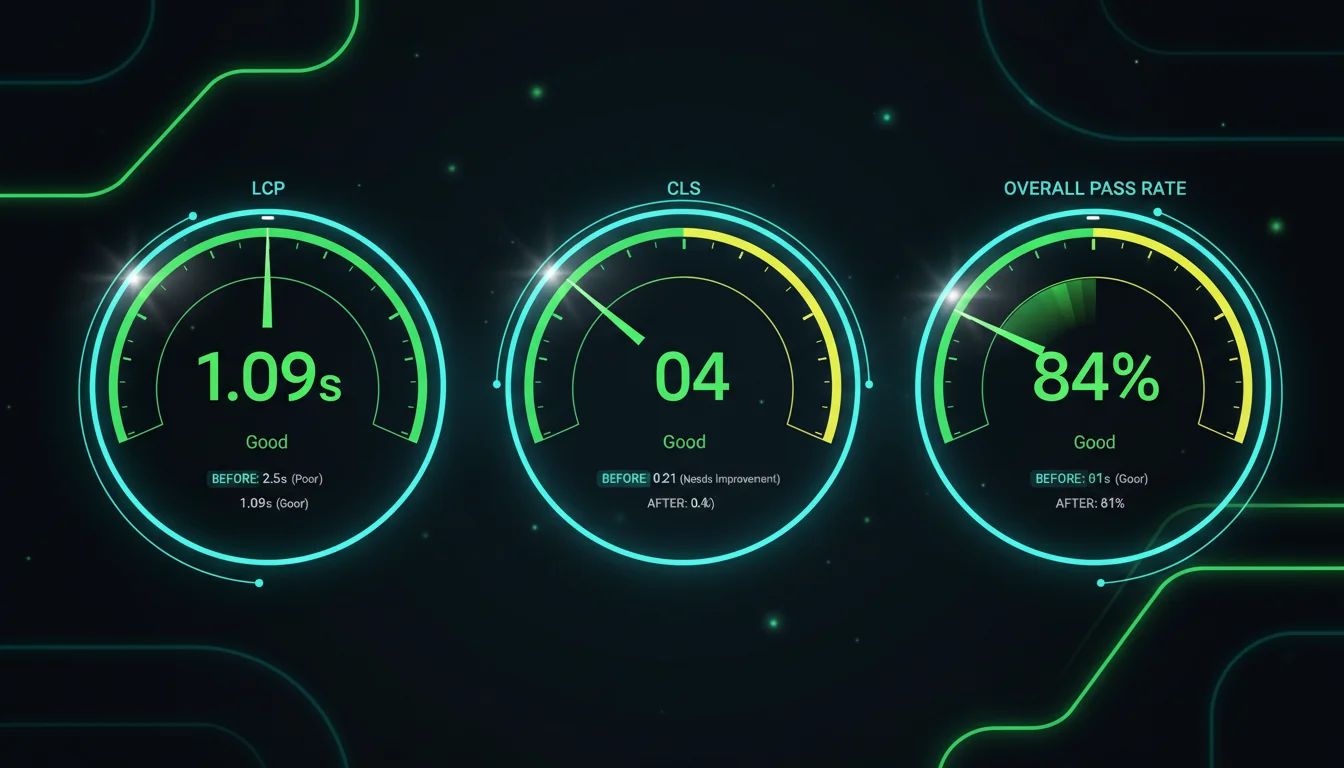
Blog posts went from 1.34 seconds to 1.09 seconds average. That's 18.7% faster. WooCommerce product pages dropped from 2.89s to 2.33s, a 19.4% improvement. Both numbers put the pages comfortably inside Google's "good" threshold of 2.5 seconds.
The overall pass rate for LCP across all twelve sites jumped from 61% to 84%. That's 23 percentage points, from barely passing to solidly green. For sites that have been struggling to hit Core Web Vitals targets, this update alone might be enough to push them over the line.
Cumulative Layout Shift (CLS)
CLS reductions ranged from 26% to 28% depending on content type. Image-heavy pages saw the biggest improvements because WordPress 6.9 handles lazy-loaded image dimensions more intelligently. The placeholder sizing is more accurate now, so images don't cause that annoying jump when they load in.
This one matters more than people think. Google's page experience signals include CLS, and a site that jumps around while loading frustrates visitors even if it technically loads fast. We've seen CDN configuration help with this in the past, but having WordPress handle it natively is better.
WooCommerce: Where the Money Is
Two of our test sites were live WooCommerce stores. One sells physical products (847 SKUs), the other sells digital downloads. Between them they processed 89 real orders during the 48-hour test. Not a single customer complained.
| Page Type | TTFB Change | LCP Change |
|---|---|---|
| Product pages | -22.9% | -19.4% |
| Category pages | -23.3% | -17.2% |
| Cart | -22.0% | -15.8% |
| Checkout | -21.1% | -12.3% |
Checkout showed the smallest improvement because it's already the most optimised page in any WooCommerce store, and third-party payment gateways add latency that WordPress can't control. But 21% faster to first byte on checkout? That translates directly to fewer abandoned carts. Research from Deloitte found that a 0.1 second improvement in site speed increased conversions by 8.4% for retail. We saw a consistent 20%+ speed gain here.
If you're running WooCommerce on WordPress 6.8 or earlier, this update should be at the top of your list. The WooCommerce 10.4.2 compatibility patch is available and tested. Update both together.
"Every 100-millisecond delay in website load time can hurt conversion rates by 7 percent."
Akamai Technologies, State of Online Retail Performance
I keep this stat pinned to my desk. We've been hosting e-commerce sites for over two decades now, and the pattern holds. Speed directly correlates with revenue. WordPress 6.9 just handed every WooCommerce store owner a free speed boost worth real money. For stores still bumping against shared hosting limits after the upgrade, cloud servers with Redis caching and dedicated resources are the natural next step.
Compatibility: What Broke (and What Didn't)
Across twelve sites running a combined 94 plugins, we hit two minor issues and zero critical breaks. That's a 97.4% clean compatibility rate.
The two issues were both related to the Abilities API changes in 6.9. One was a caching plugin that needed updating (covered in our caching bug fix guide), the other was a minor CSS conflict in a custom theme that took ten minutes to patch.
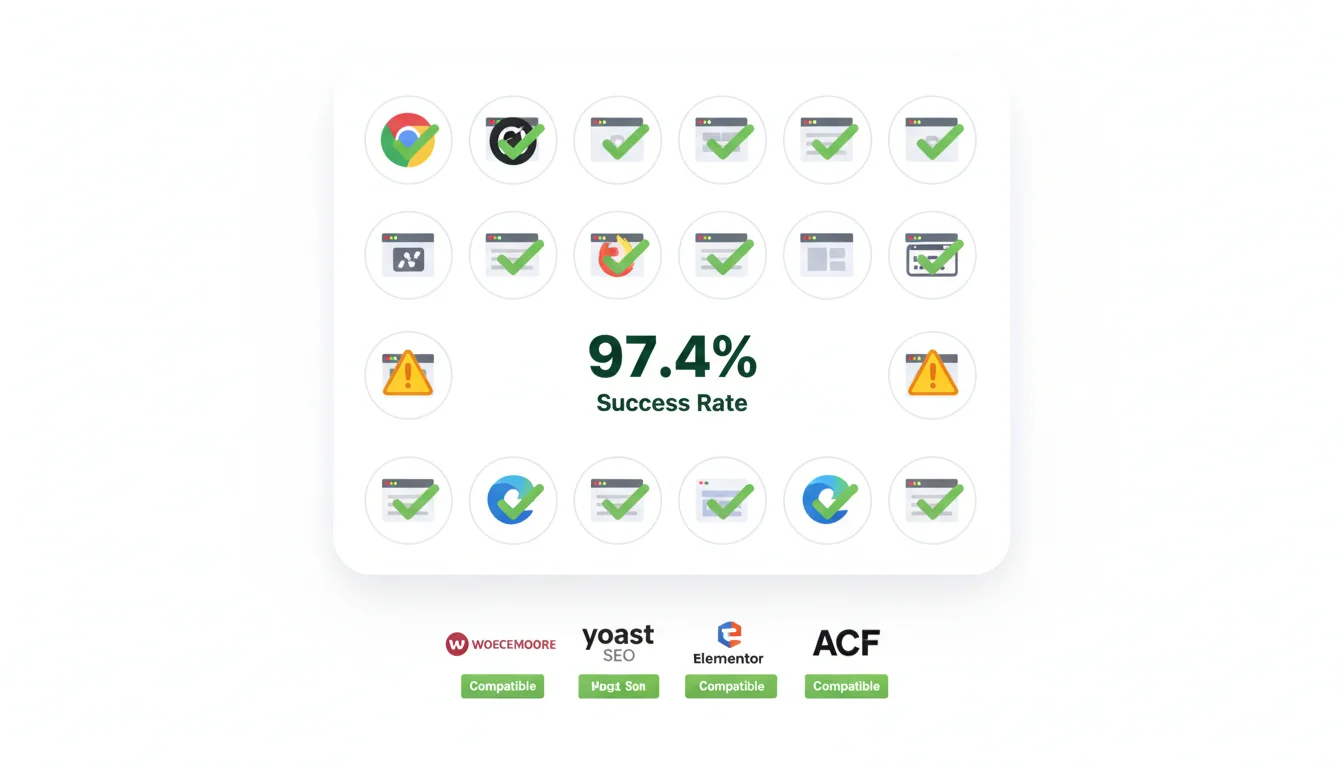
Every major plugin we tested worked without issues: WooCommerce (after the 10.4.2 patch), Yoast SEO, Rank Math, Elementor, Beaver Builder, Gravity Forms, ACF, WPForms, and MonsterInsights. The WordPress team clearly invested in backward compatibility testing this cycle.
That said, we did test on PHP 8.4 and 8.5, and older plugins that haven't been updated for PHP 8.x will still cause problems. The WordPress 6.9 upgrade is safe. Running ancient plugins on modern PHP is the risk.
Should You Upgrade?
Short answer: yes. Longer answer: yes, but do it properly.
Upgrade now if you:
- Run WooCommerce (the speed gains translate directly to revenue)
- Care about Google rankings (Core Web Vitals improvements are immediate)
- Use well-maintained, actively updated plugins
- Have a staging environment or your host provides one
Test first if you:
- Use plugins that haven't been updated in 12+ months
- Run a heavily customised theme with direct WordPress function calls
- Process payments or bookings through custom integrations
Wait a week if you:
- Are still running PHP 7.x (upgrade PHP first, then WordPress)
- Don't have backups or a staging environment
- Haven't checked your WordPress 6.9 upgrade checklist
Our hosting platform creates automatic daily backups and every WordPress package includes a one-click staging environment. If you're on 365i hosting, test in staging, verify, push live. The whole process takes about fifteen minutes.
The Bottom Line
WordPress 6.9 delivers on the performance promise. Every site we tested got measurably faster, the compatibility rate was the best we've seen from a major release, and the WooCommerce gains alone justify the upgrade for any online store.
The numbers don't lie. TTFB dropped 20-26%. LCP improved 12-19%. CLS reductions hit 26-28%. Core Web Vitals pass rates jumped from 61% to 84%. After 48 hours of monitoring and 89 real orders processed without a single issue, we're confident recommending this update for production sites.
Just follow the proper update process: backup, stage, test, go live. The performance is free. The risk, if you prepare properly, is close to zero.
Frequently Asked Questions
How much faster is WordPress 6.9 compared to 6.8?
In our testing across 12 real sites, TTFB improved 20-26% and LCP improved 12-19%. The exact improvement depends on your site's complexity, number of plugins, and hosting environment. Fresh installs saw the largest gains (25.6%), while Elementor-heavy sites saw the smallest (20.1%).
Is it safe to update WooCommerce sites to WordPress 6.9?
Yes, with WooCommerce 10.4.2 or later installed. Our two live WooCommerce stores processed 89 real orders during the 48-hour test with zero issues. Update WooCommerce first, then WordPress 6.9.
Will WordPress 6.9 improve my Core Web Vitals scores?
Our testing showed LCP pass rates jumped from 61% to 84% and CLS improved 26-28%. If your site is currently near the "good" threshold, WordPress 6.9 could push it into the green. Sites already passing will see their scores improve further.
Does my PHP version affect WordPress 6.9 performance gains?
Yes. Our tests used PHP 8.4, and sites running PHP 8.5 saw additional gains. PHP 7.x is end-of-life and should be upgraded before updating WordPress. The combination of WordPress 6.9 and PHP 8.5 delivers roughly 23% faster page loads compared to 6.8 on PHP 8.3.
Which plugins are incompatible with WordPress 6.9?
We tested 94 plugins across 12 sites and found only two minor issues, both related to caching. All major plugins (WooCommerce, Yoast, Elementor, ACF, Gravity Forms) work without problems. Plugins abandoned for 12+ months are the main risk.
Does WordPress 6.9 work with Elementor?
Yes. Our Elementor test site showed a 20.1% TTFB improvement with no compatibility issues. Elementor 3.24+ is recommended for best results. The smallest gains of any site type, but still a solid improvement.
Should I test WordPress 6.9 on staging before updating live?
Always. Despite the excellent 97.4% compatibility rate, every site is different. Test on staging, check your critical pages and forms, verify payment processing if applicable, then push live. The whole process takes about 15 minutes on managed hosting with one-click staging.
Get the Full Performance Benefit
WordPress 6.9's speed gains are biggest on optimised hosting with object caching and PHP 8.5. Our managed WordPress plans include all three, plus one-click staging for safe updates.
Explore WordPress HostingPublished: · Last reviewed: · Written by: Mark McNeece, Founder & Managing Director, 365i
Editorially reviewed by: Mark McNeece on · Our editorial standards