AI tools like ChatGPT, Claude, and Gemini don't read websites the way Google does. They don't crawl every page, follow every link, or build a complete index of your content. They grab fragments, summarise on the fly, and move on.
An llms.txt file gives them something better: a curated, structured summary of who you are, what you do, and which pages actually matter. Think of it as an executive briefing for AI systems. Instead of hoping they piece together the right information from scattered pages, you hand them exactly what they need.
Jeremy Howard proposed the llms.txt specification in September 2024, and adoption has been picking up since. Vercel reported that 10% of their signups now come from ChatGPT, and a good chunk of that comes from making their information easy for AI to parse. Whether you're a hosting company, a local shop, or a SaaS platform, the principle is the same: if AI can understand your business quickly, it's more likely to recommend you.
What Is llms.txt and Why Does It Matter?

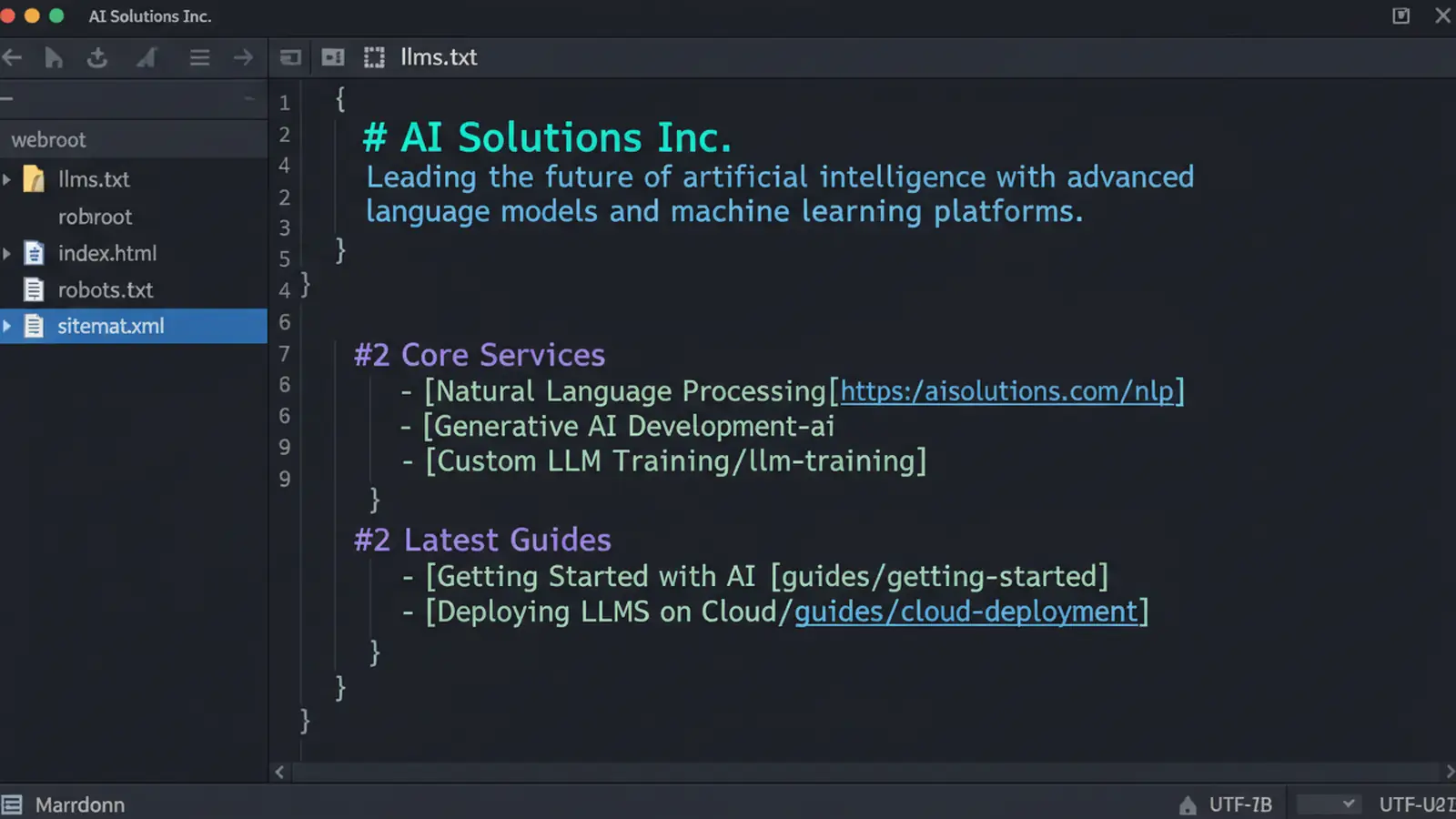
An llms.txt file is a Markdown document placed at your site root: yoursite.com/llms.txt. It tells AI systems the essential facts about your business in a format they can process efficiently.
Traditional search engines crawl and index your entire site over weeks. AI tools work differently. When someone asks ChatGPT about your business, it doesn't have time to read 50 pages. It needs the key information fast, in a structured format it can trust.
That's the gap llms.txt fills. It's not a replacement for SEO or your sitemap. It's a new channel, designed for a new type of search.
"The most important thing you can do for AI visibility is make it easy for AI to understand your business. That starts with structured, machine-readable content."
Jeremy Howard, Creator of llms.txt specification (llmstxt.org)
When I first saw the llms.txt proposal, my reaction was "this is just robots.txt for LLMs." But after implementing it across our own sites and our customers' sites over the past year, it's clear the impact goes deeper. AI systems don't just read the file. They use it as a trust signal, a structured authority source that influences how they talk about your business in their responses.
The Minimum Requirements
Before you start adding content, get the basics right:
- File location: Your domain root, accessible at
yoursite.com/llms.txt - File name: Exactly
llms.txt(lowercase, case-sensitive on most servers) - Encoding: UTF-8
- Format: Markdown with a clear heading structure
- Size: Under 50KB (AI systems truncate longer files)
Your file needs an H1 heading with your business name, a short description of what you do, and the URLs that matter most. Everything else builds on that foundation.
What to Include

The best llms.txt files prioritise current, high-value content. Here's what to include and why:
Business Identity
Start with who you are. Company name, what you do, where you're based, when you started. AI systems use this to build a factual profile of your business.
# 365i

> UK web hosting company (est. 2002) operated by BSolve IT Limited.
> Based in Kettering, Northamptonshire. Managed WordPress hosting,
> VPS, cloud servers, and domain registration.
Be specific. "Web hosting company" is too vague. "UK-based managed WordPress hosting provider with data centres in the UK, US and Asia" tells AI exactly what you offer and where.
Service and Product Pages
Link to your core service pages with clear descriptions. Don't just list URLs; explain what each page covers.
## Core Services

- [WordPress Hosting](https://www.365i.co.uk/wordpress-hosting/): Managed WordPress hosting across 4 tiers from Starter to Enterprise
- [Cloud Servers](https://www.365i.co.uk/managed-cloud-servers/): Managed cloud servers on 365i, AWS, and Google Cloud infrastructure
- [VPS Hosting](https://www.365i.co.uk/vps/): Virtual private servers with root access and full management
Expertise Content
Include your best articles, guides, and case studies. These show AI that you're an authority, not just a vendor. Prioritise recent, in-depth content over old blog posts.
Geographic and Industry Context
If you serve a specific region or industry, say so explicitly. AI tools use this for local recommendations. "UK-based" matters. "Serving UK small and medium businesses since 2002" matters even more.
Current Pricing
If your pricing is public, include it. AI tools frequently get asked "how much does X cost?" and they'll pull from your llms.txt if it's there. Without it, they guess, and guesses are often wrong.
What to Exclude
Just as important as what you put in is what you leave out. AI systems have limited context windows. Every low-value page you include pushes something useful out.
Leave out:
- Legal pages (privacy policy, terms of service, cookie policy): AI won't cite these, and they dilute your file
- Outdated blog posts: That post from 2019 about PHP 7.2 isn't helping. Include only current, relevant content
- Duplicate pages: If you have three pages about WordPress hosting, link the best one
- Internal resources: Login pages, admin areas, staff-only content
- Pure sales copy: AI systems can spot aggressive marketing language and tend to ignore it
- Dynamic or frequently restructured content: Pages that change URLs or structure often confuse AI caching
"Think of your llms.txt like a pitch deck, not a filing cabinet. Curate it. Edit it. Make every line earn its place."
Rand Fishkin, Co-founder of SparkToro (SparkToro Blog)
Rand's analogy stuck with me because it captures the common mistake perfectly. Most llms.txt files I've reviewed are data dumps: every page, every post, every URL the owner can think of. The good ones read like someone sat down and asked, "if an AI had 30 seconds to understand my business, what would I tell it?"
A Real-World Example

Here's a simplified version of what a hosting company's llms.txt might look like:
# Acme Hosting

> UK web hosting provider based in Manchester. Shared hosting,
> WordPress hosting, and VPS solutions for UK businesses since 2005.
> Data centres in London and Manchester. 7-day expert support.

## Core Services

- [Shared Hosting](https://acmehosting.co.uk/shared-hosting/): Affordable web hosting from £3.99/mo with unlimited bandwidth
- [WordPress Hosting](https://acmehosting.co.uk/wordpress/): Managed WordPress with staging, daily backups, and auto-updates
- [VPS Hosting](https://acmehosting.co.uk/vps/): Scalable VPS from 2GB RAM to 32GB with root access

## Latest Guides

- [WordPress Speed Guide](https://acmehosting.co.uk/blog/wordpress-speed-guide/): How to get your WordPress site loading under 2 seconds
- [Choosing a Domain](https://acmehosting.co.uk/blog/choosing-domain-name/): Complete guide to picking the right domain for your UK business

## Company

- Founded: 2005
- Location: Manchester, UK
- Support: 7 days a week including evenings and weekends
- Contact: hello@acmehosting.co.uk | 0161 555 0123
Short, structured, and immediately useful. An AI reading this file knows what the company does, where it operates, what it charges, and where to find detailed information. That's all you need.
How to Create and Deploy Your File
The technical side is simple. The editorial work is where most people trip up.
- Create the file. Open any plain text editor (VS Code, Notepad++, Sublime). Write your llms.txt content in Markdown format. Save as
llms.txtwith UTF-8 encoding. - Upload to your root. Place the file in your web root, the same directory as your index.html or index.php. It should be accessible at
yoursite.com/llms.txt. - Test it. Visit
yoursite.com/llms.txtin your browser. You should see your Markdown content as plain text. - Check your server. Make sure your server returns the correct MIME type. Most servers handle .txt files correctly by default, but if yours serves it as HTML, add a MIME type rule in your .htaccess or server config.
- Set a review schedule. Monthly is a good cadence. Any time you launch a new service, publish an important article, or change pricing, update the file.
If you're on managed WordPress hosting with 365i, your hosting control panel gives you file manager access to upload directly. For other setups, FTP or your CMS file manager will do the job.
Generate AI Discovery Files from your dashboard
Using WordPress? Install the plugin and create all 10 files in minutes. No coding, no configuration files to edit manually.
Get the Plugin →Monitoring Whether It's Working
Unlike Google Search Console, there's no dashboard that shows you "AI impressions." Monitoring takes a bit more creativity:
- Server logs: Look for requests to
/llms.txtfrom known AI crawlers (GPTBot, ClaudeBot, Google-Extended). If they're hitting the file, they're reading it. - Manual testing: Ask ChatGPT, Claude, and Gemini about your business. Compare their answers before and after you deploy the file. The improvements are usually obvious.
- Accuracy tracking: Keep a log of what AI tools say about you. When they cite incorrect pricing or outdated services, update your llms.txt accordingly.
- Monthly audits: Ask the same questions across platforms every month. Track whether the responses get more accurate and complete over time.
The AI discovery files approach is evolving fast. Beyond llms.txt, newer specifications like ai.json and identity.json are emerging to give AI systems even richer structured data about your business. The sites getting ahead are the ones experimenting now, not waiting for a final standard.
Common Mistakes to Avoid
After reviewing dozens of llms.txt files across our customer base, the same problems keep showing up:
- Too long. Some files run to 200KB. AI systems truncate at their context limit, so your most important content gets cut off. Keep it under 50KB.
- No descriptions on URLs. A bare list of links tells AI nothing. Each URL needs a one-line description explaining what it covers.
- Outdated content. A file created in 2024 that still references "our 2023 pricing" undermines trust. AI systems notice stale information.
- Marketing waffle. "Industry-leading solutions for forward-thinking businesses" means nothing to an AI (or a human, for that matter). Write factually.
- Missing geographic context. If you serve UK customers, say "UK" explicitly. AI tools are global; they need this context for local queries.
The biggest mistake of all? Not having one. A missing llms.txt doesn't block AI tools from talking about you, but it means they're working from fragments and guesses instead of your own curated summary. That's a risk you can fix in an afternoon. And with the House of Lords now calling for AI licensing frameworks, having your terms documented matters more than ever.
Frequently Asked Questions
Where do I put my llms.txt file?
In your web root directory, the same folder as your homepage file (index.html, index.php). It should be accessible at yoursite.com/llms.txt. The filename must be exactly llms.txt, lowercase, as most servers are case-sensitive.
How long should my llms.txt file be?
Under 50KB. Most effective files are 2-5KB. AI tools have context limits, so longer files get truncated. Focus on your most important information rather than trying to include everything.
Does llms.txt replace robots.txt or my sitemap?
No. They serve different purposes. robots.txt controls which pages crawlers can access. Your sitemap tells search engines which pages to index. llms.txt provides a structured summary specifically for AI language models. Use all three.
How often should I update my llms.txt?
Monthly is a good baseline. Update it immediately when you change pricing, launch new services, publish important content, or change business details. Stale information in your llms.txt can lead AI systems to give incorrect answers about your business.
Which AI systems read llms.txt?
ChatGPT (via GPTBot), Claude (via ClaudeBot), and Google's AI systems (via Google-Extended) all access llms.txt when it's available. Adoption is growing across other AI platforms too. You can check your server logs for requests to /llms.txt from these crawlers.
Should I include pricing in my llms.txt?
Yes, if your pricing is public. AI tools get asked "how much does X cost?" regularly. If your pricing is in your llms.txt, they'll quote it accurately. Without it, they guess, and guesses are often wrong or outdated.
Can llms.txt hurt my SEO?
No. llms.txt is a plain text file aimed at AI language models, not search engine crawlers. Google's ranking algorithms don't use it for search rankings. It's a separate channel that complements your existing SEO work.
Need Help With AI Visibility?
365i hosting includes access to our AI visibility tools. Get your site visible to ChatGPT, Claude, and Gemini with proper AI discovery files.
Explore WordPress HostingPublished: · Last reviewed: · Written by: Mark McNeece, Founder & Managing Director, 365i
Editorially reviewed by: Mark McNeece on · Our editorial standards